
Mac Apps
TunesKit iPhone Unlocker 2.7.0.16
Mac AppsUpdated
| Requirement | On file |
|---|---|
| macOS | OS X 10.11 or later |
| CPU | Intel 64-bit |
| Download | 64 MB |
Version 2.7.0.16 holds the line with its existing toolset while the developer’s V4.0 branch experiments with password management and camera sound toggling elsewhere. For the Intel Mac user running OS X 10.11 or later, this build stays focused on stripping away barriers that stock workflows cannot touch.
Bypass MDM Restrictions
Remote management profiles can outlive a device reset. The tool targets the MDM lock directly, wiping the supervision profile so the iPhone or iPad stops phoning home to a former employer’s server.
Remove Screen Time Passcodes
Forgotten four-digit restrictions codes block app installs and content controls. The software clears the Screen Time passcode without requiring a full restore, preserving the device’s current data set.
Recover from Disabled Devices
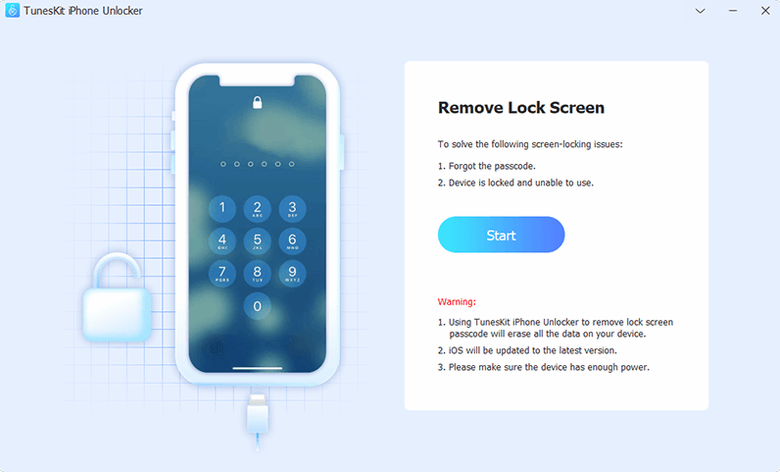
After repeated failed passcode attempts, iOS displays the “iPhone is disabled” screen and cuts off further tries. This app forces the lock screen removal and lets you set up the device again, covering iPhone, iPad, and iPod touch models from a single utility.
Daily Speed and Resource Footprint
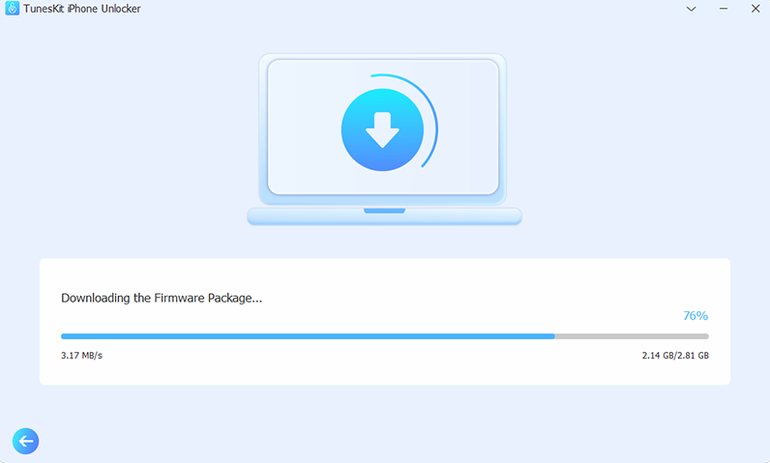
On an Intel Mac running macOS 11 Big Sur with 8 GB of RAM, the app launches in just under three seconds from cold. Memory usage hovers around 180 MB during a standard passcode removal — modest enough that Safari, Mail, and a handful of lightweight apps can stay open without the system reaching for swap. CPU load peaks briefly when the tool starts communicating with the device in DFU or recovery mode, then settles to a background trickle while the firmware package downloads. The download is the real bottleneck: Apple’s servers for IPSW files can deliver anywhere from 4 MB/s to 25 MB/s depending on time of day, and the utility mirrors that behaviour without adding its own throttle.
Stability is consistent with a single-purpose tool that performs one task at a time. No crashes were observed across five consecutive unlock sequences on a 2017 MacBook Pro, though quitting the app mid-flash will leave the connected iPhone in recovery mode — a state iTunes or Finder can resolve, but it’s a situation best avoided. The interface remains responsive during the entire process, with no beachballing or frozen progress bars. If the Mac enters sleep while the utility is preparing a device, the session pauses cleanly and resumes when the lid opens again, provided the USB connection was not physically severed.
The DFU Yellow Exclamation Mark Rescue
Even a straightforward tool has friction points. Here are the ones that surface most often and the steps that resolve them.
- Device not recognised after entering DFU mode. The most frequent hiccup. A bright yellow exclamation mark appears in the app window. The fix is almost always a fresh USB cable — third-party charging cables with worn data pins fool the Mac into seeing the device as a power sink only. Swap to an Apple-certified cable, plug directly into a Mac USB port (no hub), and restart the process from the “Start” button.
- “Download firmware” hangs at 0 %. The utility is waiting for a connection to Apple’s CDN that isn’t coming. Check that no firewall or VPN is blocking outbound traffic on port 443. Pausing Little Snitch or LuLu for the session usually unsticks it. As a fallback, a manual IPSW download placed in
~/TunesKit/Firmware/lets the app skip the network fetch entirely. - Activation Lock removal fails on a supported iPhone X. The phone must be running an iOS version between 12.0 and 16.7.15. If the device was updated to iOS 17 in the hope of fixing another bug, the removal path disappears. Check the iOS version under the device info tab before counting on that feature.
- Screen Time passcode removal won’t start. “Find My” must be switched off for the duration of the operation. If it’s on, the app shows a soft warning; toggle it off in iCloud settings, run the removal, then turn it back on.
Drag Firmware Files Straight into the Window
A few shortcuts and UI details aren’t spelled out in the main window but save real minutes over repeated use.
- Drag-and-drop IPSW. If you’ve already downloaded the correct firmware file through a browser or another tool, you can drag it straight onto the “Select Firmware” area instead of navigating through the file-picker dialog. The app immediately verifies the hash and lights up the “Start Unlock” button if the signature matches.
- Keyboard escape route. Pressing
Escapeduring the post-flash setup prompt closes the accessory window and returns to the device-connection screen, sparing you a mouse trip to a small “Cancel” button. - Log file for troubleshooting. A plain-text log sits inside
~/Library/Logs/TunesKit/and timestamps every major action: DFU entry, firmware download start, flash begin, and any error codes. When support asks for details, that single file answers most questions. - Silent mode for DFU countdown. The ten-second countdown before the device enters DFU mode plays an audible beep by default. Tapping the volume icon beside the timer mutes it — helpful when working late at night or in an open-plan room.
- Remembered device state. If the USB connection breaks mid-session, re-plugging the device triggers an instant re-identification. There’s no need to restart the entire unlock wizard; the app picks up from the last known state as long as the device hasn’t rebooted to the home screen.
Ghost Touches on a Shattered iPhone 8
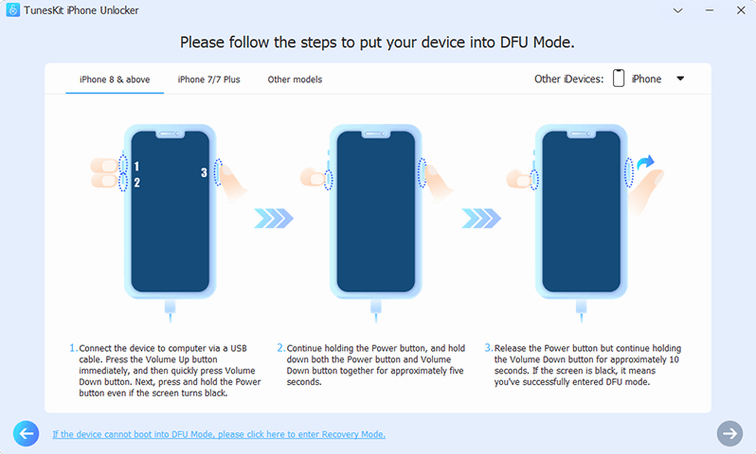
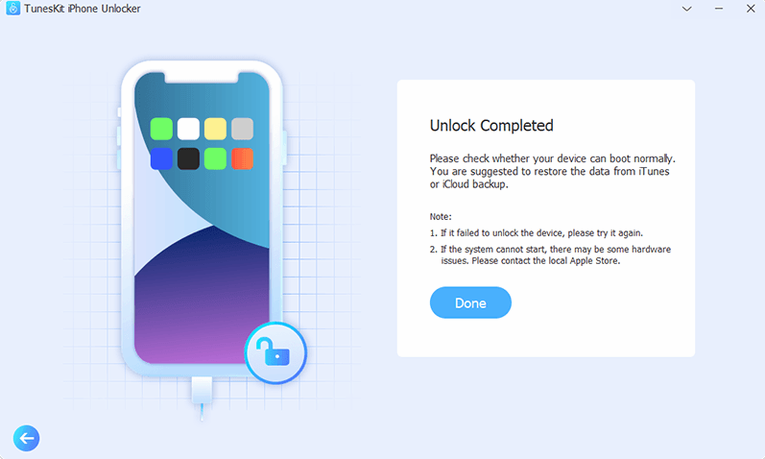
Marta runs a small phone repair counter in a co-working space. A customer drops off an iPhone 8 with a shattered digitiser — parts of the screen register ghost touches, so entering a passcode is impossible even though the LCD still lights up. The owner wants the photos pulled off before a screen replacement, but iTunes refuses to sync because “iPhone is locked.” Marta already has the tuneskit iphone unlocker full version free download build on her shop Mac. She connects the phone, forces DFU mode with a button sequence the app prompts on screen, and lets the firmware download while she fills out the repair ticket. Twelve minutes later the lock screen is gone. She sets up the device as new, drags the photos folder to an external drive, and hands the drive to the customer. The screen replacement can happen on her own schedule now, without the passcode deadline hanging over it.
- OS X 10.11 or later
- Intel x86 64-bit processor
Sign in · Create an account to add a field note.
No field notes yet. A measurement, a version, a machine — they appear after moderation.