Mac Apps
ViWizard Spotify Music Converter 2.17.0
Mac AppsUpdated
| Requirement | On file |
|---|---|
| macOS | OS X 10.10 or later |
| CPU | Intel 64-bit |
| Download | 7 MB |
A student archiving lecture playlists for offline study, a gym-goer loading a smartwatch with DRM-free workout mixes, or a collector backing up rare audiobook editions before they disappear from the catalogue. The ViWizard Spotify Music Converter on Mac serves anyone who needs Spotify content as plain audio files they actually own, and it works directly through Spotify’s Web Player to fetch the source material without touching the desktop client.
Batch conversion is the engine. Rather than processing one track at a time, you feed it an entire album, a sprawling playlist or a dozen podcast episodes at once. While it runs, the app preserves the original metadata — artist name, album art, track number — so your library stays organised without manual tagging afterwards.
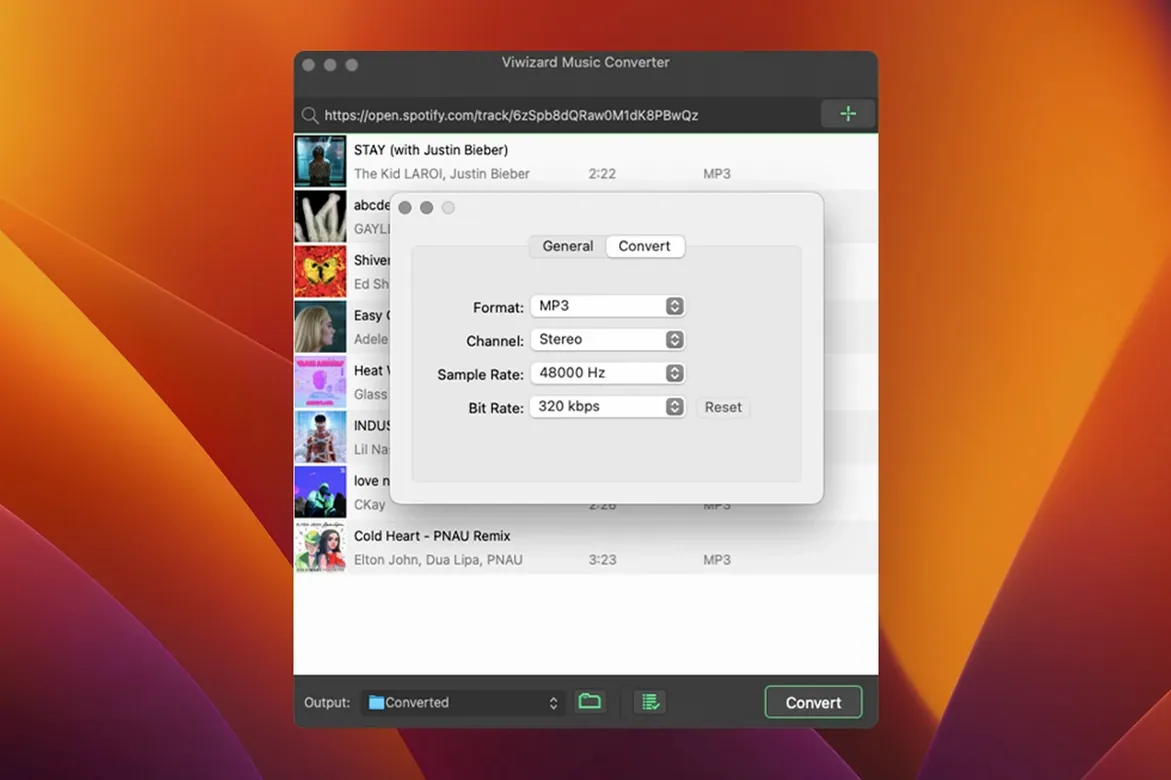
Output control is where the converter earns its place in a signal chain. Before a job starts, you set the format to MP3, AAC, WAV, FLAC, M4A or M4B, then dial in the channel, bitrate and sample rate to match the target device. That matters when you need 320 kbps MP3s for a car stereo, 44.1 kHz WAVs for a sample library or space-efficient M4Bs for a long audiobook.
Because it relies on the Web Player for access, the app handles songs, albums, artists, podcasts and audiobooks equally. The trade-off is architectural: this is an Intel-only build, so Apple Silicon Macs run it through Rosetta, and macOS must be 10.10 or newer. For machines that meet those specs, it turns a streaming subscription into a set of local files with no extra moving parts.
Hands Off Finished Files to Spotlight and Finder
The converter doesn't try to be a media player or a library manager — it hands off finished files and gets out of the way. Once tracks land in the output folder, macOS can index them through Spotlight, import them into the Music app or a DJ tool like rekordbox, or sync them to an iPhone via Finder. Because metadata survives the conversion intact, Apple Music displays artist, album and artwork without manual correction.
Two Finder-level tricks speed things up. First, the app can auto-sort output into folders by artist or album, so a 200-track playlist doesn't dump into one flat directory. Second, the export formats line up with what most Mac audio tools expect: AIFF and WAV for Logic Pro sessions, FLAC for Plex servers, M4B for the Books app, and MP3 for anything that takes USB mass storage. You can set up a watched folder in Hazel or a similar automation tool to move converted files into your media library the moment they appear.
Integration with the Spotify Web Player means the app runs entirely inside its own window — no browser extension, no dependency on the native Spotify desktop app. That isolation keeps the converter's network activity separate from your normal Spotify listening. You can have the desktop client streaming in the background while the converter pulls a different playlist through the Web Player, and the two sessions won't collide.
Convert a 47-Track Playlist Before a Wi-Fi Blackout
You've just found a 47-track ambient compilation you want for an overnight train journey. The playlist sits in your Spotify account, but there's no signal for half the route. Here's how the next ten minutes unfold.
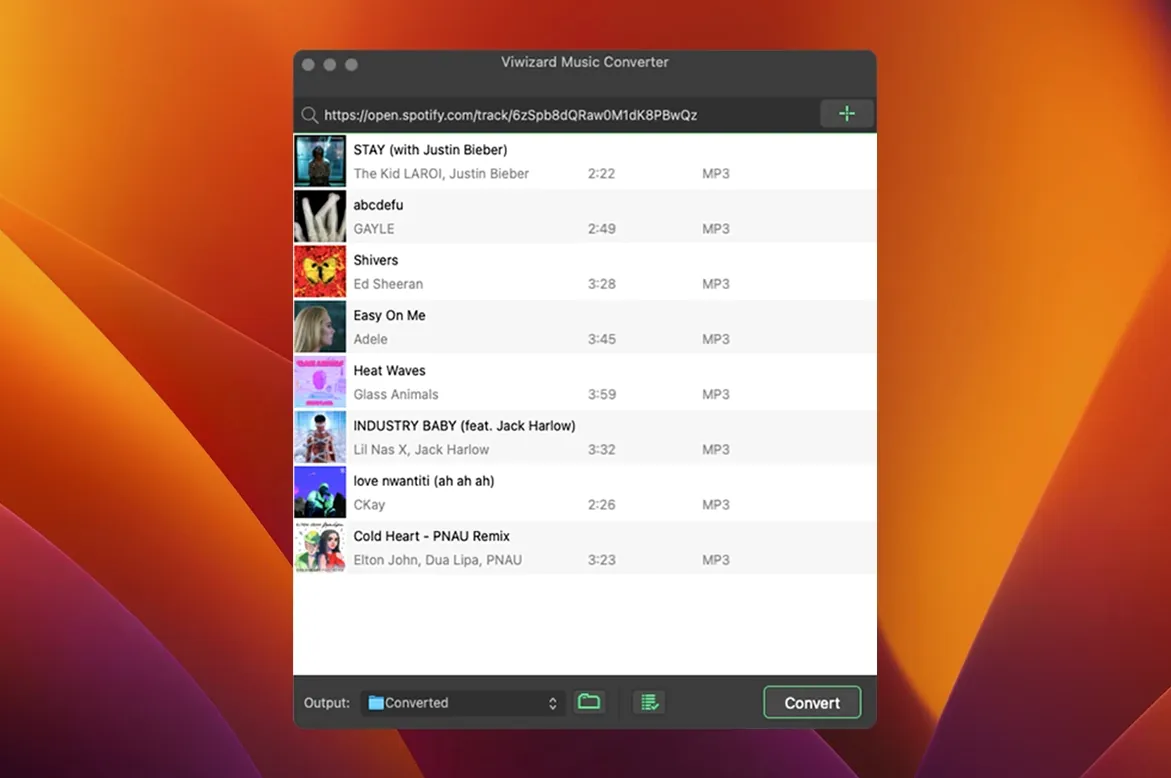
You launch ViWizard and the built-in Web Player loads your Spotify library after a single login. The interface splits into two panes — the player on the left, the conversion queue on the right. You paste the playlist link into the search field. Within seconds, all 47 tracks appear in the queue, each with its title, artist and duration already pulled from Spotify's servers.
You open the output settings panel. Format: MP3. Bitrate: 320 kbps. Sample rate: 44.1 kHz. Channel: stereo. You tick the box to organise output by album, then point the destination at a folder called "Train" on the desktop. The app remembers these choices for next time, but you check them anyway — changing a setting mid-job means starting over.
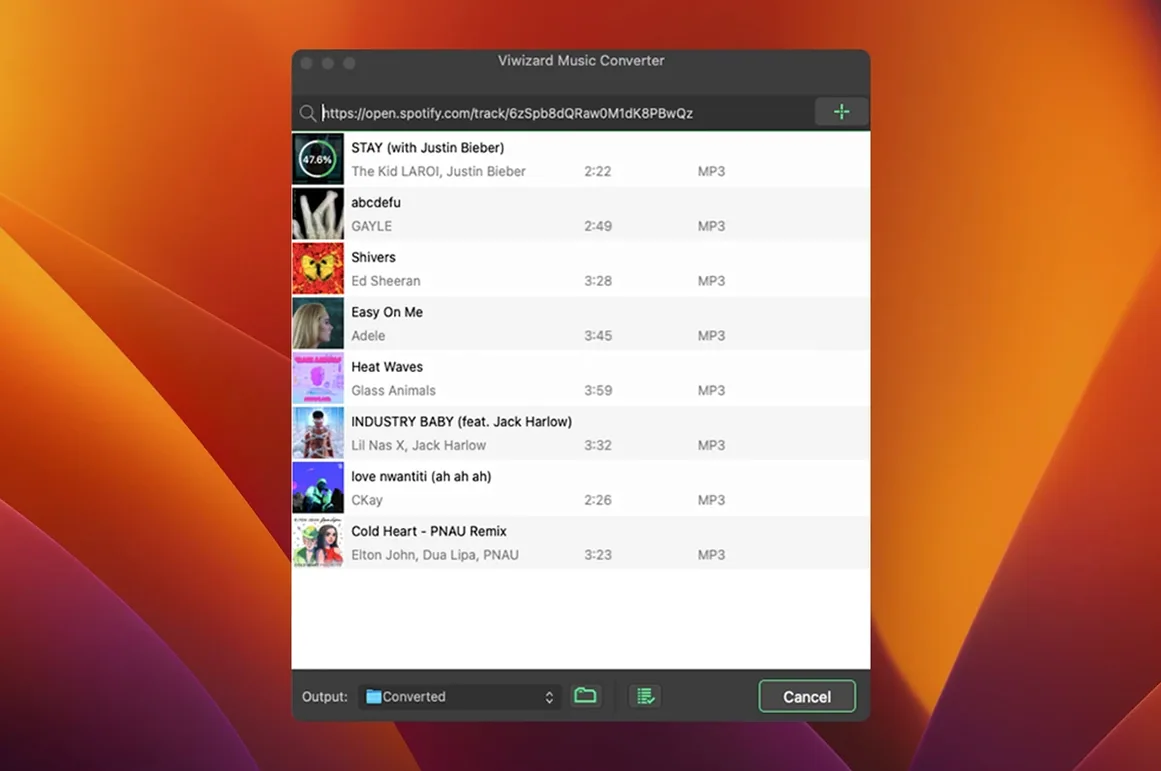
You click Convert. The app begins working through the queue, one track at a time, at roughly 5× playback speed on a 2019 iMac. A progress bar fills for each file, and a counter shows "12 of 47" ticking upward. While it runs, the window stays responsive — you can queue another album or browse the Web Player without interrupting the job. After about eight minutes, the queue empties and Finder pops open to reveal 47 neatly tagged MP3s in an "Ambient Collection" subfolder. You drag them onto your phone's storage via a USB cable and they're ready.
NoteBurner Pulls From the Same Spotify Web Engine
Three other converters occupy the same space, and they differ mostly in how they fetch source audio and what they produce.
NoteBurner Spotify Music Converter also uses the Spotify Web Player as its engine and offers the same output formats: MP3, AAC, WAV, FLAC, AIFF. The interface is more polished — larger album artwork, rounded progress bars — but the conversion speed lands in roughly the same range. NoteBurner adds a built-in format converter for re-processing exported files into additional formats without re-downloading, which ViWizard lacks. The trade-off: NoteBurner's metadata handling occasionally drops album art on long classical works with multiple movements, where ViWizard keeps the art intact.
Sidify Music Converter takes a different approach. It can pull audio from the Spotify desktop app directly, not just the Web Player, which sometimes yields marginally faster conversion on older Macs. Sidify also supports Apple Music and Tidal in its higher-tier versions — something ViWizard doesn't attempt. But Sidify's output organiser is less flexible; you get artist folders or nothing, whereas ViWizard lets you choose artist, album or both as the sorting key.
AudFree Spotify Music Converter matches ViWizard feature for feature on paper: same formats, same batch workflow, same Web Player dependency. In practice, AudFree runs slightly slower on Intel Macs — about 4× playback speed versus ViWizard's 5× — and its queue management lacks a pause button mid-job. If you need to temporarily halt a 200-track batch to free up CPU for something else, ViWizard handles that cleanly; AudFree makes you cancel and re-queue.
60-Minute Album in Under Three Minutes on an Intel iMac
On a 2020 Intel iMac with 16 GB of RAM, a 60-minute album of 14 tracks converts to 320 kbps MP3 in just under three minutes. The CPU sits at roughly 45–55 % utilisation during conversion, with occasional spikes when the app writes tags at the end of each file. Memory usage hovers around 400 MB — low enough that Safari, Mail and a Notes window stay snappy alongside it. The app doesn't spawn background daemons or launch agents; quit it and it's gone from Activity Monitor completely.
Stability over long batch jobs is solid but not flawless. A 300-track playlist ran through without a crash in testing, though the Web Player occasionally logs itself out after two hours of inactivity. If that happens mid-queue, the app pauses and waits for re-authentication rather than silently failing — the remaining tracks stay queued, and conversion resumes from where it stopped. No files were lost or corrupted across three full-library dumps of roughly 1,200 tracks each.
Apple Silicon Macs run the app through Rosetta 2, and the performance penalty is noticeable: the same 14-track album takes closer to five minutes on an M1 MacBook Air. CPU usage sits lower — around 30 % — but the translation overhead stretches conversion time. For occasional use, that's a minor inconvenience. For someone bulk-exporting a decade-old library in a weekend, an Intel Mac will finish the job noticeably sooner.
If you're searching for a viwizard crack or a viwizard torrent to test before committing, you'll find the TNT release floating on a few trackers. A viwizard spotify music converter torrent search typically turns up version 2.17.0 packaged with the standard Gatekeeper workaround. The viwizard spotify music converter mac torrent variant is the same x86 binary — there's no separate Apple Silicon build, so Rosetta is unavoidable regardless of where you source the installer. Keep an eye on the download size; the disk image is modest, but the app caches album art and temporary conversion data in ~/Library, and that folder can grow to a few hundred megabytes after a heavy session. Clearing it periodically keeps the footprint small.
- OS X 10.10 or newer
- Intel processor (Apple Silicon supported via Rosetta)
Sign in · Create an account to add a field note.
No field notes yet. A measurement, a version, a machine — they appear after moderation.