Mac Apps
VideoByte BD-DVD Ripper 2.1.6
Mac AppsUpdated
| Requirement | On file |
|---|---|
| macOS | OS X 10.10 or later |
| CPU | Intel 64-bit |
| Download | 124 MB |
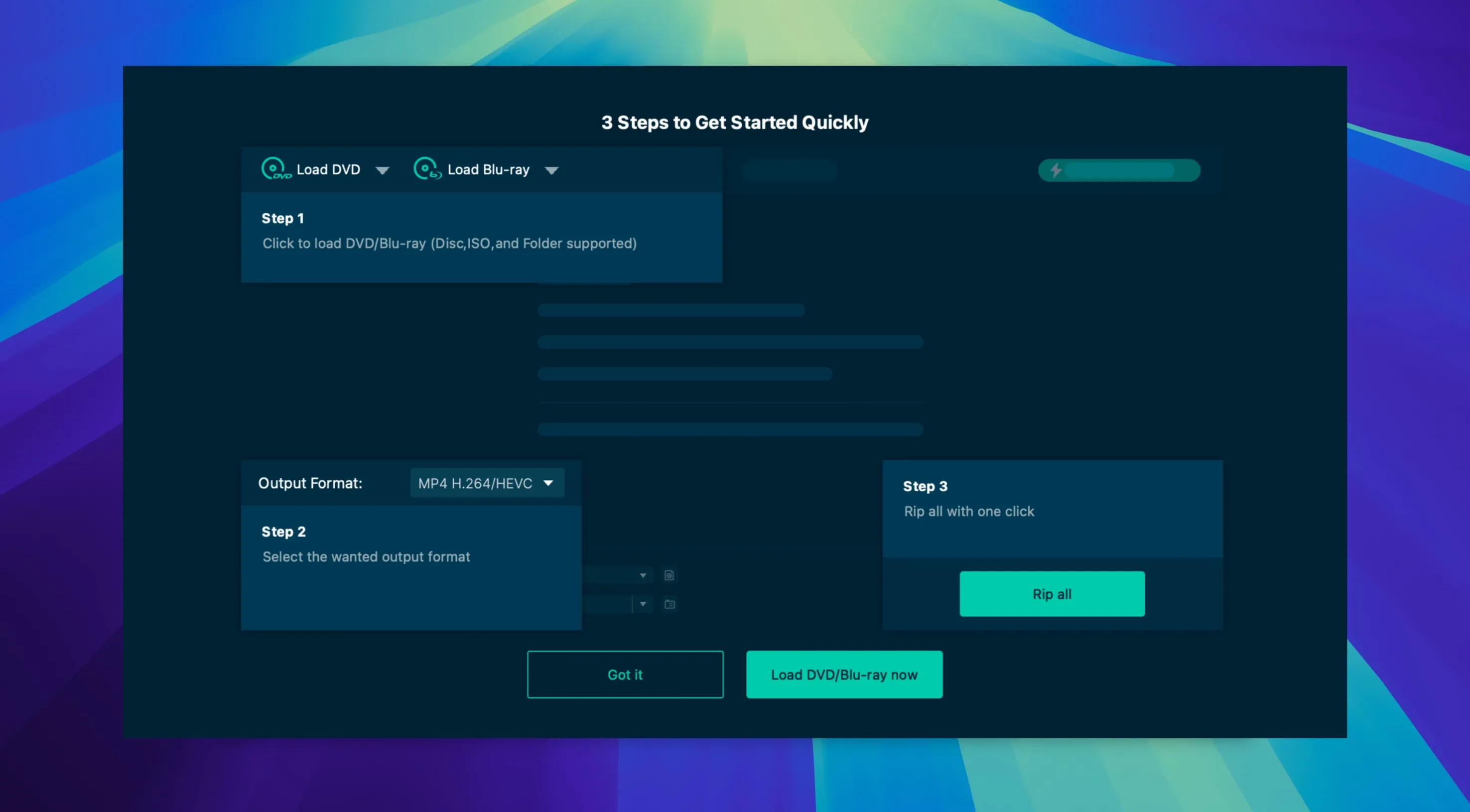
A disc collection locked to a physical player is a fragile library. One scratched Blu-ray or a drive that fails and the content is gone. VideoByte BD-DVD Ripper 2.1.6 solves this by converting the data from optical discs into standalone digital files that play anywhere. It strips the copy protections that normally block ripping, then passes the clean video and audio through a transcoder that writes standard MP4, MKV, MOV, WMV, MP3 or AAC files.
Key Features
- Protection removal engine. The app handles CSS, AACS, BD+, Cinavia, APS, and CPRM schemas. This covers the vast majority of commercial Blu-ray and DVD releases, so you can pull clean source material from a factory-pressed disc without pre-processing the disc image.
- Device-oriented presets. Rather than guessing bitrate and container combinations, you select a profile for the target device. Profiles are grouped by manufacturer—Apple, Samsung, and Sony—covering phones, tablets, and TV boxes from those ecosystems.
- Hardware-accelerated encoding. The transcode pipeline taps NVIDIA, Intel Quick Sync, and AMD acceleration technologies when a compatible GPU is present. This offloads the heavy encoding work from the CPU, keeping render times shorter on machines with supported graphics hardware.
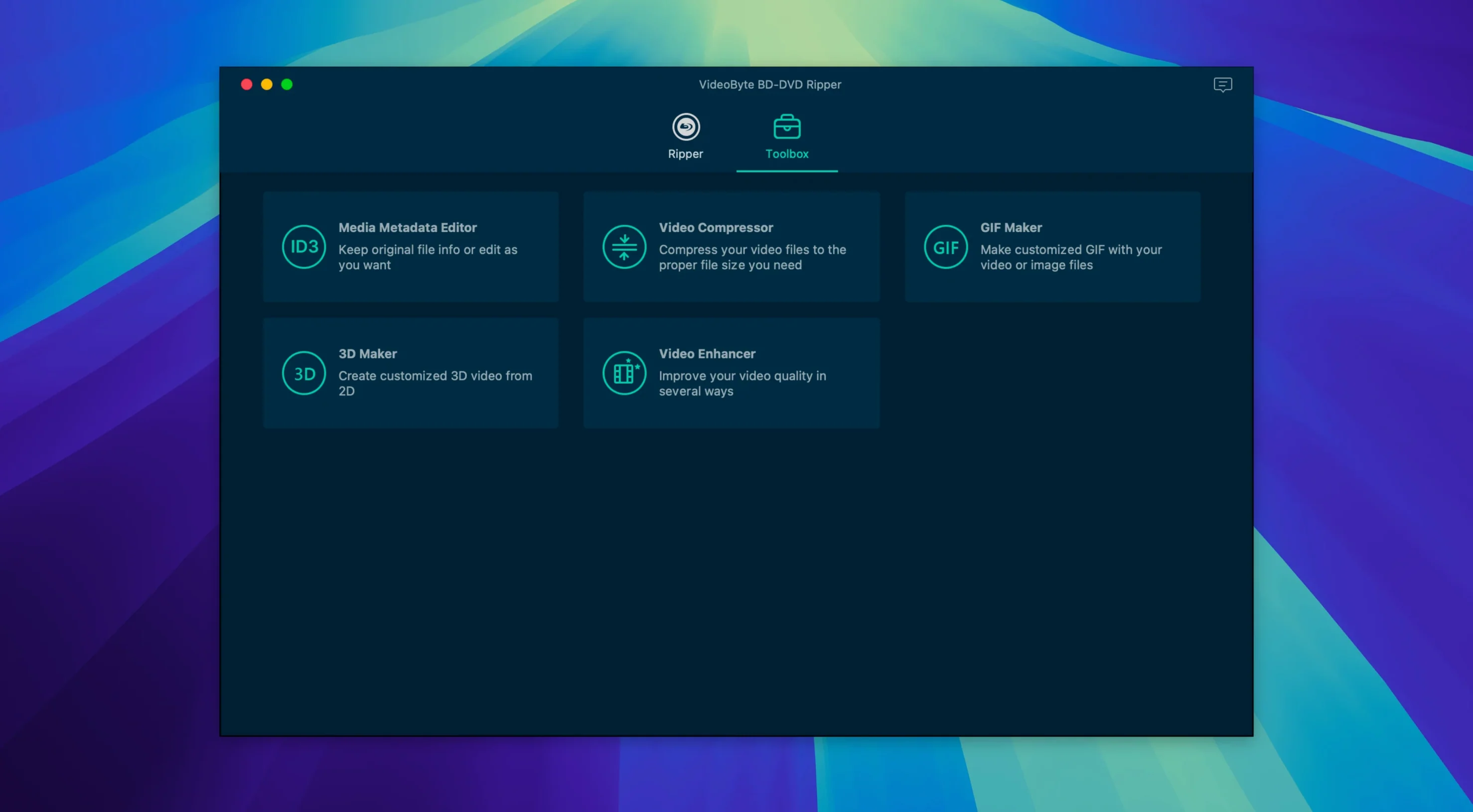
- Built-in editing tools. Before the encode starts, you can trim run time, rotate orientation, crop letterbox bars, apply colour filters and effects, add a text or image watermark, and set audio sync adjustments. These edits bake into the output file during the transcode, so there's no secondary render pass.
Runs via Rosetta 2 on Apple Silicon Macs
VideoByte states support for macOS 10.12 through 15.x on both Intel and Apple Silicon Macs, though the install notes list OS X 10.10 as the minimum. The application is a 64-bit x86 binary, which means Apple Silicon machines run it through Rosetta 2 translation.
A Ripping Session in Practice
Someone with a shelf of BBC nature documentary Blu-rays rarely wants the whole disc. She wants three episodes, English audio, no subtitles, in a format that drops onto an iPad for a long flight. She loads the disc, waits about twenty seconds for VideoByte to parse the title list, then unticks everything except the episodes she needs. She sets the profile to iPad Pro, switches audio to the DTS-HD track, and deletes the subtitle stream. The encode runs at roughly 90 frames per second on a 2019 iMac with an Intel UHD Graphics 630 chip doing the Quick Sync heavy lifting, and she walks away while it finishes. Forty minutes later three MP4 files sit on her desktop, named by title number, ready to drag into the TV app.
Disc Not Recognized After macOS Sees It
Three problems surface often enough to be worth a pre-emptive look.
- Disc not recognised. The drive spins up, the macOS Finder sees the disc, but VideoByte shows an empty title list or throws a read error. First, check that the app has permission to access removable volumes under System Settings > Privacy & Security > Files and Folders. If permission is granted, the issue is almost always a dirty or microscratched disc. Clean it with a microfibre cloth from centre to edge, never in a circular motion. For stubborn discs, a drop of distilled water on the cloth helps. DVD ripper torrent users occasionally report the same symptom; the cause is physical, not software.
- Cinavia-muted audio. A handful of Blu-ray titles embed Cinavia in the audio stream. VideoByte strips the protection flag, but some hardware players still detect it in the waveform and mute playback after twenty minutes. The fix is to downmix the audio to a stereo AAC track during encoding rather than passing through the original DTS or Dolby TrueHD stream. The downmix destroys the inaudible Cinavia markers.
- Rosetta 2 performance dip. On Apple Silicon Macs the app runs translated, and the Intel Quick Sync path is unavailable, so the encode falls back to software x264. Transcode times roughly double compared to an equivalent Intel Mac. The workaround is to set the output container to MKV with the H.264 codec profile set to 'high' and the preset slider to 'fast'. This trades a few percent file size for a noticeably shorter encode.
Standard Container Output Feeds Post-Processing Pipelines
VideoByte BD-DVD Ripper is not a media player, a library manager, or a metadata tagger. It sits at the front of a pipeline. The output files are standard containers, so they drop into almost any post-processing workflow.
After ripping, MKV files open in Subler for adding chapter names, artwork, and language tags before import into a Plex server. MP4 files go straight into the TV app on macOS, where they become playable on any iCloud-synced device. For discs with forced subtitles—foreign-language segments in an otherwise English film—rippers who grab a VideoByte BD-DVD Ripper torrent can ensure smooth playback by double-checking the subtitle stream selection step. The correct move is to extract the forced subtitle track as a separate SRT file with a tool like MKVToolNix after ripping, then remux it into the final MKV with the forced flag set.
The editing tools inside the app are adequate for trimming credits or cropping black bars, but they are single-pass, non-destructive-at-encode edits. For heavier colour grading or scene-by-scene cuts, the ripper outputs a lossless intermediate—ProRes in an MOV container works well—and hands it to DaVinci Resolve or iMovie. The hardware acceleration in VideoByte means that intermediate renders fast enough to be practical, even on older Intel machines.
macOS integration is basic but functional. The app respects the system colour scheme and uses the standard file-picker dialogue for choosing output directories. It does not register as a share target or offer a Quick Action in Finder, so the workflow starts inside the app. Dragging a BDMV folder from Finder onto the dock icon opens it directly, which saves a click or two when working from a folder full of backup disc structures.
Batch Ripping for Plex and Jellyfin Servers
Three groups of Mac users tend to hit the sweet spot with this app.
Plex and Jellyfin server operators with a backlog of physical discs. They work in batches—ten discs on a weekend—and need a ripper that strips protection without manual hex-editing of configuration files. The device presets let them standardise on a single MKV profile for every disc, keeping the library encoding consistent across seasons of a show spread over multiple Blu-ray volumes. Those who previously hunted for a videobyte crack to test batch ripping often find the title queue stable enough to run six discs back-to-back without a restart between each.
Archivists and media hoarders with collections of out-of-print DVDs and region-locked Blu-rays. The disc ripping torrent ecosystem is full of incomplete or poorly-transcoded copies of rare material. Ripping an original disc with VideoByte preserves the original frame rate and field order, which matters for PAL DVD content where incorrect deinterlacing ruins the motion cadence. The tool passes through interlaced video without forcing progressive conversion, leaving that decision to the playback device.
Flight-attendants and long-haul travellers who load a tablet with films before a trip. They care about file size and battery-efficient codecs. The Apple device presets automatically pick H.264 High Profile at a resolution that matches the target screen, so an iPad Air gets a 1080p encode rather than a pointless 4K file that wastes storage. The batch-title selector means setting up six films—unchecking extras, commentaries, and foreign-language audio tracks—takes under two minutes before the encode run starts.
- OS X 10.10 or later
- Intel processor (x86 64-bit); Apple Silicon via Rosetta 2
Questions on file
Which copy protections does the ripper bypass?
It strips CSS, AACS, BD+, Cinavia, APS, and CPRM from commercial Blu-ray and DVD discs.
Does it run natively on Apple Silicon?
No, the app is an x86 64-bit binary; M-series Macs run it via Rosetta 2 translation.
What output formats are available?
Video can be encoded to MP4, MKV, MOV, or WMV; audio-only rips output as MP3 or AAC.
Sign in · Create an account to add a field note.
No field notes yet. A measurement, a version, a machine — they appear after moderation.