Audio
Cycling '74 Max 9.0.9
AudioUpdated
| Requirement | On file |
|---|---|
| macOS | macOS 11 or later |
| CPU | Apple Silicon, Intel 64-bit |
| Download | 924 MB |
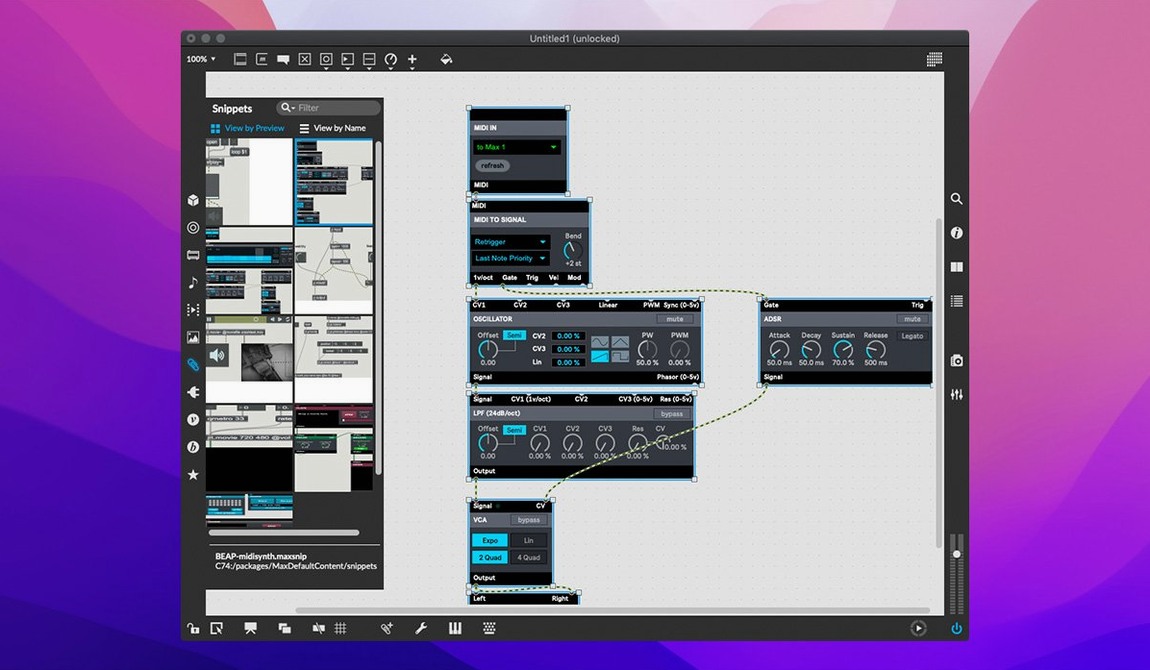
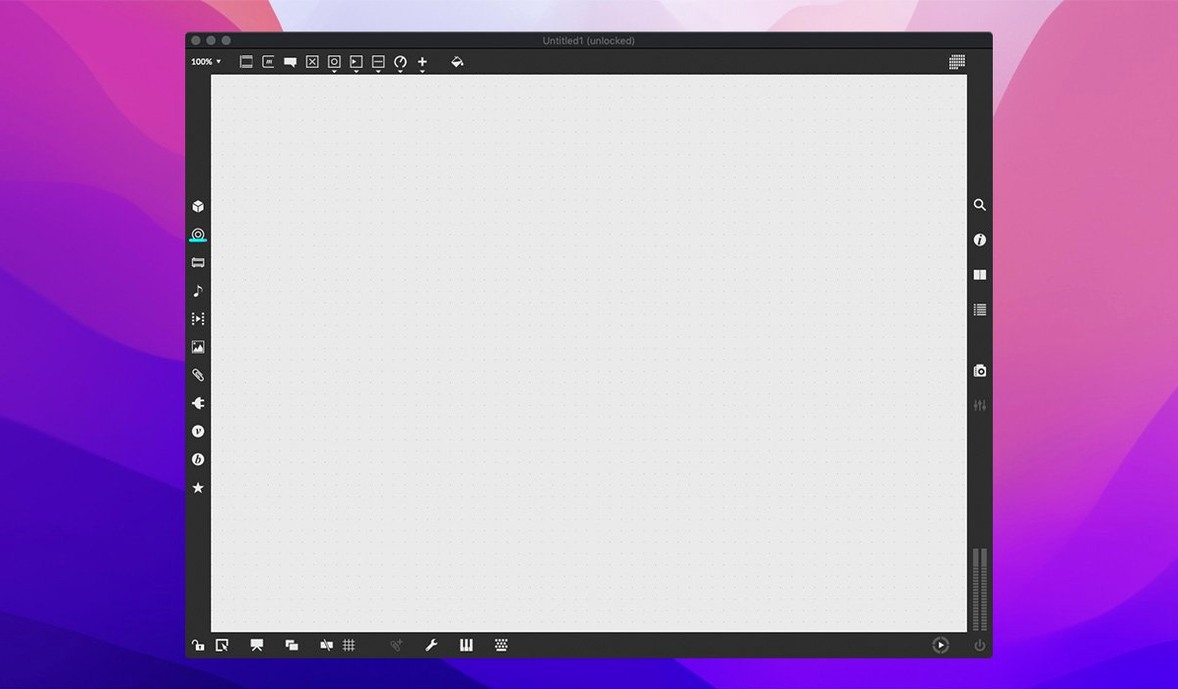
A visual programming environment where patch cords carry signals between hundreds of modular objects — synthesis, sampling, MIDI, video, and interface widgets all connected on a single canvas.
Patch cord — a virtual cable that routes audio, control data, or video from one object’s outlet to another’s inlet. The fundamental wiring of any Max program.
Object — a building block with a specific function: an oscillator, a MIDI parser, a slider, a delay line. Max ships with hundreds, each with its own interactive help patch that doubles as a working demonstration.
Gen~ — a sub-environment for writing sample-level DSP code that compiles to native machine instructions. Useful when you need a filter or oscillator that does not exist in the object library yet.
Message — a typed command — bang, list, float, symbol — that triggers actions. Messages flow right to left through patch cords; order matters.
bpatcher — a reusable sub-patch wrapped in a single object with its own UI. Build a synthesiser voice once, then drop six copies into a polyphonic instrument.
A realistic first session: load a notein object to capture MIDI from a keyboard, connect it to cycle~ for a sine tone, route the output through gain~ to control volume, and send it all to ezdac~ to reach the audio interface. Five objects, four patch cords, instant playable tone. From there, swap cycle~ for saw~, add a filtergraph~, patch a slow cycle~ LFO to the filter cutoff, and the patch starts sounding like a synthesiser.
The object inspector gives access to every parameter — size, colour, range, scripting — while message tracking lets you follow each signal through the chain during debugging. Smart copy and paste preserves connections between objects so you can duplicate a working module without rewiring.
The Debugging Mindset That Unlocks Max
Max rewards a certain mindset — one comfortable with signal flow, ordered logic, and the idea that three hours spent debugging a patch is time well spent. The users who extract the most value tend to fall into a few overlapping groups.
Sound designers building custom instruments. When a fixed-architecture synth cannot produce the texture a project needs, Max lets you wire oscillators, filters, and modulators into configurations no hardware or plugin offers. A sound designer might patch a physical model of a bowed glass rod on Tuesday and a granular cloud generator on Wednesday, saving each as a reusable bpatcher for future sessions.
Performers needing responsive live setups. Max patches react to MIDI controllers, OSC messages, audio input, and mouse position with sample-accurate timing. A keyboardist can build a patch that crossfades between three virtual instruments based on modulation wheel position, while tap tempo syncs delay lines and a footswitch triggers stored chord voicings — all without touching the trackpad.
Installation artists and multimedia creators. Objects for video playback, OpenGL rendering, serial device communication, and network messaging mean Max handles gallery installations where sensors trigger audio and projection simultaneously. The patch runs indefinitely, responds to real-world input, and requires no operator.
Researchers and educators. Because every object has an interactive help file with working examples, Max doubles as a teaching tool. A course on digital signal processing can open the help patch for fft~, inspect the spectral data flow, modify parameters, and hear the result immediately — theory made audible.
Patching a Rhythmic Texture from Metro to Output
Here is a concrete task from blank canvas to playable patch, illustrating how the pieces fit together in practice.
Step 1 — Input. Drag a metro object onto the patch. Set its argument to 250 to fire a bang every quarter second. Connect it to a counter object (range 0–15) so each bang advances a step index. Add a toggle connected to metro's inlet to start and stop the clock.
Step 2 — Pitch selection. Patch the counter output into a coll object loaded with 16 pitch values as MIDI note numbers. Each step, coll outputs a different pitch. Route that number to a mtof object to convert MIDI note to frequency.
Step 3 — Voice. Connect mtof to a cycle~ oscillator. Duplicate the chain twice for three voices, and offset each counter by a different amount so the voices move through the coll table at staggered positions. Patch each cycle~ through its own gain~ for per-voice level control.
Step 4 — Timbre and space. Route the summed output of all three gains into comb~ for a short resonant delay that adds metallic body, then through a stereo pan2~ modulated by a slow cycle~ LFO (0.2 Hz) for auto-panning. Send the final signal to ezdac~.
Step 5 — Performance controls. Add a live.dial mapped to metro interval so tempo changes on the fly. Add another mapped to comb~ feedback. Lock the patch, click the toggle, and a shifting polyrhythmic texture emerges — under 20 objects total, entirely customisable.
How Max Fits With Other Apps and macOS Features
Max does not live in isolation. Its design assumes you will route signals between it and the wider system.
DAW integration via ReWire, audio routing, and MIDI. With tools like BlackHole or Soundflower, you can pipe Max's audio output into Logic Pro, Ableton Live, or any DAW that accepts an aggregate device input. MIDI flows both directions — sequence a Max synth from a DAW piano roll, or use Max as an algorithmic MIDI generator driving software instruments in a host.
Max for Live. Ableton Live Suite owners get a version of Max embedded directly in the DAW. Patches load as instruments, MIDI effects, or audio effects within a track, with access to Live's transport, clip slots, and parameter automation. A Max step sequencer can modulate Live device parameters; a Max analysis patch can generate MIDI clips from live audio input.
Inter-app communication. The udpsend and udpreceive objects let Max exchange data with TouchDesigner, Processing, Unity, or custom scripts over a network socket — even on the same machine via localhost. OSC (Open Sound Control) objects provide higher-level messaging between Max and other creative coding environments.
macOS features. Max respects standard file dialogs, supports drag-and-drop of audio files from Finder onto patchers, and works with Audio MIDI Setup for aggregate device configuration. Accessibility features like VoiceOver interact with object inspectors, though the patcher canvas itself demands visual interaction. Apple Silicon Macs run Max natively, and patches compiled via Gen~ produce ARM-native machine code with no Rosetta overhead.
Right-Click Every Object to Open Its Help Patch
A few habits make the initial weeks less frustrating and the patches more maintainable.
Open every help patch for every object you use. Right-click any object and select Open [object name] Help. These are not dry reference pages — each is a working patch with sliders, toggles, and annotated signal chains. Spend 10 minutes per object; the time compounds.
Name everything. As soon as a patch exceeds 15 objects, use the comment object to label sections. "Voice 2 — FM modulator" or "MIDI router for controller 3" will save you an hour when you return to the patch next month. Set the Inspector to colour-code related groups — green for audio path, blue for control logic, orange for UI.
Build sub-patchers early, not late. The moment a cluster of objects performs a single clear function — an envelope follower, a scale quantiser, a reverb chain — select them and choose Encapsulate from the Edit menu. Give the resulting bpatcher a descriptive filename and store it in a project folder. By day three you will have a personal library of tested modules.
Use the Max Console window. Errors, print messages, and MIDI activity all appear here. When a patch goes silent, the console usually tells you why — an object sending a float where it expects a list, or a missing external. Keep it pinned open during development.
Learn keyboard shortcuts for patching. N creates a new object box. M creates a message box. X toggles lock mode so you can move UI elements without disconnecting patch cords. Holding Option while dragging an object duplicates it with all connections intact. These five shortcuts remove the friction between thought and implementation.
For those searching for a max msp download or exploring a max 9 download, the current build bundles RNBO v1.3.5 and fixes the Inspector crash present in earlier 9.x releases. The platform remains available across ARM and Intel Macs running macOS 11 or later.
live.banks — button assignments now supported for parameter banks.
RNBO — v1.3.5 bundled.
Inspector — crash when editing or closing a text field was fixed.
- macOS 11 or later
- Apple Silicon or 64‑bit Intel processor
Questions on file
Does Max run on Apple Silicon Macs?
Yes. Max 9.0.9 supports both ARM (Apple Silicon) and 64-bit Intel Macs, requiring macOS 11 or later.
What is the difference between Max and Max/MSP?
Max is the visual programming environment; MSP refers to the audio and signal processing objects within it. Cycling '74 materials use the term Max/MSP to describe the combined system.
Sign in · Create an account to add a field note.
No field notes yet. A measurement, a version, a machine — they appear after moderation.