Audio
Steinberg Nuendo 15.0.30
AudioUpdated
| Requirement | On file |
|---|---|
| macOS | macOS 11 or later |
| CPU | Apple Silicon, Intel 64-bit |
| Download | 1.6 GB |
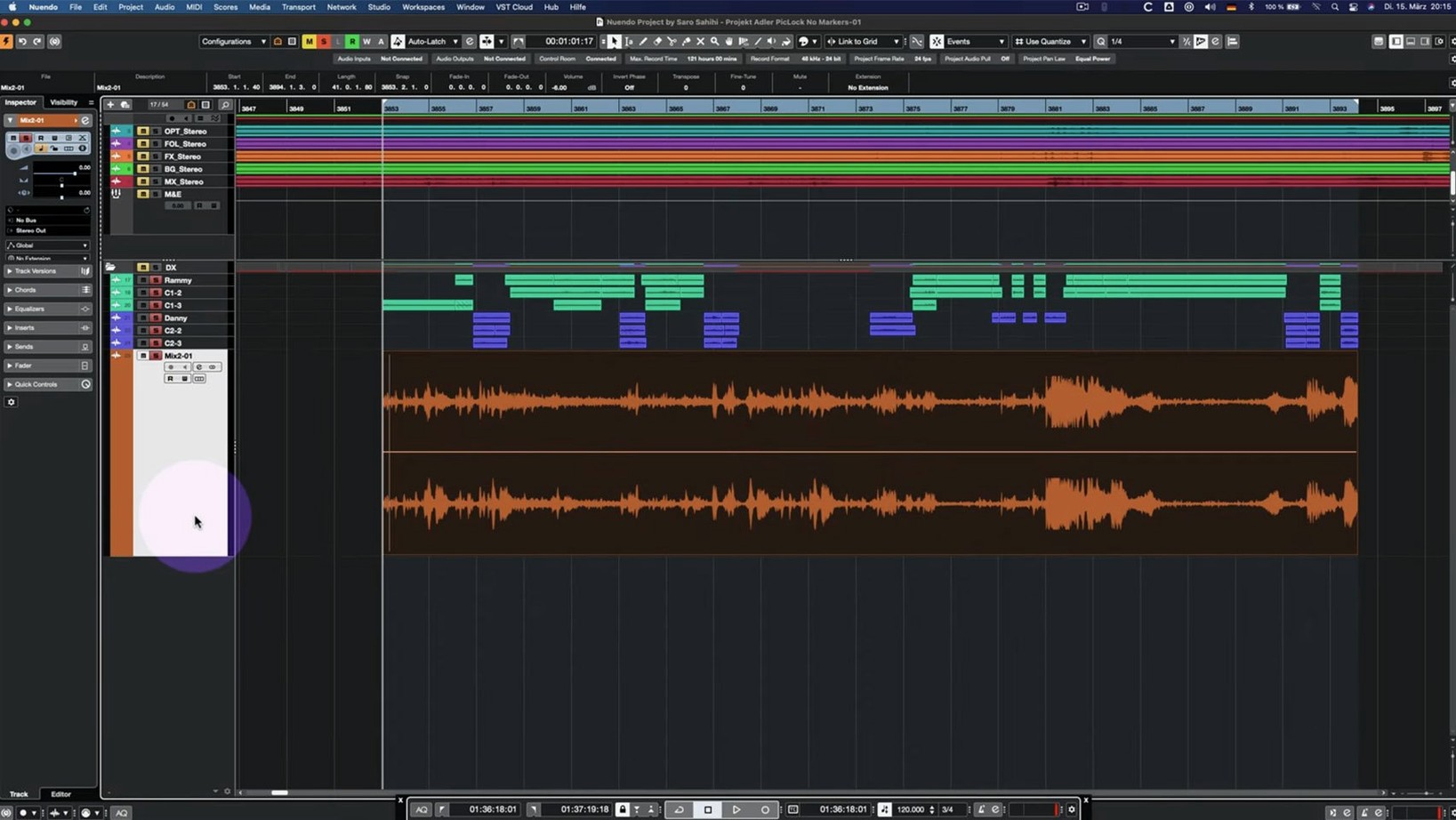
Mixing a feature film or designing sound for a game often means staring at a timeline with hundreds of tracks, where a single missed sync point can break a scene. A dedicated post-production workstation handles that complexity with tools that link audio edits directly to picture changes and spatial panning. Nuendo is built for precisely that workflow, and version 15.0.30 sharpens several of its core editing and analysis features.
| Detail | Spec |
|---|---|
| Current version | 15.0.30 |
| Download size | Under 1.8 GB |
| macOS requirement | macOS 11 or later |
| Architecture | Apple Silicon and Intel |
If you are opening the application for the first time, skip the empty project template and pull in a short dialogue clip with a few room-tone beds. Head straight to the Comp Tool with Group Editing enabled. This lets you assemble the best takes across multiple linked tracks—say, a boom mic and a lavalier—while keeping their phase relationship locked. The 15.0.30 update fixed several behaviours in this area, so grouped comping feels predictable even when you swipe across dozens of lanes. After you have a rough assembly, insert an Analyzer track on your dialogue bus. Recent changes to the Analyzer make it a sensible first-insert for checking spectral build-up before you reach for an EQ. Together, those two modules give you an edit that stays in sync and a mix that starts with measured, visible data rather than guesswork.
ADR Cue Assembly, Step by Step
Suppose you receive a picture-locked reel and a folder of on-set production audio with three missing lines that need ADR. The dialogue editor has marked the gaps with empty events and text labels, but you need to build the cue session, spot the takes, and conform them to picture without breaking anything else in the timeline.
- Open the reel and immediately lock the global video track. This prevents accidental nudges when you switch between the Comp Tool and the main arrange window. Nuendo 15.0.30 addressed a specific fix for score editing with a locked global track, and the same lock discipline applies to any picture-synced session.
- Create a folder track for the ADR cues and set its routing to a dedicated cue bus rather than the master. Assign Group Channel functionality to the folder—one of the areas updated in 15.0.30—so that any plug-in you insert on the folder processes all cue lanes uniformly. Drop a Multiband Envelope Shaper on the folder and bypass it for now; the 15.0.30 performance optimisation means a bypassed instance costs almost no CPU cycles while you edit.
- Import the three ADR takes via the Track Import function, picking up the track settings and archives from the recording session. The 15.0.30 improvements to imported track settings mean your record-arm state, input routing, and colour coding transfer cleanly, which saves re-patching the same three lanes for every cue.
- Swipe-comp each line across the grouped lanes. With Group Editing active on the Comp Tool, switching a take on the close mic also switches the matching room mic lane at the same timecode position. The 15.0.30 fixes to the Comp Tool keep the crossfade edges aligned so you do not get half a syllable of the previous take bleeding in.
- Once the three cues are comped, enable the Multiband Envelope Shaper on the folder and tighten the sustain tail on the room mics by about 2 dB. The plug-in responds immediately because the 15.0.30 bypass optimisation means it was fully initialised the moment you toggled it on, with no ramp-up lag.
Dialogue Editors on Long-Form Series
Three groups extract disproportionate value from this application, and the reasons are more specific than "it is a post-production workstation."
Dialogue editors on long-form series. A 12-episode drama order means 12 reels of dialogue with matching ADR, group loops, and production fixes. The combination of the Comp Tool with Group Editing and folder-level Group Channel processing turns what would be a three-pass conform into a single-pass edit. When every episode shares the same track layout, the 15.0.30 improvements to imported track settings make episode-to-episode setup nearly instantaneous.
Game audio integrators working with middleware. A single weapon sound might live across 18 tracks: four mic distances, three fire rates, two tail lengths, all in an ambisonic bed. Folder tracks with Group Channel routing let you apply the same loudness normalisation and spectral shaping to all variants at once, while the Analyzer track catches any low-end accumulation that would distort a mobile device speaker before you export.
Immersive mixing engineers delivering to Dolby Atmos or MPEG-H. Nuendo treats object-based panning as a first-class mixer function rather than a plug-in add-on. The Analyzer track updates in 15.0.30 make it easier to spot frequency collisions between bed channels and object channels, which is precisely where most immersive mixes fall apart.
Quick Link MIDI Port Binding After the 15.0.30 Update
A few shortcuts and behaviours are easy to overlook during the first weeks with the application, yet they accumulate into real time savings.
- Quick Link MIDI port handling. The 15.0.30 update adjusted how Quick Link binds MIDI ports and channels. If you use a hardware fader pack for writing automation, toggle Quick Link on, wiggle the fader you want to bind, and Nuendo maps it to the on-screen control your mouse is hovering over. No manual MIDI Learn dialogue required.
- Direct Offline Processing with VST Amp Rack. The 15.0.30 UI fix for VST Bass Amp and VST Amp Rack inside Direct Offline Processing means the plug-in window no longer truncates parameter labels when you apply amp modelling as a permanent render. Select your dialogue event, press F7, pick VST Amp Rack from the list, dial in a subtle tube saturation, and apply—the interface stays fully responsive throughout.
- Track Archive portability. The 15.0.30 improvements to track archive handling mean you can export a single folder track with all its children, Group Channel routing, and insert chains, then drop it into a completely different project without losing bus assignments. This matters when you build a crowd-loop template once and reuse it across three seasons of the same show.
- Analyzer track as a persistent overlay. Rather than opening a floating meter window that gets buried under the mixer, insert an Analyzer track and keep its lane visible in the arrange window at all times. It scrolls with your project and stays locked to the section you are actively mixing.
Folder Routing Goes Silent After Importing a Track Archive
Most friction points in Nuendo trace back to a handful of configuration quirks rather than bugs. Here are the ones that trip up newcomers and experienced users alike.
Folder routing goes silent after importing a track archive. The 15.0.30 update changed how folder tracks with Group Channel functionality handle imported routing. If a folder suddenly stops passing audio after you import an archive, open the folder's routing inspector and check that the Group Channel output still points to your intended bus. The import sometimes resets it to the default master bus, which may be muted in a complex template. Reassign it manually and save the template again.
Comp Tool crossfades drift on grouped tracks. Even with the 15.0.30 fixes, grouped comping can misalign crossfade boundaries if you adjust one lane's fade length while the group is temporarily disabled. The symptom is a small pop or a doubled syllable at the edit point. The fix is to re-enable Group Editing, select all affected lanes, and use the "Rebuild Crossfades" command from the Audio menu. Then re-render the section from a few seconds before to a few seconds after the edit to confirm the fix.
VST Bass Amp interface freezes in Direct Offline Processing. The 15.0.30 release notes specifically mention a fix for this UI issue. If you are running an older installer that predates the 15.0.30 build, the workaround is to apply the amp modelling as an insert on the track rather than via Direct Offline Processing, then bounce the event in place. Once updated to 15.0.30, the DOP path works correctly.
The Analyzer track shows a flat line at -∞. This usually means the track's input assignment is still set to "No Bus" or to a physical input that carries no signal. Open the Analyzer track's inspector, change the input to the bus you want to measure—typically your dialogue stem or your master—and the spectral display populates immediately.
For those looking to evaluate the application before committing to a full post-production pipeline, the 15.0.30 build is available through the usual channels; searching for nuendo torrent or nuendo mac torrent will point to the current installer, and the nuendo 15 torrent includes the same 15.0.30 update with the Comp Tool and Analyzer fixes discussed above.
- Comp Tool with Group Editing — fixes applied
- Analyzer track — behaviour updated
- Folder track routing — Group Channel behaviour changed
- Imported track settings and archives — handling improved
- Quick Link and MIDI port/channel — behaviour adjusted
- Score Editor — locked global track behaviour fixed
- Direct Offline Processing — interface fixed for VST Bass Amp and VST Amp Rack
- Multiband Envelope Shaper — bypass performance optimised
- macOS 11 or later
- Apple Silicon or Intel processor
- Under 1.8 GB of disk space for the application
Sign in · Create an account to add a field note.
No field notes yet. A measurement, a version, a machine — they appear after moderation.