Audio
Traktor Pro 4.5.1.21
AudioUpdated
| Requirement | On file |
|---|---|
| macOS | macOS 12 or later |
| CPU | Apple Silicon, Intel 64-bit |
| Download | 384 MB |
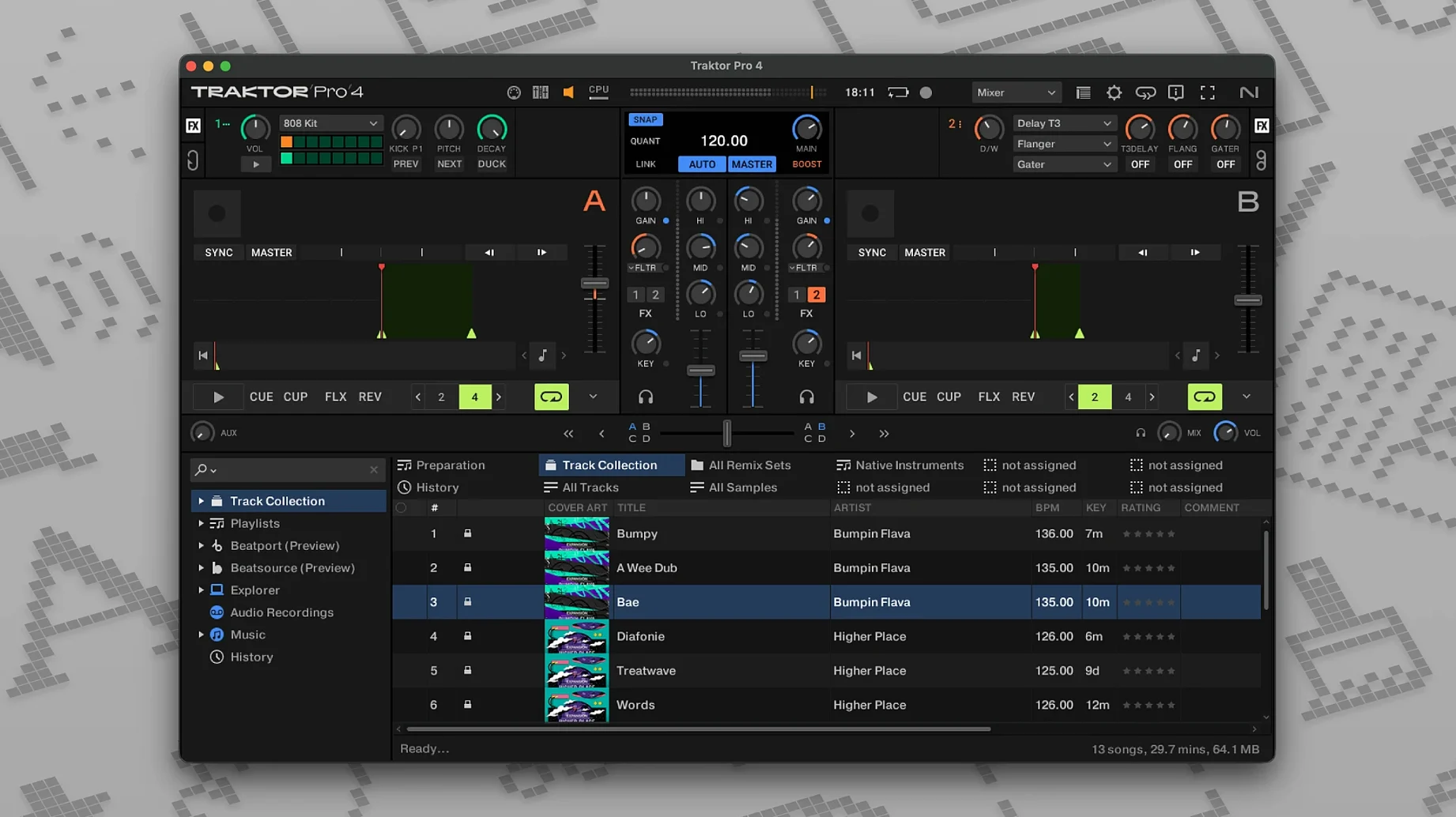
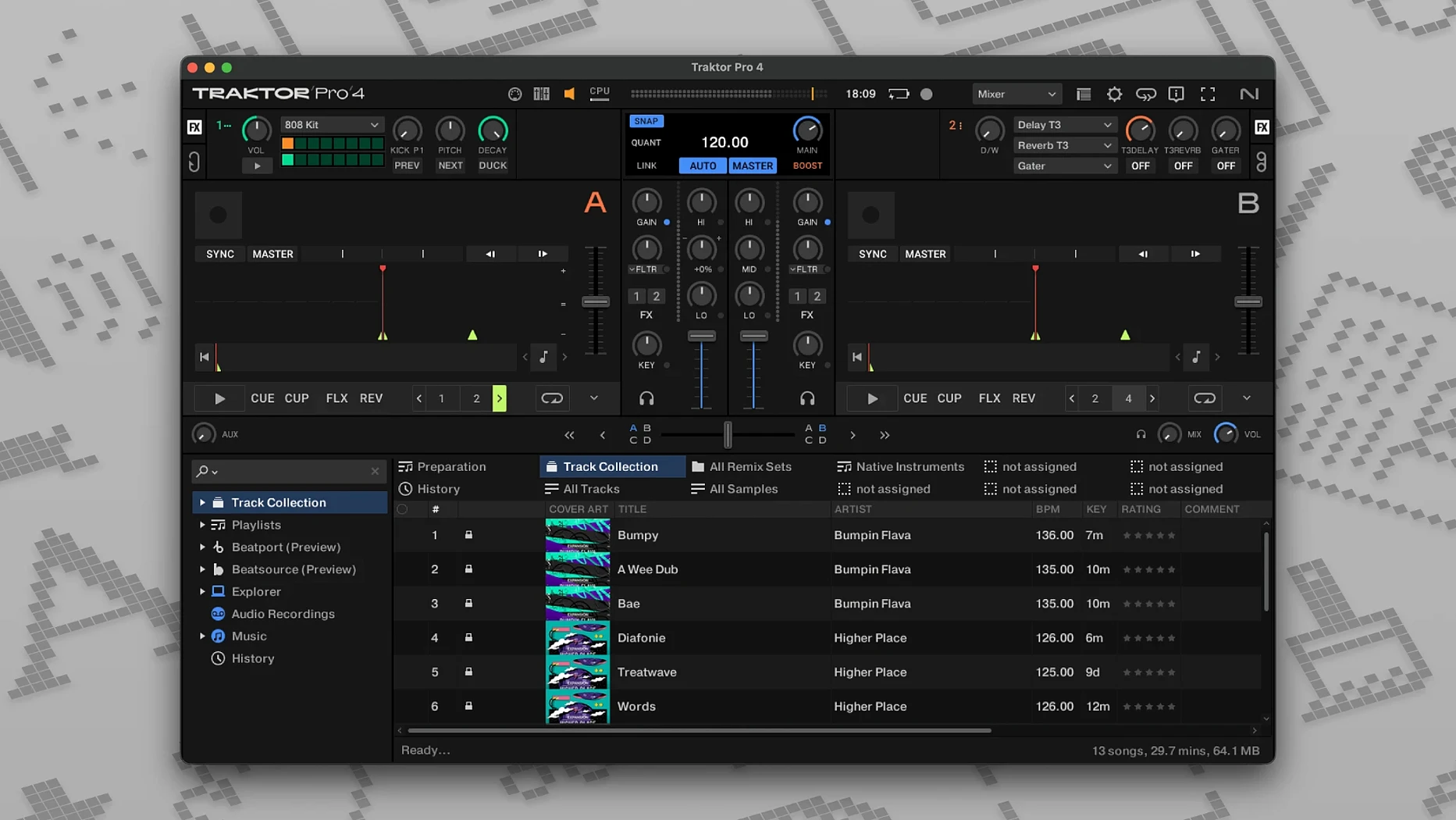
Stem separation is the feature that changes how a four-deck set comes together, pulling drums, bass and vocals apart from a single track without leaving the interface. The current build, 4.5.1.21, keeps that alongside reverse playback and ID3 tag saving.
Running next to your existing library
iTunes tags import directly, so playlists built in the Music app don't need rebuilding. Saved ID3 tags flow back the other way, which keeps metadata consistent between Traktor and other Mac audio tools.
Syncing with external hardware
An external audio interface or DJ mixer can take over output routing, while OSC and MIDI Clock let the software follow timing from other programs. Custom mappings cover controllers that aren't in the default list.
Working across four decks
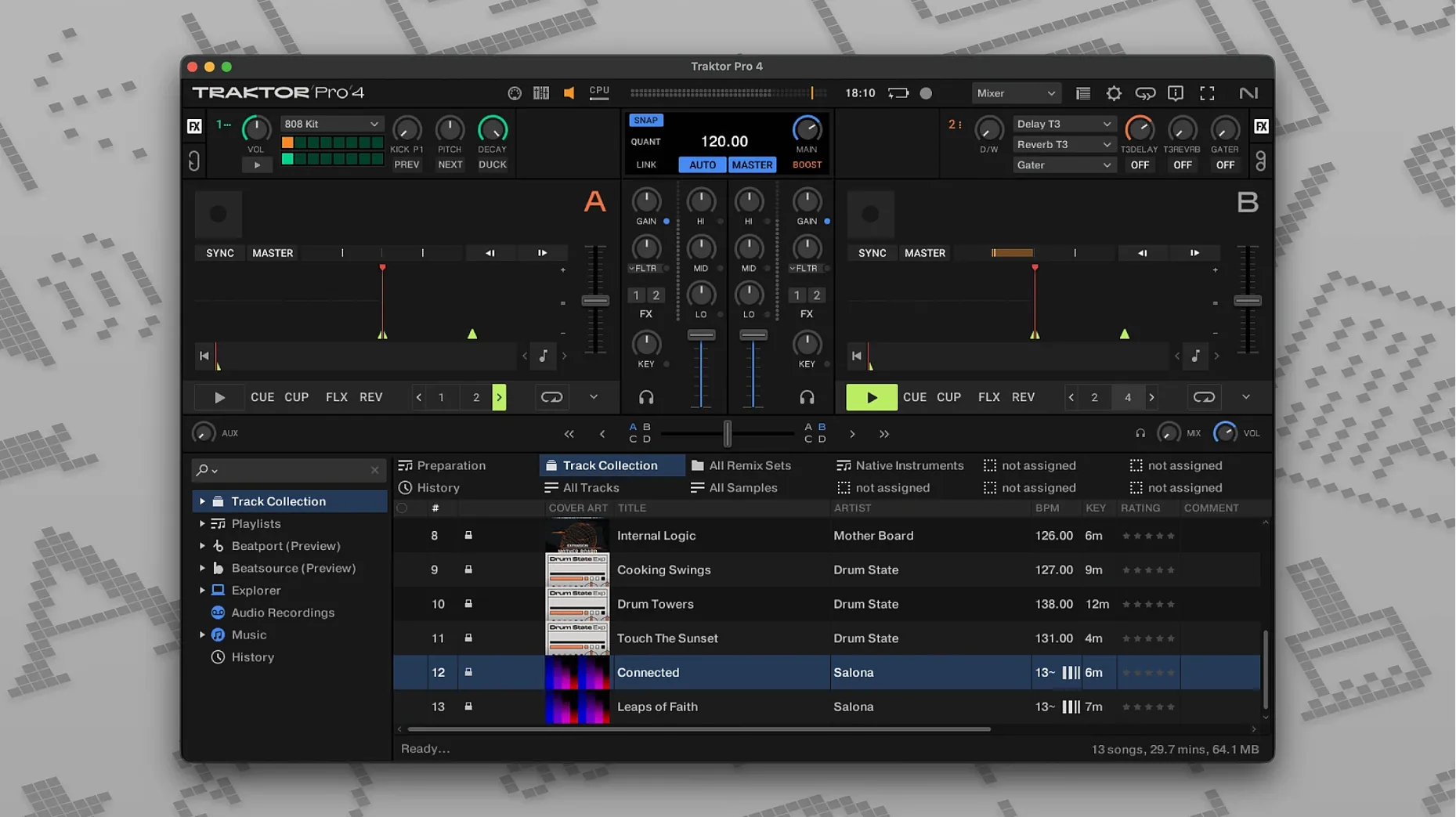
All four virtual decks stay on one screen, with keyboard shortcuts you can reassign. Beatport streaming sits inside the browser, so a set can mix local files with streamed tracks.
Mouse-Only Mixing Without a Controller
Does it work without a controller? Yes. The four decks, stem separation and Beatport streaming all respond to mouse and keyboard alone. A controller makes tactile mixing faster, but the software doesn't lock anything behind hardware detection. You can drag tracks, set cue points, adjust EQs and trigger effects with the trackpad. Some DJs use it this way for preparing sets before connecting gear at a venue.
What happens to a Traktor Pro 3 library after upgrading? The 4.5.1.21 build reads the same collection folder. ID3 tags and cue points carry over, and custom mappings from version 3 load without conversion. If you ran an older build on an Intel Mac and move to Apple Silicon, the collection file opens the same way — Native Instruments kept the format consistent across the jump.
How much space does the stem separation engine need? The feature runs on the Mac's own processor, not a cloud server, so no extra disk space beyond the application itself — roughly 800 MB for a full install. Stem processing happens in RAM during playback; a four-stem split on a track loads fast enough for live use on an M1 or later chip.
Can it record a whole set while streaming from Beatport? Yes. The record function captures the master output as a WAV or AIFF file regardless of the source deck type. Streamed tracks, Stem Decks and Remix Decks all appear in the recorded file. The only limitation is that recording stops automatically if you close Beatport streaming mid-track — the app needs the audio stream active to write the file.
Unlocking the Hidden Four-Deck Workspace
The default layout ships with a standard two-deck view. Switching to a four-deck layout in Preferences under Decks > Deck Layout reveals the full workspace. The extra two decks sit above the main pair, and you can set each one to Track Deck, Stem Deck, Remix Deck or Live Input independently. For a first session with stem separation, assign deck C as a Stem Deck and leave A and B as Track Decks — that way you can pull a drum loop from one track while two others play untouched.
Under Audio Setup, the built-in output defaults to the Mac's speakers. If you use an external audio interface or DJ mixer, select it here and set the output routing before loading a track. The software remembers the last used device, but plugging in a new interface mid-session requires a restart of the audio engine — a button in the Preferences header handles that without closing the app.
MIDI mappings live under Controller Manager. The generic MIDI mode expects you to assign every knob and fader yourself, but the dropdown includes pre-made mappings for common controllers. Choose your device from the list and import it; the assignments appear in the table below. For a controller not listed, the Add button starts a blank mapping where you move a physical control, then select its function from the on-screen menu. Saving a custom mapping keeps it available for future sessions.
Beatport streaming needs a login under Preferences > Streaming. Once connected, the browser shows Beatport as a separate node alongside the local collection. Tracks load with a short buffering delay — roughly two to four seconds on a stable connection — and the waveform builds during that pause. For a set that mixes local and streamed tracks, keep streamed tracks on decks B and D so deck A always has a local file ready while the buffer fills.
Real-Time Stem Separation Inside the Core Engine
Version 4 brought stem separation into the core engine rather than as a separate tool. Before 4.x, isolating drums or vocals meant exporting stems in an external editor and reimporting them. Now, loading a track onto a Stem Deck splits it into four parts — drums, bass, vocals and other instruments — with a single click from the browser. The separation quality depends on the source material; a dry studio mix separates cleaner than a live recording with heavy reverb.
The 4.5.1.21 build tightened Beatport streaming integration. Earlier 4.x releases sometimes dropped the stream when switching between Wi-Fi networks or after the Mac woke from sleep. The current build reconnects without restarting the app, though the buffer needs to refill — about three seconds of silence before playback resumes. Offline locker support is not included; you stream or you play local files.
Reverse playback behaviour changed across the 4.4 to 4.5 cycle. In earlier builds, engaging reverse on a playing track sometimes drifted the beat grid by a few milliseconds. The 4.5.1.21 build keeps the grid locked during direction changes, so a reverse scratch lands back on the downbeat without nudging. DJs who use reverse for transitions — flipping a vocal sample backwards into a drop — will notice the timing stays tight.
ID3 tag saving expanded to cover more fields in version 4.5. Beyond artist and title, the software now writes cue point names, key information and beat grid markers into the file header. A track prepped in Traktor and then opened in another application on the same Mac carries those markers, which matters for DJs who use multiple pieces of software for library management.
Under the hood, Native Instruments moved the audio engine to a more recent framework across the 4.x series. On Apple Silicon Macs, the 4.5.1.21 build runs as a native ARM process rather than through Rosetta. Latency through the built-in output dropped slightly compared to 4.0 — measurable in milliseconds, but noticeable when tapping cue points rapidly on a controller. Intel Macs running macOS 12 or later use the x86 64-bit path with no performance regression from 4.0.
Hardware-Mirrored Mixing for Kontrol DJs
A DJ who performs regularly with a Traktor Kontrol controller gets the tightest hardware-software pairing. The controller's jog wheels, faders and pads map without setup, and the four-deck layout in the hardware mirrors the on-screen display. Beatport streaming matters here — walking into a gig with a request you don't own becomes a quick search and load rather than a track purchase mid-set.
Producers who build remixes on the same Mac as their DJ library benefit from stem separation. Dragging a finished track into a Stem Deck, then recording only the drum part into a WAV file takes under a minute. The exported stem opens in a DAW as a clean loop without bleed from other instruments, something earlier Traktor versions couldn't do without third-party tools.
Mobile DJs on a MacBook Air or 13-inch MacBook Pro appreciate that the four-deck layout scales to the built-in display. Custom layouts let you hide elements you don't need — the recording panel, the loop recorder, the Remix Deck slots — so the remaining controls fill the screen without squinting. A minimal layout with two Track Decks and the mixer section fits comfortably on a 13-inch panel.
Users who maintain a large local library alongside streamed collections get value from the dual browser. The left pane shows the local iTunes-imported library, the right pane shows Beatport, and both stay searchable at the same time. Dragging from either side onto a deck works identically. The ID3 tag writing means playlists curated in Traktor feed back into the Music app, keeping the library portable.
Anyone experimenting with live remixing across four decks finds the Remix Deck and Live Input deck types useful beyond traditional two-track mixing. A microphone or external synth routed into a Live Input deck sits alongside three Track Decks, all synced via MIDI Clock. The OSC support lets Max/MSP or TouchDesigner installations on the same Mac trigger deck loads and effects, which opens Traktor to visual performance setups.
Intel Dropouts from Dual Stem Decks
The most common mistake is loading a Stem Deck without understanding the processor cost. On an Intel Mac from 2018 or earlier, separating stems on two decks simultaneously can push the CPU high enough to cause dropouts during crossfades. A safer approach on older hardware is keeping stems on one deck at a time and using Track Decks for the other three. Apple Silicon Macs handle four simultaneous Stem Decks without issue.
Another frequent error is ignoring the audio output routing under Preferences. A first-time user plugs in a controller that has its own sound card, then wonders why sound still comes from the Mac's speakers. Traktor sends audio to the device selected in Audio Setup, not automatically to the connected controller. Switching the output device and reassigning the master and monitor channels fixes it, but the setting is easy to miss.
New users sometimes record a set with Beatport streaming tracks and later find gaps in the WAV file where the stream buffered. A stable wired internet connection prevents most dropouts, but a better habit is to record only sets where the streamed tracks play during non-critical sections — breakdowns or ambient passages where a short silence won't ruin the recording. For a set intended for release, stick to local files.
Keyboard shortcut customisation trips up beginners who overwrite defaults without noting the originals. Traktor lets you reassign almost every key, but the Reset button in the Keyboard Mapping preferences resets all assignments, not just the selected one. Before remapping, export the default mapping as a backup file so a single misassigned shortcut doesn't force a full reset.
Lastly, loading a track onto a Remix Deck instead of a Track Deck by accident leads to confusion when the waveform doesn't appear in the expected slot. The deck type selector sits above each deck in the layout; a quick glance confirms whether the deck is set to Track, Stem, Remix or Live Input. Beginners who stick to two Track Decks and leave decks C and D unused avoid this entirely until they're ready to explore.
- macOS 12 or later
- Apple Silicon or Intel
Questions on file
Can Traktor Pro 4 separate stems on a Mac?
Yes, stem separation is included, letting you isolate drums, bass or vocals from a track during a mix.
Does Traktor Pro 4 work with external DJ mixers?
It can be used with an external DJ mixer or audio interface, and supports custom MIDI mappings for controllers.
Sign in · Create an account to add a field note.
No field notes yet. A measurement, a version, a machine — they appear after moderation.