Office
EndNote 2025.4
OfficeUpdated
| Requirement | On file |
|---|---|
| macOS | macOS 10.14 or later |
| CPU | Apple Silicon, Intel 64-bit |
| Download | 112 MB |
Version 2025.3 for macOS fixes a crash in Microsoft Word when Select Matching References appears. That level of integration shapes how EndNote sits beside the tools already on a Mac.
What does EndNote actually manage?
It stores bibliographic data for books, journals, and articles. Each reference can hold PDFs, notes, and annotations that sync across devices through EndNote Web.
Restoring a corrupted Word citation to an earlier state
Cite While You Write inserts citations and builds the reference list inside Microsoft Word. The current release also restores individual references to earlier versions, which helps when an edit goes wrong.
Where do the macOS limits sit?
The interface is English-only, though the 2025.3 build adds Simplified Chinese localization. It requires macOS 10.14 or later and runs on Intel or Apple Silicon.
Is it for long projects?
A session from first PDF to final citation
Imagine a newly published open-access paper lands in your Downloads folder as liu2025-neuroimage.pdf. You want its reference in your library and a correctly formatted citation in the manuscript draft open in Word.
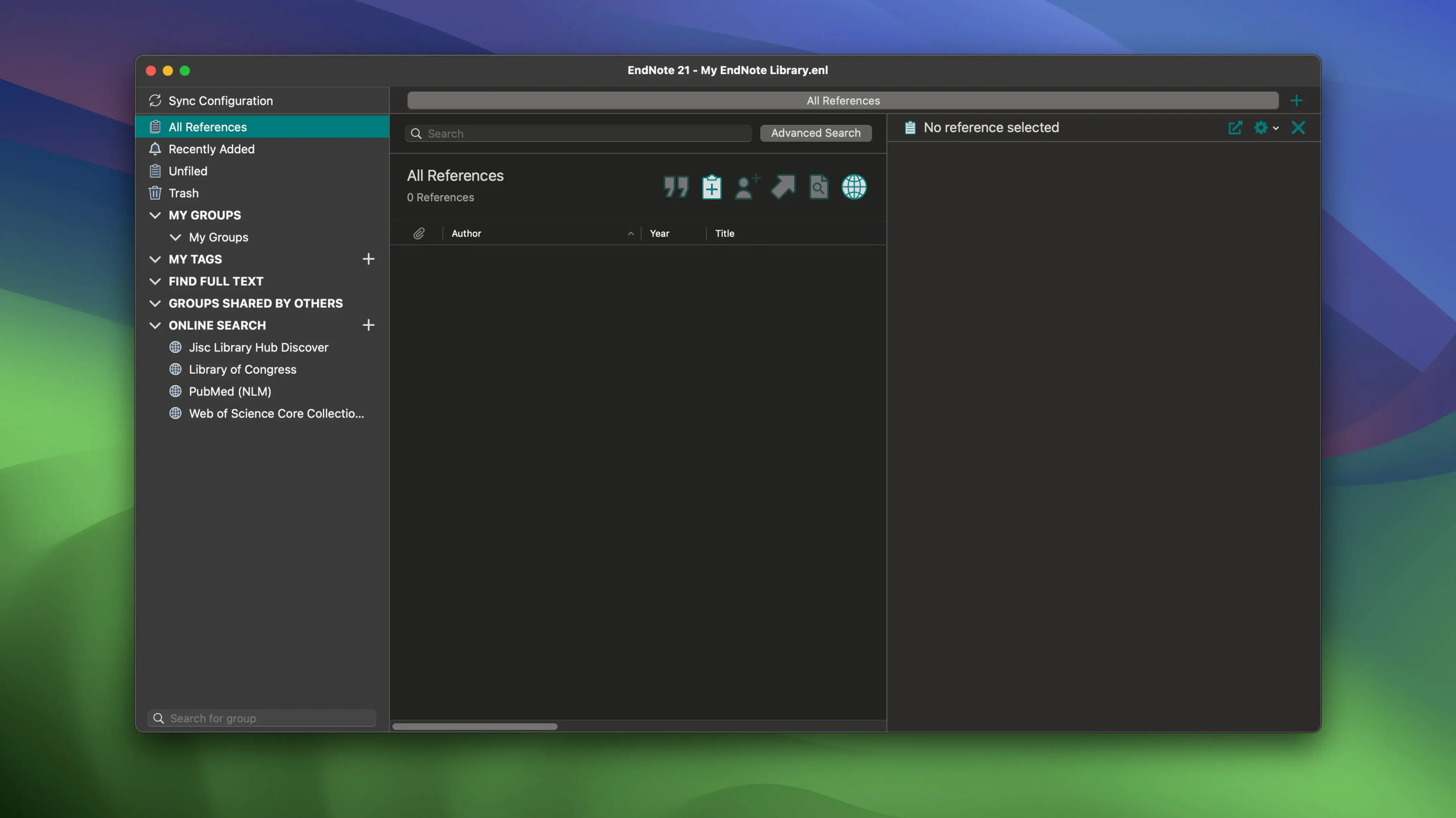
- Drag the PDF onto the EndNote dock icon. The import dialog appears; leave the import option set to PDF and click Import.
- EndNote reads the embedded DOI and pulls metadata from PubMed or CrossRef. The new reference appears in the Recently Added group with the PDF attached.
- Open the reference (Cmd‑E) and check the author list. If the journal uses abbreviated first names and EndNote pulled full names, switch to the Edit tab and trim them manually — the citation style will format whatever is in the Name field.
- Add a colour tag (right‑click the reference, choose Add Tag) — say, orange for “methods section”.
- Switch to Word. Place the cursor after a sentence in the Methods chapter. In the EndNote 21 tab, click Insert Citation. Type Liu into the search bar. The correct paper appears in the dropdown; hit Return.
- The in‑text citation (Liu et al., 2025) appears instantly. The full reference lands in the bibliography at the end of the document, styled to the active output style — APA 7th, Vancouver or whatever the journal requires.
If the PDF lacks a DOI — common with older scanned articles — EndNote cannot auto‑populate the fields. In that case, find the article on PubMed or Google Scholar, export the .ris or .nbib file, and double‑click it. Then drag the PDF onto the newly created reference to attach it. The two‑step import takes under thirty seconds once you are used to it.
Escaping library corruption without resorting to cracks
A handful of frustrations surface repeatedly in university labs and on EndNote forums. Most have straightforward fixes, and many users find that an endnote torrent or an endnote mac crack can serve as a practical starting point when a library gets into a mess—just verify the group's signature and match the build number to your macOS version before launching.
Word crashes when inserting a citation
The 2025.3 build specifically fixed a crash triggered by Select Matching References, but Word instability can still appear with older styles or corrupted templates. First step: restart Word in Safe Mode (hold Shift while launching it) and try the insert again. If that works, the culprit is a third‑party Word add‑in or a damaged Normal.dotm. Second step: in EndNote, go to EndNote 21 → Customizer and run the Cite While You Write repair. This re‑registers the add‑in without reinstalling everything.
Library sync conflict after working offline
You edit references on a lab Mac that had no network for three hours, then connect and sync. EndNote Web shows a conflict dialogue: “This reference has been modified in both locations.” Do not blindly click Resolve All. Instead, click View Conflict for each flagged reference. EndNote shows a side‑by‑side comparison. Choose the desktop version if you added PDF annotations; choose the web version if a collaborator corrected author names. After resolving, run Library → Recover Library to rebuild the local database index — this prevents ghost duplicates from appearing in Cite While You Write searches.
Field codes stripped before a supervisor sees the draft
Supervisors without EndNote see curly‑bracketed field codes like {ADDIN EN.CITE …} and panic. Before sending the document, save a clean copy: go to the EndNote tab, click Convert Citations and Bibliography, then choose Convert to Plain Text. Word prompts you to save a new copy. The in‑text citations and reference list become static text — no field codes, no live link. Keep the original live document for your own revisions.
“My library disappeared”
This is almost always the result of opening a library file from an iCloud or Dropbox folder that syncs while EndNote is writing to it. EndNote libraries are not single files — they are a .enl file plus an associated .Data folder. Both must live in a folder that is not actively synced by a cloud service while EndNote is running. If you find an old library corrupted, try Library → Recover Library before hunting for an endnote for mac free workaround. In most cases the recovery tool rebuilds the index and restores every reference with its PDF attachments intact.
How EndNote sits beside other Mac reference managers
Three heavy‑duty tools dominate the Mac reference landscape: EndNote, Zotero, and Bookends. Paperpile belongs in the conversation for Google Docs‑heavy workflows. Each solves the same core problem — store references, insert citations, build bibliographies — but they diverge in ways that matter for specific tasks.
EndNote vs Zotero
Zotero is open‑source and its browser connector grabs metadata from web pages faster than any manual import. For researchers who collect grey literature, blog posts and legal documents alongside journal articles, Zotero’s one‑click capture from Firefox or Chrome is hard to beat. EndNote counters with deeper control over output styles: the style editor in EndNote lets you tweak punctuation, author name formatting and bibliography layout with surgical precision. Zotero relies on CSL styles, which are easier to share but harder to customise when a journal demands an obscure format. Zotero’s Word integration works, but EndNote’s Cite While You Write feels more embedded — fewer glitches with tracked changes, less lag with libraries over 10,000 references. If your workflow centres on a browser, Zotero is the lighter tool. If you live in Word and need style‑level control, EndNote earns its place.
EndNote vs Bookends
Bookends is Mac‑only and feels like it. The interface is less polished than EndNote’s but the scanning engine — which reads a manuscript and matches citations to the library without field codes — is genuinely clever. Bookends also handles PDFs more aggressively: it can auto‑rename files, scan for citation metadata inside the PDF text, and build smart groups from annotations. EndNote’s PDF handling is solid but less automated. Where EndNote pulls ahead is multi‑platform sync and collaboration. Bookends syncs via iCloud or Dropbox; EndNote’s cloud sync through EndNote Web is purpose‑built for reference data and works on Windows, iPad and the web without fuss. A lab with mixed operating systems will find EndNote the safer bet; a solo Mac user who wants tight PDF‑workflow automation might prefer Bookends.
EndNote vs Paperpile
Paperpile is a Chrome‑first reference manager built for Google Docs. Its citation insertion inside Docs is smoother than EndNote’s Google Docs add‑on — fewer formatting hiccups, better handling of collaborative documents where multiple authors edit simultaneously. EndNote’s Google Docs integration is functional but still maturing; the Word integration remains the flagship. Paperpile stores everything in Google Drive, which suits teams already living there but raises questions for researchers with offline fieldwork or patchy internet. EndNote’s local library with optional cloud sync gives it the edge when you need to work on a plane, a field station or a campus with unreliable Wi‑Fi. If Google Docs is the only word processor on your Mac and the browser is your primary workspace, Paperpile is the natural fit. If Word handles the heavy writing and you need offline resilience, EndNote holds its ground
Yes. Dissertations and multi-chapter scientific papers are the natural fit. The sync model keeps the library consistent between desktop and web without manual export steps.
- macOS 10.14 or later
- Apple Silicon or Intel 64-bit processor
Sign in · Create an account to add a field note.
No field notes yet. A measurement, a version, a machine — they appear after moderation.