Photo
DxO PhotoLab 9.10.0
PhotoUpdated
| Requirement | On file |
|---|---|
| macOS | macOS 14.7 or later |
| CPU | Apple Silicon, Intel 64-bit |
| Download | 2.3 GB |
A photographer returns from a dimly lit event with a few hundred RAW files shot at very high ISO. The chroma noise eats detail in every shadow. DxO PhotoLab is built for exactly this kind of batch — it pairs raw demosaicing with AI-driven noise reduction in a single step before you touch a slider.
Does the noise reduction hold up across sensor types?
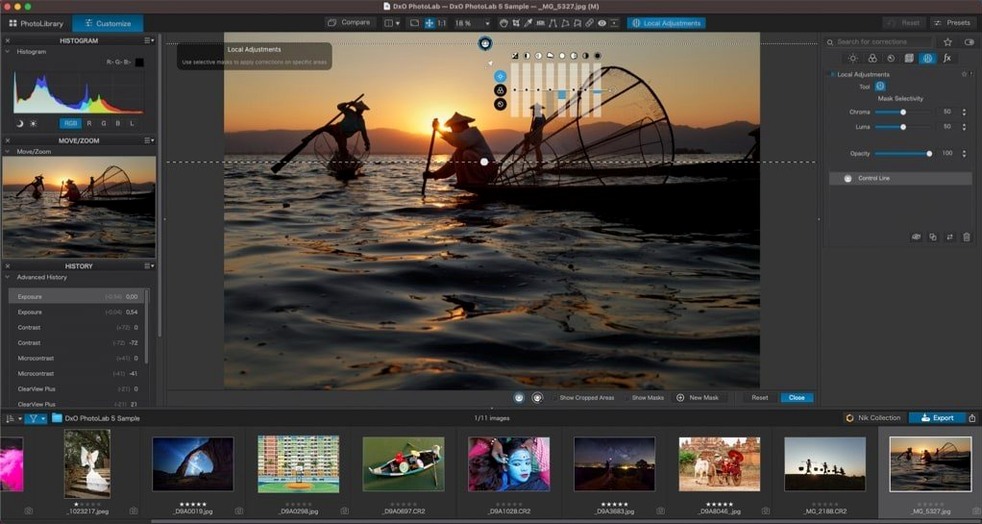
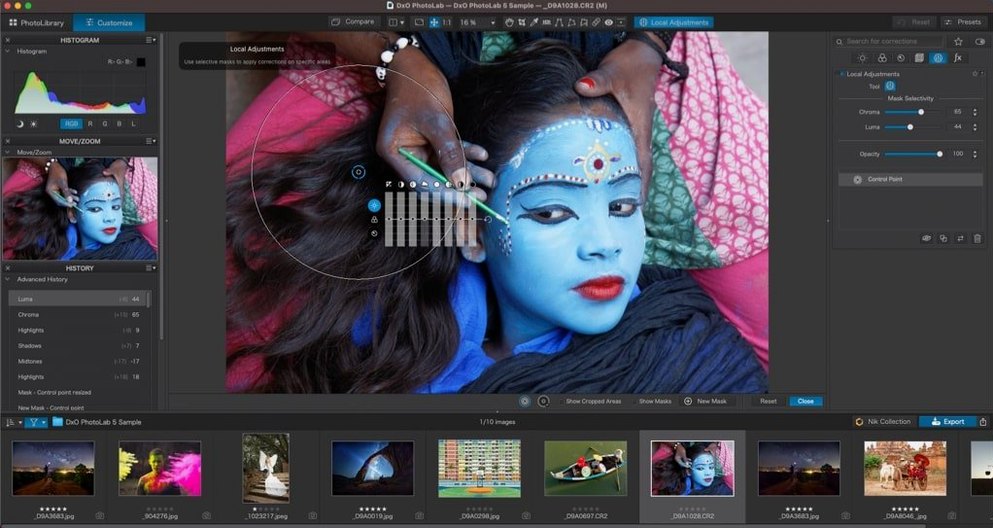
DeepPRIME XD3 handles Bayer and X-Trans sensors, and it runs the denoising and demosaicing together rather than as separate passes. That keeps fine detail intact where most converters smear it. For shots that need local punch, DxO Smart Lighting lifts underexposed areas without halos, and DxO ClearView cuts through haze by working on the luminance plane. The U Point local adjustment system lets you place control points on an image and restrict corrections by colour and tone — no masks to draw. Those adjustments, once set, can be copied and pasted between images, which matters when you are working through a long sequence shot under the same light.
How much manual control is there over the automatic corrections?
The automatic corrections are a starting point, not a black box. You can override the suggested exposure, contrast and lens sharpness with standard sliders, and the corrections panel shows exactly what DxO Optical Modules are applying — distortion, vignetting, chromatic aberration — so you can dial any of them back or switch them off per image. The software does not hide its decisions, which makes it practical to use the auto pass for culling and then fine-tune the keepers by hand.
A wedding photographer’s Sunday morning
Imagine a wedding photographer back home at 1 a.m. with 2,400 RAW files from a venue lit mostly by fairy lights and candle glow. The DJ shots at ISO 12,800 are noisy enough that skin texture has turned to mush in the JPEG previews. By Sunday morning, the goal is a clean, colour-graded gallery before the couple wakes up.
She drops the folder into DxO PhotoLab. DeepPRIME XD3 runs across the batch while she makes coffee. The AI Masks pick out the bride’s face in frame after frame — no brushing required. A single U Point control point on the groom’s dark suit lifts shadow detail without brightening the tablecloth behind him. She copies the set of local adjustments from one reception shot and pastes it across sixty others. By the time the coffee is cold, the export queue is running and the noise that looked catastrophic at 2 a.m. is gone, replaced by grain-like luminance that reads as texture, not artefact.
DeepPRIME speed question before you commit
Standalone editing or Lightroom plug-in—both paths work
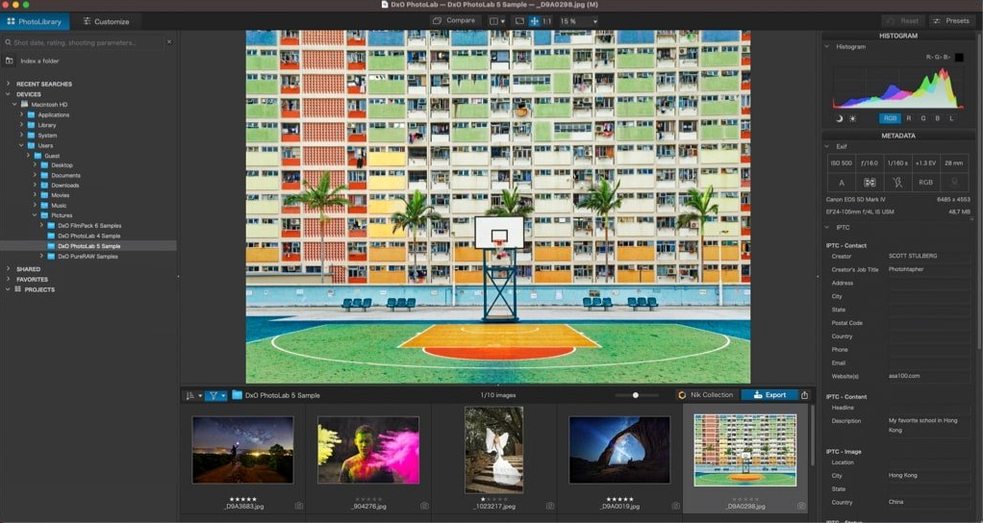
PhotoLab is a full standalone RAW processor. You browse, rate, correct and export without touching another application. That said, plenty of people run it as a plug-in from Lightroom Classic when they want DeepPRIME noise reduction on files Lightroom’s own engine struggles with. The round-trip workflow sends a TIFF back to your catalogue automatically.
Will my camera and lenses be supported?
DxO maintains a library of over 80,000 camera-and-lens combinations, all measured on optical benches. If your body and glass are in the database — and most gear from the last decade is — you get one-click corrections for distortion, vignetting, chromatic aberration and edge softness. The Modules download on demand when you open a file, so you are not lugging a 3 GB installer.
How heavy is it on an Apple Silicon Mac?
The application runs natively on both ARM and x86. DeepPRIME processing leans hard on the Neural Engine where available. On a MacBook Air with 16 GB of RAM, a 45-megapixel RAW takes about 7–10 seconds to process with DeepPRIME XD3; export times scale roughly linearly with megapixel count. The interface stays responsive during batch exports because processing runs on a background queue.
Can it handle iPhone ProRAW and HEIC files?
Yes. Apple ProRAW DNGs open with the full correction pipeline available, and HEIC and HEIF files shot on recent iPhones are supported for editing and export.
Renaming and reordering local corrections in a single list
Version 9 brought a redesigned local adjustments panel that groups masks, control points and gradients into a single list you can reorder and rename. That sounds minor until you are juggling twelve local corrections on a portrait and need to figure out which one is lifting the iris. The AI Masks grew a subject-detection model that recognises animals — useful for wildlife shooters who previously had to paint fur by hand.
Later point releases tightened memory handling during long sessions. Switching between folders of 200+ RAWs used to accumulate retained memory; now the image cache purges more aggressively when you jump directories. The copy-and-paste system for local adjustments also learned to respect quick-select Subject Types, so pasting a sky mask onto a different photo remaps the mask to that photo’s sky rather than dumping it at the same pixel coordinates.
DeepPRIME XD3 itself received a refinement for high-frequency detail in heavily backlit scenes. Earlier versions could produce a faint watercolour effect along high-contrast edges at extreme ISOs; the current build resolves eyelashes and tree branches against bright skies with less of that artefact. The installer package also slimmed down — it no longer bundles every DxO Optical Module at install time, fetching only the ones your imported files actually need.
Speeding up slow DeepPRIME previews on 16 GB machines
DeepPRIME previews are slow to render. By default, the software generates a full-quality preview when you zoom to 100%. On machines with less than 16 GB of RAM, this can stall. Switch the preview quality to Fast in Preferences > Performance. The export still uses the full DeepPRIME pipeline; the preview downgrade only affects what you see while editing.
The app quits unexpectedly when importing a large folder. This usually traces back to a corrupted sidecar file from another editor. Try importing the folder in smaller chunks to isolate the problem file. If the crash repeats on a specific RAW, run it through a DNG converter first — damaged maker notes sometimes trip the parser.
Exported JPEGs look flatter than the editing preview. PhotoLab’s preview uses a wide-gamut colour space by default. If your export preset is set to sRGB and you are editing on a P3 display, the difference can be stark. Check the export dialog’s ICC profile setting and match it to your delivery intent. Soft-proofing in the viewer helps catch this before the whole batch runs.
Optical corrections are not auto-applying for a supported lens. The module might not have downloaded yet. Open the DxO Modules panel (under the Help menu) and confirm your lens shows as installed. If it is listed but corrections are greyed out, the RAW file’s EXIF metadata may be incomplete — this happens with some adapted lenses or teleconverters. Manually assigning the module from the dropdown in the Corrections palette usually resolves it.
U Point control points feel too aggressive. Each control point has a radius and an opacity slider that defaults to 100%. Dropping opacity to 30–50% and tightening the radius by dragging the outer ring inward often gives a more natural blend. For skin work, consider placing a second, larger-radius point set to a negative value to guard the surrounding area from the correction.
- macOS 14.7 or later
- Apple Silicon and Intel Macs
Sign in · Create an account to add a field note.
No field notes yet. A measurement, a version, a machine — they appear after moderation.