VST Plugins
Addictive Keys 1.7.3
VST PluginsUpdated
| Requirement | On file |
|---|---|
| macOS | macOS 10.13 or later |
| CPU | Apple Silicon, Intel 64-bit |
| Download | 4.2 GB |
Compatibility is straightforward: Addictive Keys 1.7.3 runs on Intel and Apple silicon Macs with macOS 10.13 or newer, loading as a 64-bit VST, AU or AAX plug-in inside any major host. A standalone application is also included.
An Instrument Track Into a Glue Bus
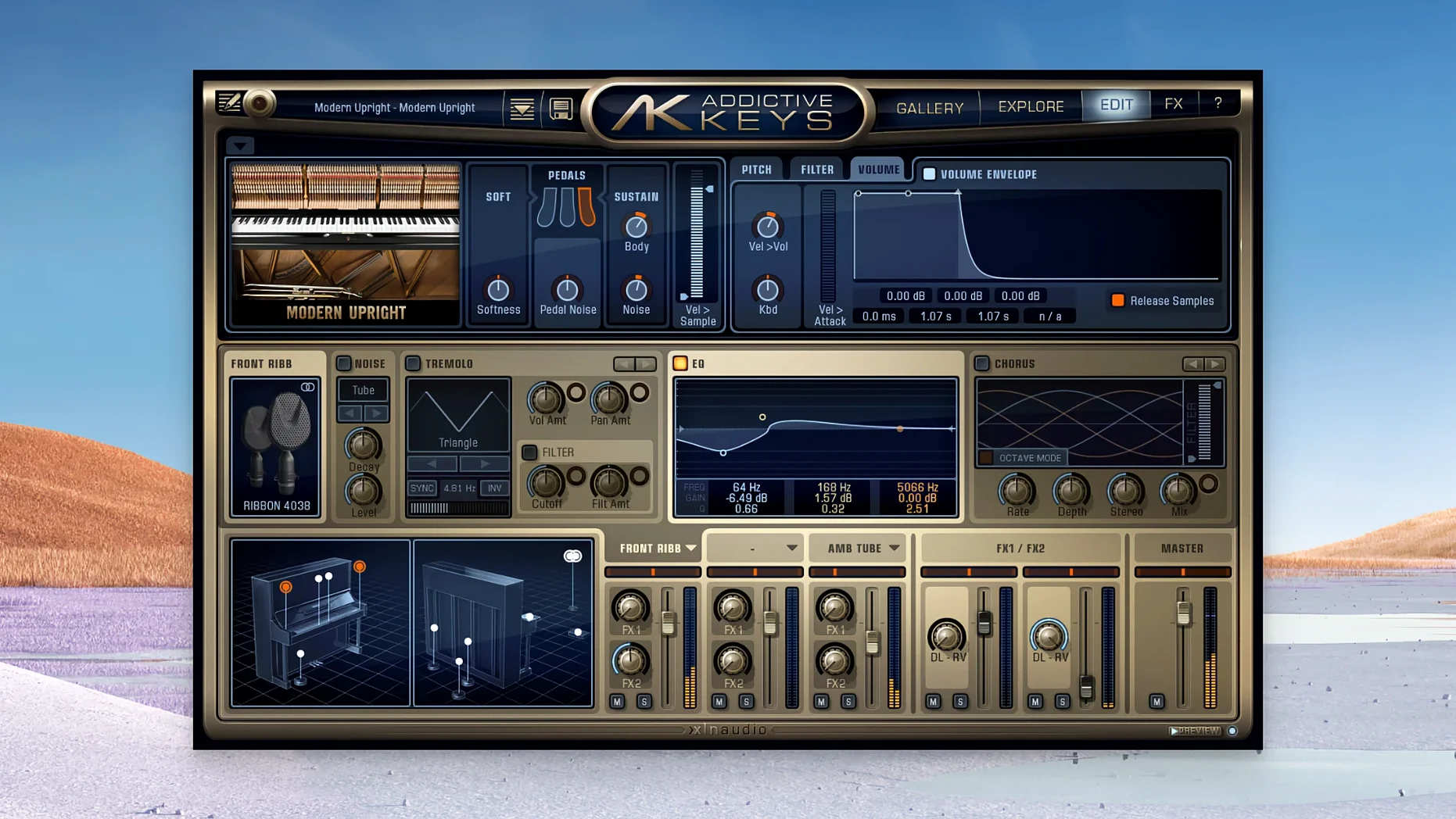
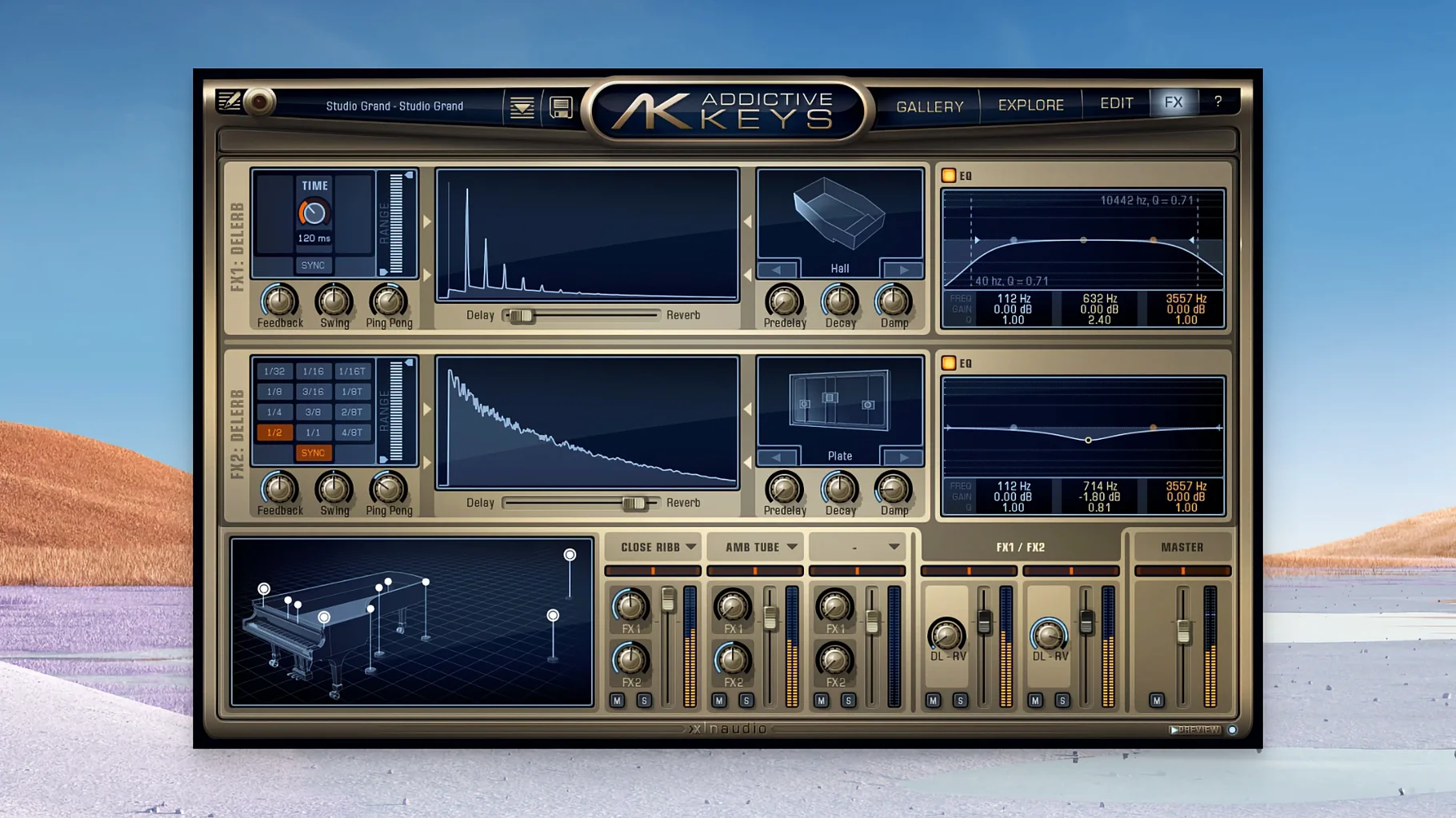
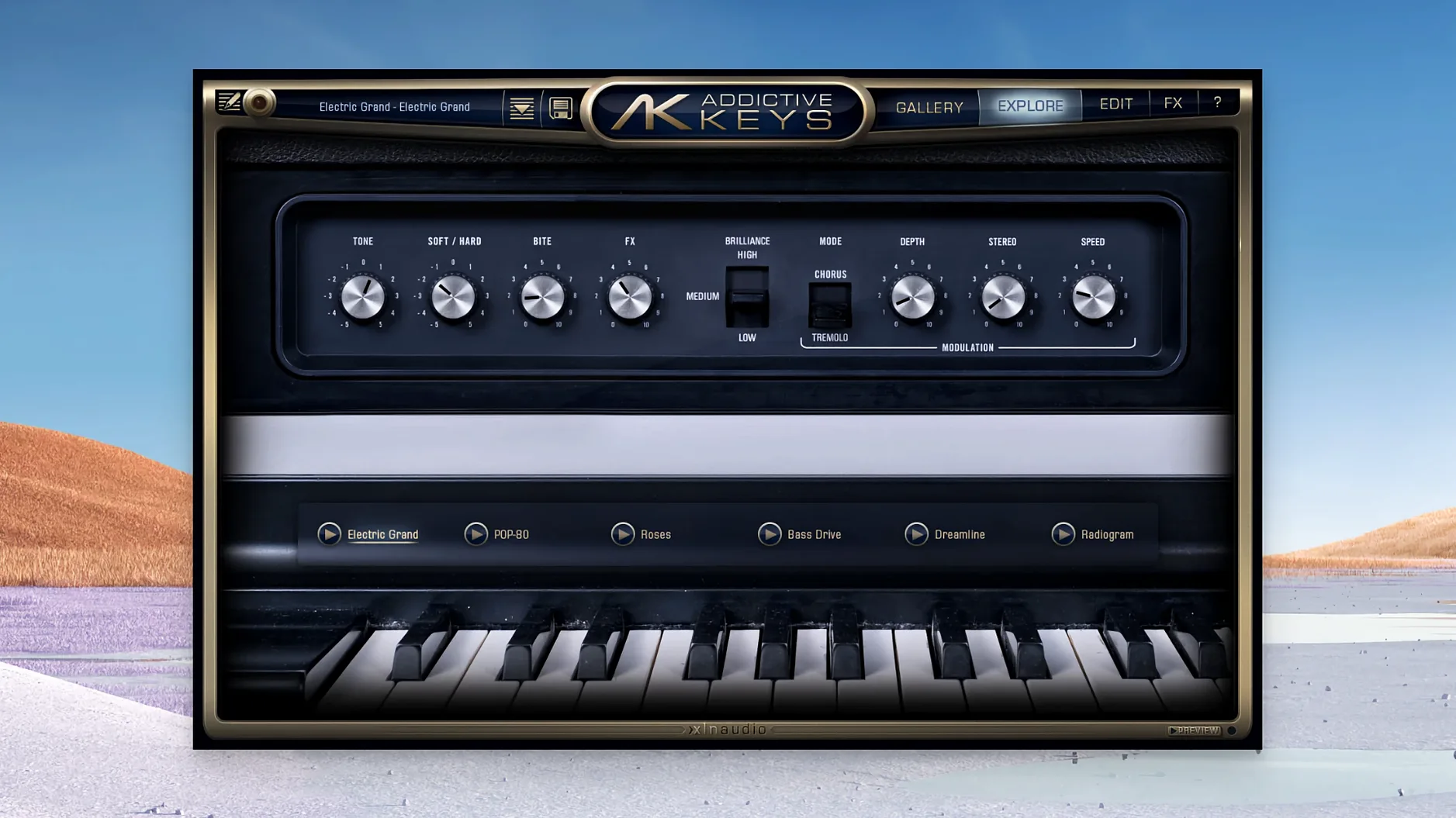
In a typical project, Addictive Keys lives on a dedicated instrument track, its output often routed to a bus with room reverb or subtle saturation to glue it into the mix. The four instruments cover ground that spans from tight, focused upright tone to wide electric grand pads. A songwriter might drop the Modern Upright — a sampled Yamaha U3 — straight onto a verse track with minimal processing, then push the Electric Grand, based on a CP-80, into a stereo chorus bus for a hook that sits above a dense arrangement. Patch loading is quick, so swapping between the two acoustic and two electric pianos mid-session doesn't interrupt the flow.
Typical Jobs for Each Instrument
The acoustic pianos work well for fundamental harmonic duties: block chords, arpeggios and melodic lines that need a real-room character. The electric pair shifts into texture territory — the Rhodes-style model handles warm pad stacks on a pre-chorus bus, while the brighter electric grand can double a bass line or add percussive attack to a rhythmic figure. Because the samples were captured through a blend of modern and vintage recording chains, you get tonal options without reaching for a channel strip full of character plug-ins straight away. The instrument slot becomes a source you place, route and then process like a recorded signal, which is how it fits naturally into a mix rather than sitting on top of it.
First Days with Addictive Keys: Practical Starters
Run the standalone application once before loading the plug-in in your DAW. This lets the software finish its initial file scan and build its preset database without a host timeout. On the first launch, the browser pane can feel slow — give it thirty seconds to index the library and it will settle into genuinely fast patch switching from then on.
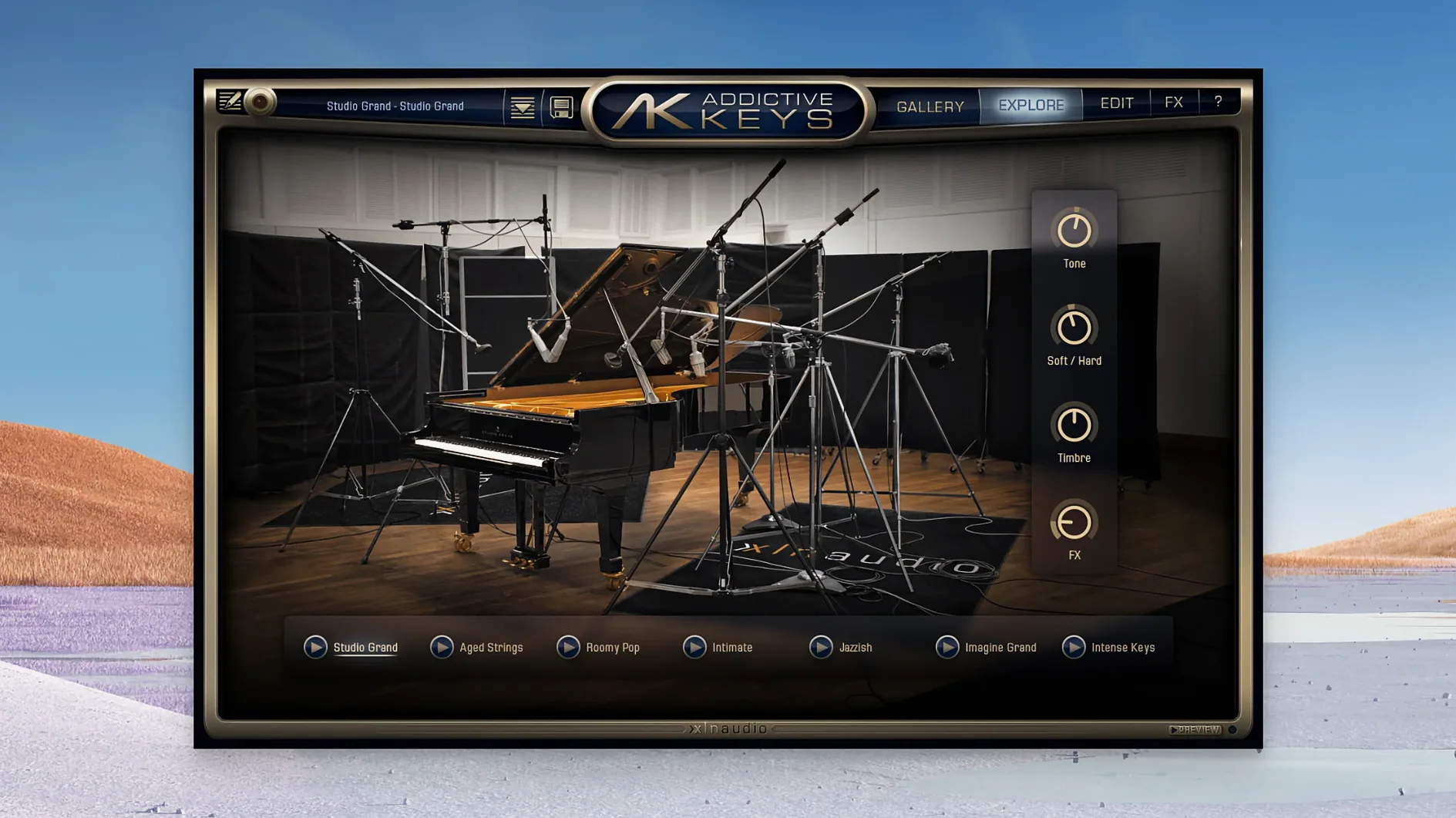
Check the Mic Perspective sliders before you reach for EQ. Each instrument was recorded with multiple mic pairs, and the close/ambient balance shapes the tone more than most channel-strip processing you would apply later. On the Modern Upright, pulling the room mics back by 6 dB tightens the low-mids enough that a busy arrangement stops feeling congested, no filter needed.
If you installed the full collection in one go, verify that all four instruments appear in the instrument selector dropdown. Occasionally a host will only register the first two libraries after a batch install — a quick rescan of the plug-in folder or a host restart fixes the mapping.
Double-Click to Reset Any Knob
- Double-click any knob to return it to its default value. This is not labelled anywhere in the interface, but it works on mic balance, tone controls, and the built-in effects.
- The preset browser supports typing to filter. Tapping felt narrows the Modern Upright list to its felt-treated patches instantly, which is faster than scrolling through the full library.
- MIDI learn is per-instance and persists between sessions. Right-click a parameter on screen, wiggle a hardware knob, and the mapping sticks — useful for ride-riding the close-mic level during a take.
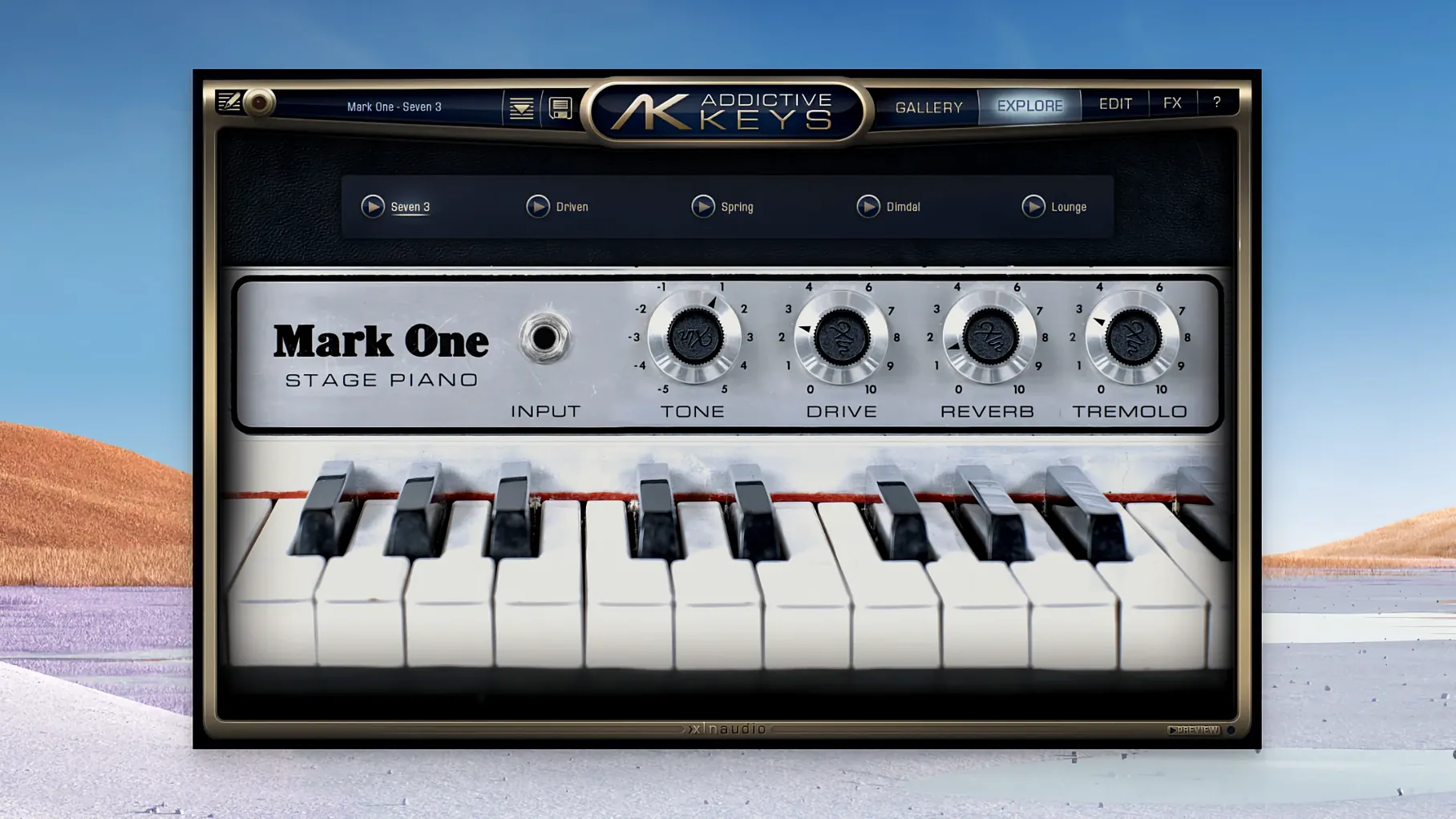
- Velocity curve presets sit in the settings panel, not on the main page. If the Mark One feels too barky or too soft under your fingers, the Light or Hard curves reshape response without touching your controller's global settings.
Native Apple Silicon Ends Patch-Load Pauses
Version 1.7.x brought native Apple silicon support, which matters for everyday use more than a bullet point suggests. On an M-series Mac, the plug-in now runs without Rosetta translation, so patch loads that used to pause for a beat happen as fast as you can click. AU and VST3 instances share the same library path, meaning a custom preset saved in Logic appears in Ableton Live without manual file copying — a small workflow fix that removes friction when moving between hosts.
The installer packaging was also streamlined. The disk image now contains a single installer that places all four instrument libraries and the plug-in binaries in one pass, cutting out the older multi-step library downloads that occasionally left a piano greyed-out in the selector. For anyone who grabbed the addictive keys complete collection package, this change alone saves a quiet half-hour of troubleshooting.
Point the Standalone App at the Missing Library Folder
Instrument shows as "not found" after a successful install. This usually means the library folder wasn't placed where the plug-in expects it. Open the standalone app, go to Settings → Library Path, and point it at the top-level folder containing the four instrument subfolders. After a restart, the dropdown populates correctly.
Crackling or dropout on sustained chords. The default voice count is generous, but the Electric Grand with its long release samples can push polyphony higher than you'd guess. Drop the Max Voices setting from 128 to 64 on that instrument. The reduction is inaudible in a mix but stabilises playback on older machines.
DAW scan skips the plug-in entirely. Some hosts, particularly older VST2-only DAWs, need the VST .bundle placed in a custom folder. Check that the installer wrote to the path your DAW actually reads — Logic uses the system AU folder, while Cubase may look elsewhere for VST3. A manual drag of the .vst3 file into the correct directory sorts it nine times out of ten.
For producers working with the addictive keys vst setup in a live performance rig, a small but useful habit: disable the host's automatic plugin delay compensation on the instrument track. The internal effects in Addictive Keys add negligible latency, and the double-check from the DAW can nudge timing by a few samples — enough to feel sluggish under fast playing.
- macOS 10.13 or later
- Intel or Apple silicon Mac (64-bit)
Questions on file
What instruments are included in Addictive Keys?
The collection contains two acoustic pianos, including a Yamaha U3 upright, and two electric pianos, one based on a CP-80 electric grand.
Can I run Addictive Keys without a DAW?
Yes, a standalone application is available, allowing you to play and practise directly on your Mac.
Sign in · Create an account to add a field note.
No field notes yet. A measurement, a version, a machine — they appear after moderation.