VST Plugins
Effectrix 1.4.8
VST PluginsUpdated
| Requirement | On file |
|---|---|
| macOS | macOS 10.14 or later |
| CPU | Apple Silicon, Intel 64-bit |
| Download | 20 MB |
Mix engineers and electronic producers reach for Effectrix when a static insert chain won't do. Dropped on a synth bus, it turns a held chord into a gated, flanged, or bit-crushed pattern that moves with the tempo. On a drum group, a few steps of the looper or vinyl sim can reshape a straight hi-hat pattern into a glitched fill without touching MIDI.
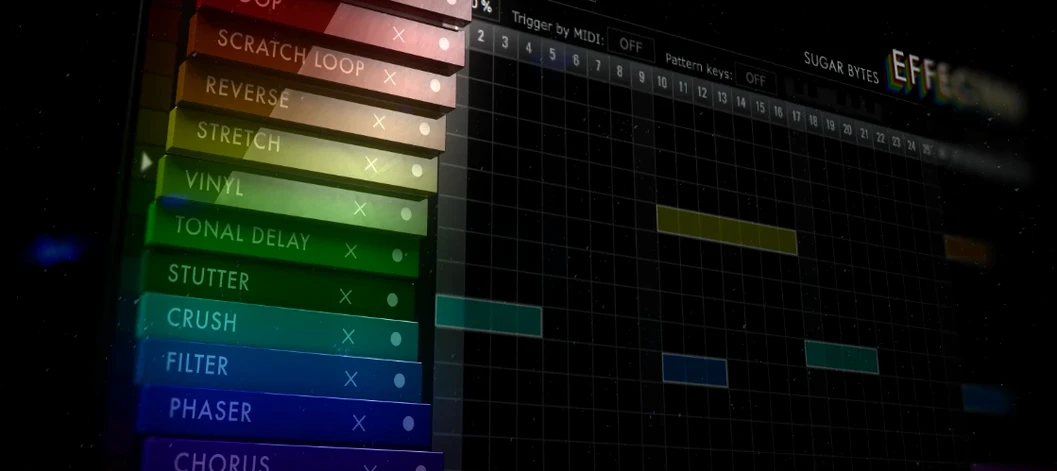
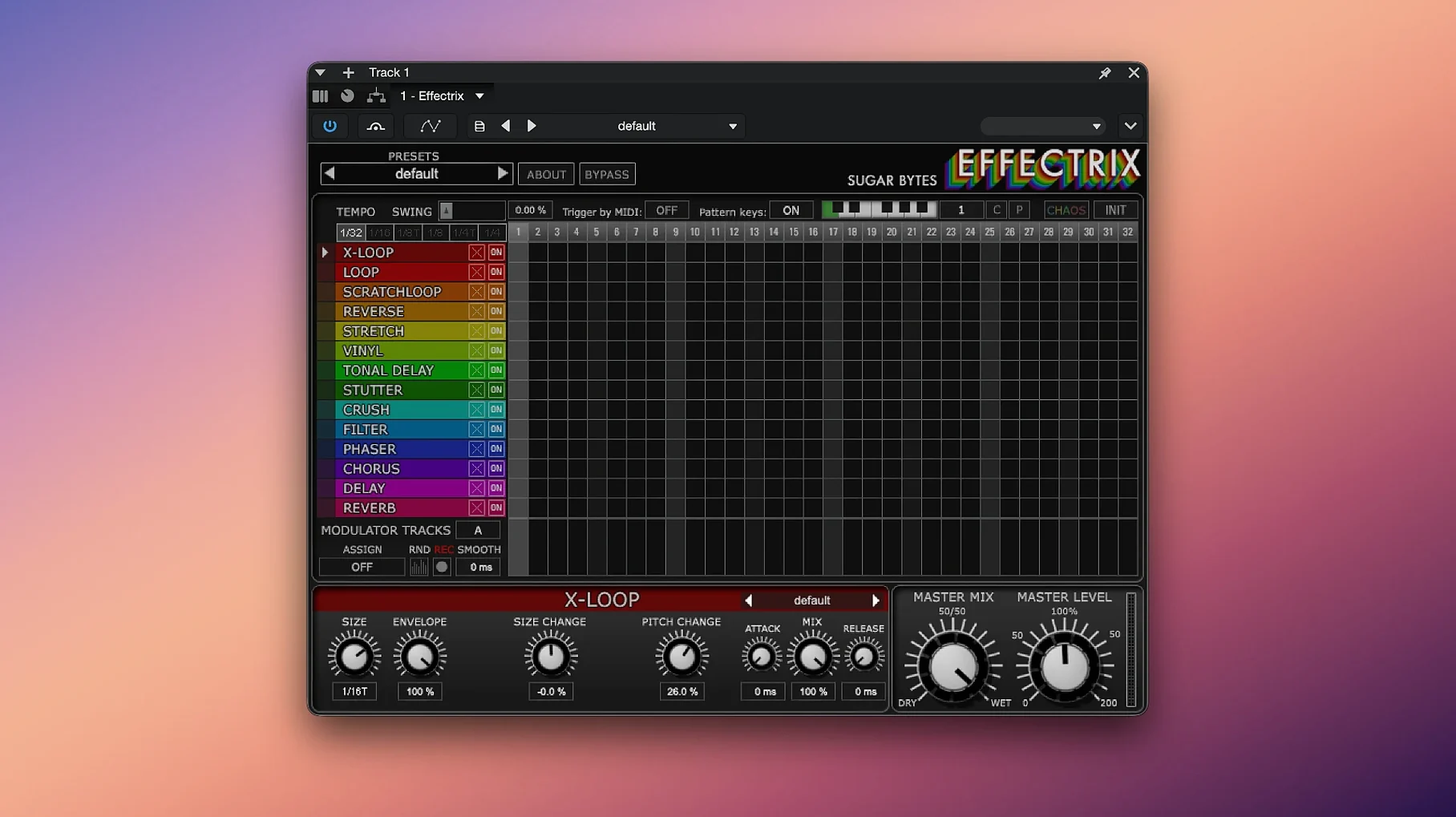
Fourteen effects sit in a 16-step lane across the lower half of the interface. Each step can trigger a different effect with its own parameter state, and the cycle length is freely adjustable—work in bars of 7 or 12 if the riff calls for it. Two modulation tracks let you draw per-step automation for any effect parameter, so a filter sweep can climb across exactly four steps.
A Chaos button randomises the entire grid at once, which is useful for generating ideas when a mix sounds too clean. Hundreds of global presets give each effect a starting point, but the real character comes from setting step divisions against the host tempo and stacking short slices of delay, phaser, and tonal effects in sequence.
As a 64-bit plugin for macOS 10.14 and newer—native on both Intel and Apple Silicon—it runs where the session demands it. Put it early on a vocal bus for rhythmic texture, or last on a drum bus to mangle the whole kit in time.
Retina-Ready Interface Under 2 ms Latency
Effectrix loads as an Audio Unit, VST3 or AAX instance without fuss on an Apple Silicon Mac, and the interface draws at retina resolution with no scaling oddities. The plugin reports negligible latency—under 2 ms at a 128-sample buffer on a modern machine—so it sits on live inputs without throwing off timing. CPU draw varies with how many effects fire per step. A single lane with the looper or vinyl sim ticking on four steps stays below 2% on a single core. Stack six effects across all 16 steps with both modulation tracks active, and that figure climbs toward 8–10%, which still leaves room for a full mix session.
Memory use sits around 120–180 MB once presets load, and the plugin does not leak or creep upward over long sessions. Stability is solid in Logic Pro and Ableton Live; it has survived overnight playback loops during testing without a beach ball or audio dropout. The only occasional hitch is a brief GUI freeze—under a second—when switching between presets that carry dense modulation data, and that clears without affecting audio.
Real-time operation through a MIDI controller feels immediate. Pattern changes via MIDI notes switch on the next step boundary, not on the next bar, which keeps fills tight in a live set. The step sequencer stays locked to host tempo even during tempo ramps, and the swing control pushes off-grid steps without slurring transients.
Ditch the 16-Step Default for Odd Meters
Out of the box, a few defaults work against quick results. Open the plugin and change these three things before building a pattern.
- Cycle length — The default 16-step loop fits 4/4 but feels rigid on triple-meter material or odd phrases. Set it to 12 or 7 steps early. The knob responds to drag-and-type, so exact values take a second.
- Mix mode per effect — Each effect lane defaults to wet-only on active steps. That works for the looper or stutter, but on the phaser, flanger, or delay it sounds abrupt. Switch those lanes to a 50–60% wet mix so the dry signal bleeds through and the transitions feel musical.
- Modulation track smoothing — The two mod tracks default to hard step jumps. For filter sweeps or pitch bends, open the mod lane settings and enable the small smoothing parameter (the slider next to the mod source selector). A value of 20–30% removes the stair-step artifacts without softening the timing.
Workflow: Building a Glitched Drum Fill from Scratch
Here is a concrete task—turning a four-bar drum loop into a fill that ramps from clean to wrecked and snaps back. Start with a drum bus in your DAW; insert Effectrix as the last plugin on the chain so it processes the summed kit.
- Clear the grid. Load the Init preset from the global menu—this gives you a blank 16-step grid with no active effects. Leave the cycle length at 16 for now.
- Set the tempo division. Click the division display and choose 1/8. Each step now spans an eighth note, so the 16-step cycle covers exactly two bars. For a four-bar fill, you will let the sequencer run twice.
- Paint the looper on steps 1–4. Click the looper lane on step 1. Drag its step parameter (grab length) to about 30 ms. Copy that step (Cmd-C) and paste it onto steps 2, 3 and 4. On playback, the first half-bar stutters the drum hit into a short roll.
- Add the vinyl sim on steps 5–8. Activate the vinyl lane on step 5, set the slowdown depth to roughly 40%, and copy it across steps 5 through 8. Now the second half-bar pitches the drums down like a stopped deck.
- Stack tonal delay on steps 9–12. Switch on the tonal delay lane at step 9. Set feedback to three repeats and the pitch shift to +7 semitones. Drag the mix down to 55% wet. Copy that state onto steps 10, 11 and 12. The third half-bar throws pitched echoes across the stereo field.
- Crush the last four steps. Activate the bit-crusher on steps 13–16. Drop the bit depth to 6 bits and the sample rate to around 8 kHz. The final half-bar degrades into grainy fuzz.
- Modulate the filter. Open modulation track 1, assign it to the global filter cutoff, and draw a ramp from step 1 (fully open, value 127) down to step 16 (around 40). Enable smoothing at 25%. The fill now darkens as it progresses.
- Save the pattern. Hold the pattern slot button (1–12) and click to store. Assign a MIDI note to that slot so you can trigger the fill from a pad during arrangement.
The result plays clean for two bars, then the sequencer cycles through stutter, vinyl slow, pitched delay and bit-crushing across the next two bars. Release the MIDI note or switch patterns, and the dry drums return instantly.
Why Your Delay Tails Vanish Mid-Decay
Several things trip up new users, and they have straightforward solutions.
- Effect tails cut off at cycle end. The delay and reverb lanes stop processing the moment the step deactivates, so a long tail vanishes mid-decay. The fix: extend the active step by one or two extra steps with the effect mix dropped to 0%. The effect engine keeps running across those silent steps, and the tail rings out naturally.
- Pattern changes feel late. If pattern switching via MIDI seems to lag, check the quantise setting in the lower toolbar. It defaults to "Next Bar." Change it to "Next Step" or "Immediate" for tighter live response. Note that "Immediate" can cause clicks if the new pattern has a very different effect configuration.
- Chaos button wipes a good sequence. The Chaos randomiser overwrites every step on every active lane. Before hitting it, save the current pattern to a slot. Better yet, duplicate the pattern to an adjacent slot first, then randomise the copy. That way the original stays intact.
- Modulation sounds steppy. Hard jumps between modulation values create audible clicks, especially on pitch and filter targets. The smoothing parameter mentioned earlier fixes this, but it also introduces a slight lag—roughly 10–15 ms at a smoothing value of 30. For percussive modulation that needs to stay tight, lower smoothing to 10 and rely on a tiny fade on the audio clip instead.
- Certain effects phasing in parallel chains. When Effectrix runs on a send rather than an insert, the dry signal from the DAW and the wet signal from the plugin can phase-cancel, particularly with the phaser and flanger. The solution is to run Effectrix as an insert with the global mix set to taste, or to set the send to pre-fader and mute the source channel while the effect fires.
Effectrix 1 users on Mac sometimes search for an effectrix crack mac or effectrix torrent when testing the plugin against other sequencers. The R2R release for version 1.4.8 on macOS includes the standalone app alongside all plugin formats, so the full feature set—14 effects, two modulation tracks, 12 pattern slots per preset—is available regardless of how it arrives on the system.
- macOS 10.14 or newer
- Intel or Apple Silicon Mac
- 64-bit host
Questions on file
How many effects does Effectrix include?
It includes 14 synchronised effects, each with its own parameters and hundreds of global presets.
Can I modulate effect parameters over time?
Yes, two dedicated modulation tracks let you draw per-step automation for any effect parameter across the sequencer grid.
Sign in · Create an account to add a field note.
No field notes yet. A measurement, a version, a machine — they appear after moderation.