VST Plugins
FabFilter Total Bundle 25.06.2026
VST PluginsUpdated
| Requirement | On file |
|---|---|
| macOS | macOS 10.13 or later |
| CPU | Apple Silicon, Intel 64-bit |
| Download | 347 MB |
A mastering engineer pulls up a dense rock mix. The low end is fighting the kick drum, the stereo image is slightly skewed, and the vocal needs one final lift before the limiter. Instead of patching five different developer’s tools, they stay inside one family of plug-ins.
Corrective EQ and dynamic control
Pro-Q 4 opens on the drum bus with its spectrum analyser showing a build-up near 90 Hz. A dynamic bell cut pulls 3 dB only when the kick hits, leaving the bass guitar body intact. On the mix bus, Pro-MB applies upward compression to the side channel above 2 kHz, widening the cymbals without thinning the centre vocal.
Character and texture
Saturn 2 sits on a parallel return, adding gentle tube saturation to the snare and toms. A clean blend keeps the transient attack while the wet signal brings harmonic weight. Timeless 3 follows with a quarter-note ping-pong delay on a synth arpeggio, its filters rolled off at 4 kHz so the repeats sit behind the lead line.
Final loudness and printing
Pro-L 2 handles the last stage with the Modern algorithm set to 8 dB of gain reduction. True-peak limiting catches inter-sample overs, and the loudness meter reads an integrated -9 LUFS without audible distortion. The whole session stays in one plug-in environment from first cut to final bounce.
Dynamic bands that stop overshooting on kicks
Version 25.06.2026 pulls together three significant point updates across the bundle. Pro-Q 4.13 refines the spectral dynamics behaviour introduced earlier in the Q4 cycle. The dynamic bands now respond with less overshoot on sharp transients, which means a kick drum EQ move that took two bands before — one static, one dynamic — can often be handled by a single band with a tighter attack time. In practice that halves the plug-in's CPU load on drum processing chains.
Pro-R 2.06 adds a decay rate offset per frequency band. Instead of a single mid-band decay multiplier, you can now keep the low reverb tail short while letting the high end ring longer, or vice versa. That matters most in post-production: dialogue recorded in a small booth can carry a short room tail up to 1 kHz and a longer, artificial tail above 4 kHz, all inside one instance rather than routing through two reverbs.
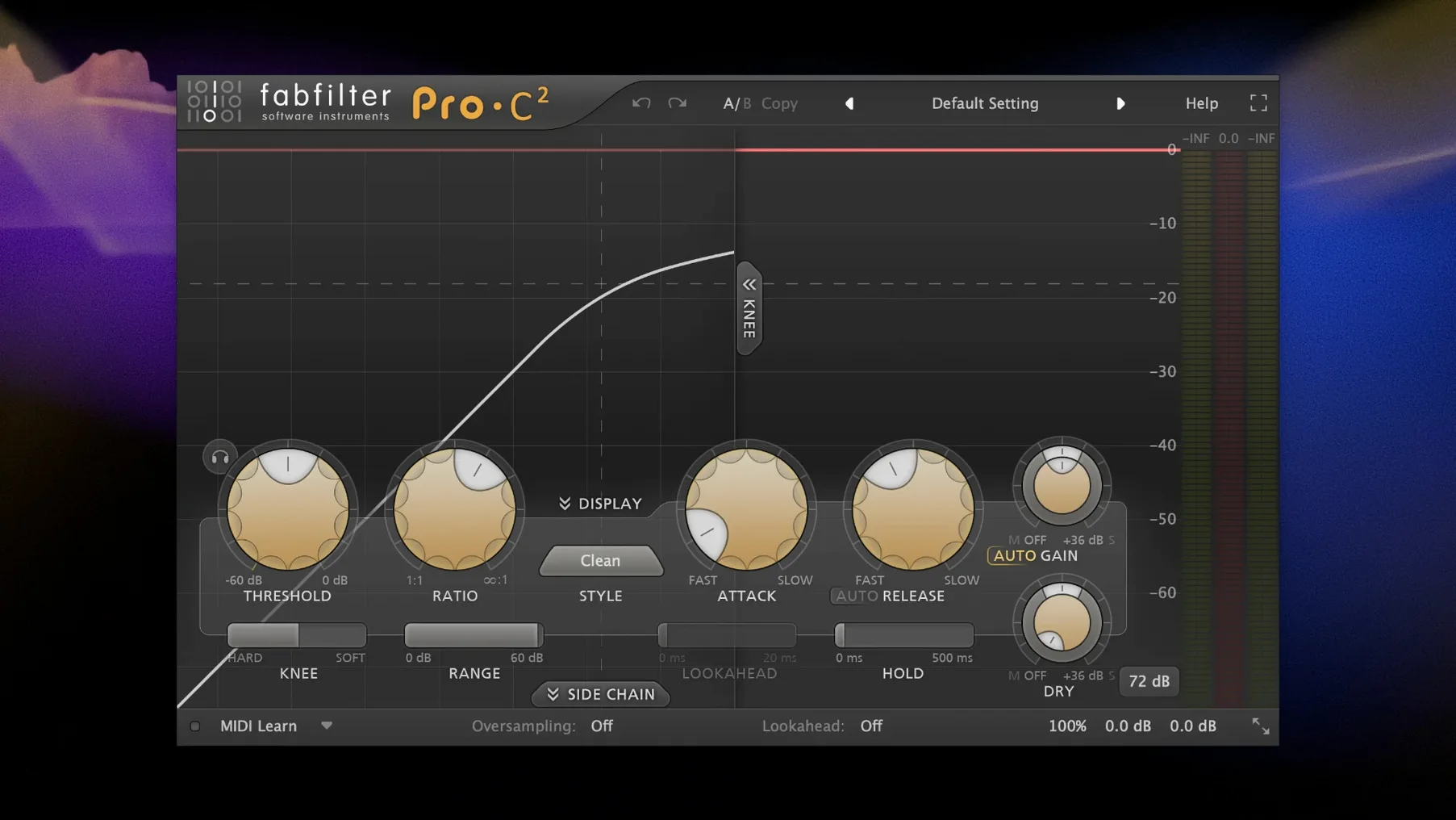
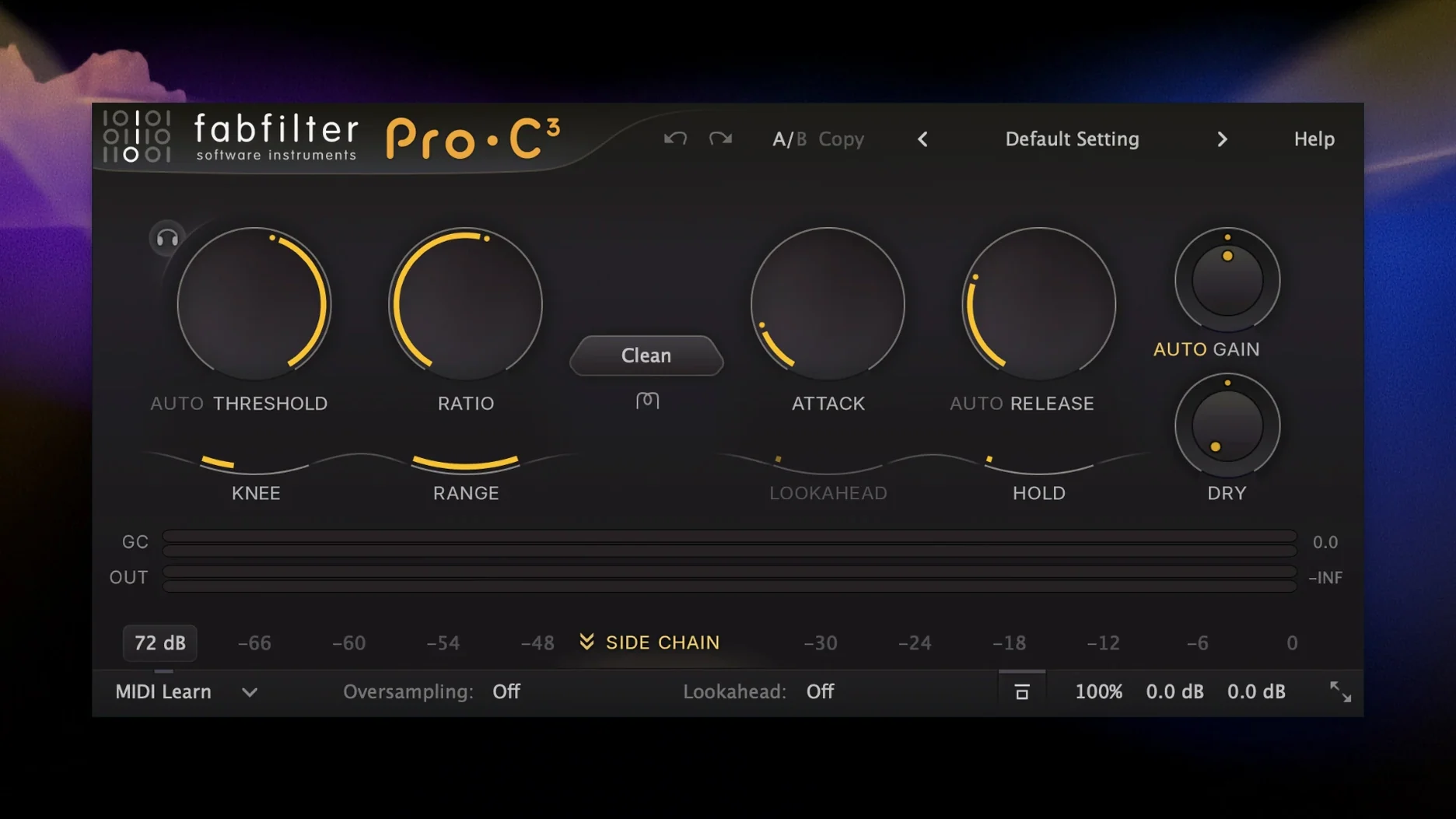
Pro-C 3.02 is a quieter update but fixes a side-chain filter delay that some users hit when running lookahead above 2 ms in Classic mode. The compressor now phase-aligns the internal side-chain properly, so parallel drum bus compression no longer smears the attack when wet/dry is set anywhere between 30% and 70%.
Three licenses, iLok Cloud, and a single installer
Does the bundle run natively on Apple Silicon?
Yes. Every plug-in in this build carries universal binaries for ARM and x86-64. On an M1 or later Mac, the Audio Unit, VST3 and AAX formats load without Rosetta. The installer places the correct architecture automatically; no manual selection is needed. CPU usage on Apple Silicon is roughly 60–70% of what the same session draws on an equivalent Intel machine under Rosetta, based on FabFilter's own published benchmarks for Pro-Q 4 and Pro-L 2.
Are the plug-ins available as VST, AU and AAX?
The bundle installs Audio Units, VST3 and AAX formats. VST2 is no longer included, matching the industry-wide deprecation. Logic users get AU, Ableton Live and Cubase users get VST3, Pro Tools users get AAX. All three formats share the same preset system, so a Pro-R patch saved in Logic opens identically in Pro Tools.
Will older sessions break after updating?
FabFilter preserves backward compatibility across major versions. A session saved with Pro-Q 3 opens in Pro-Q 4 with all bands, solo states and automation lanes intact. The same holds for Pro-C 2 to Pro-C 3 and Pro-R 1 to Pro-R 2. The newer plug-in simply replaces the old one in the insert slot; DAWs that identify plug-ins by ID rather than name may require a one-time "replace plug-in" command on affected tracks.
Saturn 2 in HQ mode at 12% per stereo track
It varies sharply by plug-in. Pro-Q 4 in zero-latency mode draws roughly 0.5% on a single M2 performance core. Saturn 2 with HQ mode engaged on a stereo track can pull 8–12% depending on the band count. Pro-R 2 in full-resolution mode sits around 4–6%. The least hungry tools are Pro-G and Pro-DS, both under 1% in typical use. Every plug-in offers a quality toggle that drops CPU by roughly 30–40% when tracking.
Sidechain triggers vanishing when you realign a bus
Pro-Q 4 spectrum analyser shows no signal
The analyser reads from the plug-in's input, not from the track's output pre-insert. If Pro-Q sits after a mute automation point or follows a plug-in that gates to silence, the spectrum display stays flat. Check that signal actually reaches Pro-Q's input by toggling the analyser source to "Side Chain" and back. If the side-chain shows activity but the main input does not, the problem is upstream in the insert chain.
Pro-L 2 gain reduction meter bounces on silence
When the input meter registers residual noise below -80 dBFS and the threshold is set aggressively, the limiter chases a signal that is essentially dither or analogue-modelled noise from an earlier plug-in. The fix is raising the threshold by 2–3 dB or inserting a gate before Pro-L 2. True-peak mode does not cause this; it is purely a threshold-to-noise-floor issue.
Saturn 2 introduces latency that phase-shifts parallel tracks
Saturn's linear-phase oversampling modes add latency that the DAW may not fully compensate on buses with parallel routing. Switching to Minimum or Natural phase mode drops latency to zero. If linear phase is essential, group the parallel tracks into a bus and insert Saturn on the bus, not on the individual sends. That keeps all parallel paths time-aligned.
Timeless 3 feedback loop goes silent when loading a preset
Timeless defaults to a feedback limiter that clamps runaway echoes. Some older presets were built before that limiter existed and push the feedback past the threshold, triggering a mute. Lower the feedback knob by 5% or raise the limiter ceiling in the tap panel. Either action restores the delay line instantly.
Pro-MB band solo behaves unexpectedly in stereo
Pro-MB solos a band by muting all other bands, but it does so per channel. If a band's crossover frequencies differ slightly between left and right — which they can, when the analyser is set to dual-mono — solo exposes only the band for each channel independently. That can sound like a partial mute. Switching the crossover link mode to stereo solves it.
Twenty-four tracks, a DI bass, and the first insert at 10:15
It is 10:15 on a Tuesday. A mixing engineer opens a Logic project: twenty-four tracks of indie rock with three vocal stacks, a live drum room and a DI bass that has not been treated yet. The first insert on the drum bus is Pro-G. They pull the threshold down until the close hi-hat mic gates between hits, then back off 2 dB so the ghost notes survive. The hold control is set to 45 ms, enough to catch the snare ring without choking it.
On the bass DI, Pro-Q 4 opens in linear-phase mode. A high-pass at 32 Hz with a steep 48 dB/octave slope removes subsonic rumble from the floor tom spill. Two bell cuts follow: one narrow, -4.5 dB at 140 Hz, the other wider at 400 Hz to clear the low-mid wool. The analyser confirms the fundamental at 55 Hz is untouched. The whole EQ stage adds 1.2 ms of latency; Logic's plug-in delay compensation handles it without a nudge.
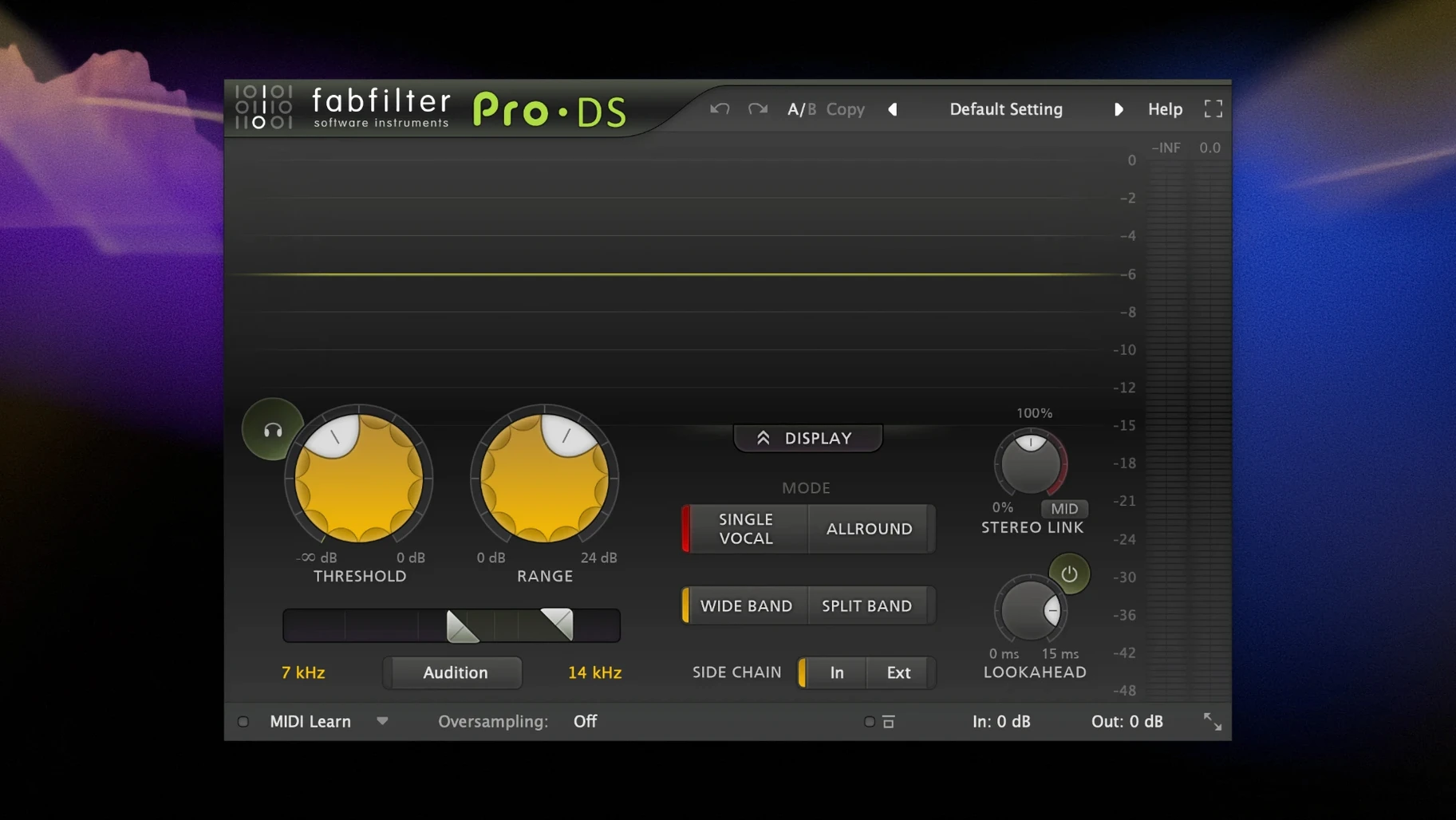
The vocal stack gets Pro-DS on each channel. The wide-band detector listens at 6.5 kHz. On the lead vocal, gain reduction never exceeds 3 dB except on the sharpest "t" and "s" transients, which hit 5 dB for roughly 20 ms each. The split-band mode is off: this mix wants a natural sibilance that does not duck the breath behind it.
Pro-C 3 lands on the parallel drum crush bus. The style is set to Punch, attack at 3 ms, release at 80 ms. It catches the shell resonance and clamps it hard — 10 dB of reduction on the loudest snare hits — then mixes back at 40% wet. The drum group now has body without losing the stick attack.
Saturn 2 appears on a return track fed by the vocal group. The Gentle Saturation preset is tweaked: drive pushed from 30% to 45%, mid-band saturation type changed from Tube to Warm Tape. Highs above 8 kHz are left dry via the crossover, so the air band stays clean while the 400 Hz–4 kHz range carries a soft harmonic edge. The return fader sits at -14 dB.
On the mix bus, Pro-MB handles multiband work. Band 1 (below 100 Hz) gets 2 dB of upward expansion to tighten the low end between kick hits. Band 3 (2 kHz to 8 kHz) applies 1.5 dB of downward compression, softening the cymbal wash without closing the stereo field. The crossovers are linear-phase, 24 dB/octave.
The last insert is Pro-L 2. The Modern algorithm is selected, lookahead at 1.5 ms, true-peak enabled. The threshold sits so gain reduction hovers around 4 dB on the loudest chorus sections. The output ceiling is set to -0.3 dBTP. The session reads -14 LUFS integrated across the loudest minute. The engineer prints the mix, then opens Pro-Q 4 on the print track for a final check: the spectrum shows a smooth slope from 40 Hz to 18 kHz, no resonances, no sub-bass pile-up.
Global auto-gain off, analyzer speed to Fast
Pro-Q 4: analyser smoothing and range
The default analyser decay is 600 ms. For drum work, dropping it to 200 ms reveals transient peaks the longer average would hide. The analyser range defaults to a 60 dB window; switching to 90 dB exposes low-level noise and reverb tails that are invisible on the standard view. Both settings live under the analyser hamburger menu and apply globally across all Pro-Q 4 instances.
Pro-R 2: post-EQ decay rate offset
The post-reverb EQ section now carries a decay offset slider per band. Out of the box it is set to zero — meaning the EQ affects tone but not tail length. Pulling the high band offset to -0.4 shortens the high-end reverb tail independently of the main decay knob. This single change stops cymbal-heavy mixes from becoming washy without needing a second reverb.
Pro-C 3: auto-release behaviour
The Auto Release mode is enabled by default in Clean and Modern styles. On drum buses, switching to manual release and setting it between 40 and 80 ms gives more predictable gain reduction shapes. The difference is most obvious on snare hits: auto-release tends to hold the gain reduction slightly longer than the ear expects, softening the transient. Manual release returns the compressor to zero faster, preserving snap.
Saturn 2: HQ mode per band
HQ oversampling is global by default. That means one band driven lightly on a vocal track pushes the whole plug-in into 4x oversampling. Swapping to per-band HQ drops the CPU load by roughly 25% on a typical five-band setup, because only the driven bands engage the higher sample rate. The toggle is in the Oversampling drop-down, labelled "HQ Per-Band."
Pro-MB: dynamic phase mode
Pro-MB defaults to Dynamic Phase, which adjusts the crossover phase response based on the amount of gain reduction. In mastering chains where linear-phase crossovers are standard, switching to Linear Phase mode eliminates the subtle phase rotation that Dynamic Phase introduces when bands are working hard. The trade-off is roughly 3 ms of added latency per instance. On a mix bus that is already latency-compensated, it is a free improvement.
- macOS 10.13 or later
- Apple Silicon or Intel 64-bit processor
Questions on file
Which plug-ins are included in the FabFilter Total Bundle?
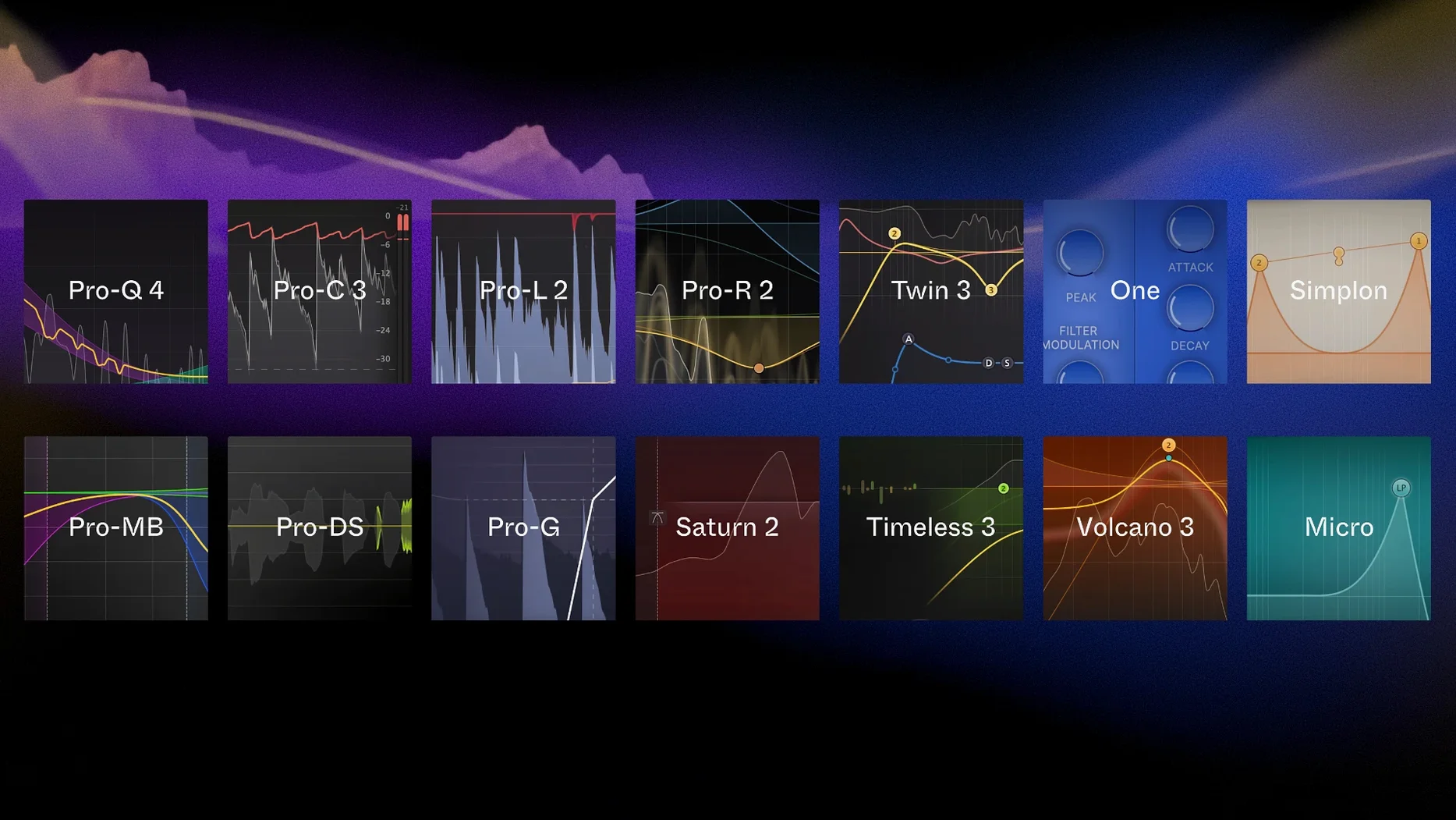
It includes all FabFilter plug-ins: Pro-Q, Pro-C, Pro-L, Pro-MB, Pro-R, Saturn, Timeless, Twin, Volcano and the rest of the catalogue in one package.
Does the bundle work on Apple Silicon Macs?
Yes, the current version is listed for both Apple Silicon and Intel 64-bit Macs running macOS 10.13 or later.
Are instruments included or just processor plug-ins?
The bundle covers both—creative instruments such as Twin and effects like Volcano and Timeless sit alongside processor plug-ins for mixing and mastering.
Sign in · Create an account to add a field note.
No field notes yet. A measurement, a version, a machine — they appear after moderation.