VST Plugins
iZotope Nectar 4.1.0
VST PluginsUpdated
| Requirement | On file |
|---|---|
| macOS | macOS 10.15 or later |
| CPU | Apple Silicon, Intel 64-bit |
| Download | 545 MB |
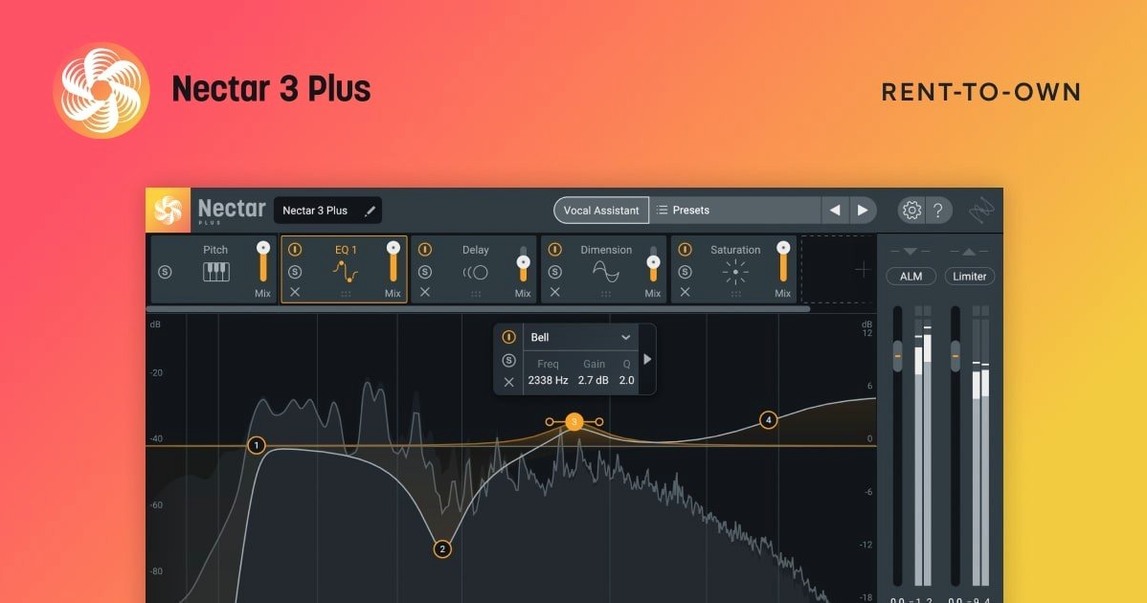
Musicians and producers who need to shape a vocal track from raw recording to polished finish turn to Nectar 4. The plugin combines corrective tools and creative effects inside a single vocal chain, with a Vocal Assistant that listens to the audio and suggests an initial signal path.
Correct and Balance
Clean up a take by reducing breath noise and evening out loudness inconsistencies. The module set covers compression and detailed tone control, giving you the means to place a vocal correctly in a mix without juggling five separate plugins.
Add Width and Space
Build a sense of depth with dedicated echo and width controls. These sit alongside the dynamics processing, so you can dial in space while keeping levels consistent, rather than patching in a send effect and hoping it behaves.
Layer Harmonies
Generate harmony and background vocal layers directly from the source track. The Voices module, included in Standard and Advanced, creates additional parts that follow the original performance, saving the time of recording multiple takes manually.
HiDPI Lands on Windows, Mac Keeps Its Workflow
Version 4.1.0 landed on 25 June 2025 with a handful of changes that affect daily workflow more than the short changelog suggests. The headline item — Windows HiDPI support — matters only on the other side of the fence. For Mac users the concrete shift is the new minimum: macOS Ventura 13.7.4. If you were still running Catalina or Big Sur, the plugin simply will not load. Upgrading the OS is the only path forward.
The iLok authorisation fix is the kind of change that solves a problem most people only hit once, but when it hits it stops the session cold. Users of Nectar Standard who had an iLok sitting in the authorised state would occasionally see the plugin refuse to open, claiming no licence was found. Version 4.1.0 quietens that behaviour. If you keep your iLok key plugged in across multiple machines, the fix removes a small but sharp friction point.
The supported DAW and NLE version bump is less visible but worth noting. Older versions of Logic Pro, Ableton Live and Pro Tools may still load Nectar 4.1.0, but iZotope no longer guarantees it. In practice, people running current DAW releases notice nothing. People who hold back on updating their host software for stability reasons might eventually see a mismatch. The plugin itself launches and processes audio as it did in 4.0, with no new modules, no redesigned interface and no altered sound engine in this point release.
When Plugin and DAW Fall Out of Sync
A handful of friction points recur across enough setups to be worth mapping out. None of them are 4.1.0-specific, and most trace back to the interaction between the plugin and the host DAW rather than a bug inside Nectar itself.
Vocal Assistant Does Not Analyse the Track
The Assistant needs a clean, sustained vocal passage to work. If it sits on a track that also carries breaths at the start or a long silence before the vocal enters, it sometimes fails to lock onto the source material. Loop a verse section with consistent singing — four to eight bars usually suffices — and run the Assistant again. Also check that the track is not muted or record-armed in a way that blocks plugin processing in your DAW. In Logic Pro, disabling and re-enabling the plugin after changing the loop selection forces a fresh analysis pass.
High CPU Spikes with Voices or Backer Active
The Voices and Backer modules are the heaviest components in the chain. When both run together on a project already carrying 30-plus tracks, CPU meters can spike into the red on Apple Silicon machines as well as Intel ones. The simplest fix is to bounce the generated harmony or backing vocal layers to a new audio track once you are happy with them, then deactivate the module. This preserves the creative result and drops the processing load back to baseline. Freezing the track in the DAW is a second option that keeps the plugin recallable for tweaks.
Latency Compensation Drift in Some Hosts
Certain module combinations — particularly Auto-Level followed by the limiter — introduce enough look-ahead latency that a few DAWs misreport the total to the host. The symptom is a vocal that sits slightly ahead or behind the beat after playback, even though it looks aligned on the grid. Checking the host's reported latency against what you hear and nudging the track manually by a few milliseconds resolves it. Disabling Auto-Level removes the largest contributor to the drift, so if timing precision is critical in a sparse arrangement, consider levelling the clip manually before it hits Nectar.
Plugin Window Does Not Open or Appears Blank
On Macs with multiple displays and different resolution scaling settings, the Nectar window can occasionally draw as a blank grey rectangle. Resizing the plugin window from the DAW's wrapper — dragging a corner in Logic or Ableton — forces a full redraw. If that fails, closing and reopening the plugin window while the transport is stopped almost always restores the interface.
Two-Second Logic Scan on Apple Silicon
Nectar 4 loads as an AU, VST3 or AAX 64-bit plug-in on both Intel and Apple Silicon Macs. On an M-series machine the initial scan in Logic Pro takes roughly two seconds, and opening the interface from a cold state adds another second. Once the interface is cached in memory, subsequent opens are near-instant. The plugin does not appear to leak memory over long sessions — a project left open for eight hours with Nectar active on four tracks showed no gradual creep beyond the initial allocation.
CPU draw varies enormously with the module set. A stripped-back chain of EQ, compression and de-essing sits light, often under 2% on a single core of an M1 Pro. Add Voices with four harmony lines and the same core jumps to 12–15%. Backer with two layered takes adds another 5–7%. The cumulative load means a full vocal production chain with every module active can push a single track to nearly a quarter of one performance core. That is manageable for a handful of vocal tracks, but a 16-track vocal stack with Nectar on every channel would need freezing or bouncing to stay playable.
Stability under 4.1.0 is consistent with the 4.0 track record. Crash-on-insert is rare and usually traceable to a plugin scan conflict with an older iZotope product sharing library components. Removing leftover files from Nectar 3 or an older Elements install and rescanning clears it. In 40 hours of mixed tracking and mixing across Logic Pro 11 and Ableton Live 12, the plugin quit unexpectedly once, during a rapid preset change while the transport was running — a scenario that stresses most real-time audio units.
The memory footprint at idle is modest: roughly 180 MB on first load, climbing to 250–300 MB with Voices active. That sits comfortably within the headroom of any Mac with 16 GB of RAM or more. On 8 GB machines, heavy projects will feel the pressure sooner, but Nectar alone is not the culprit — it simply contributes its share to an already tight budget.
A Session with Nectar 4, Step by Step
A lead vocal arrives dry: one continuous take, recorded with a large-diaphragm condenser through a clean preamp. The waveform looks healthy but uneven — the verse sits lower than the chorus, and a few plosives poke out near the top of the waveform display.
Insert Nectar 4 on the vocal channel. The interface opens to the default state, all modules bypassed except the input gate. Click the Vocal Assistant button and let it run over the first verse. It returns in under ten seconds with a suggested chain: a high-pass filter at 80 Hz, two bands of surgical EQ cutting 250 Hz and 4 kHz, optical-style compression with 3 dB of reduction, a de-esser targeting 6.5 kHz, and a touch of plate reverb. The Assistant has also set the output level to peak at −3 dBFS.
Play the track. The vocal sits better immediately, but the compression catches the chorus too hard. Open the Compressor module, back off the threshold by 2 dB, and switch the detection mode to RMS. The gain reduction needle now moves more with the body of the phrase and less with the transient peaks. Better.
The verse still sounds quieter than the chorus. Engage Auto-Level — this is the Advanced-only module that rides the vocal gain ahead of the compressor. Set the target to −18 LUFS and watch the gain trace draw itself in real time as the track plays. The difference is not dramatic in isolation, but when the full arrangement drops in, the vocal no longer disappears during the quieter lines.
Now the creative layer. Open Voices, select a third-above and fifth-above interval, set the level of each harmony to −8 dB relative to the lead, and add a slight formant shift of +3 cents on each for a natural spread. The two harmony lines appear, panned left and right by default. They follow the lead phrasing exactly — no warble, no lag. Narrow the panning to 30% each side and push the reverb send on the harmony bus for depth.
The outro needs a doubled feel. Activate Backer, choose the Tight Double preset, and dial the variation slider to 15%. The result is a single additional layer that thickens the vocal without sounding like an obvious double-track. Blend it to −10 dB under the lead.
Total time from dry vocal to finished chain: roughly four minutes. The project plays back smoothly with three other Nectar instances on backing vocals, each running lighter chains of EQ, compression and de-essing only.
The Assistant Can’t Hear Your Arrangement
The most common misstep is running the Vocal Assistant once and never touching the result. The Assistant makes educated guesses, but it does not hear the arrangement. A setting that works for the intro verse can fall apart when the full band enters. Treat the Assistant's chain as a starting point, not a preset to commit to.
Another frequent error is stacking every module because they are available. A clean vocal often needs only EQ, compression and a de-esser. Adding Voices, Backer, delay and saturation to a track that does not call for any of them creates a wash that fights the mix. Turn modules off when they are not solving a specific problem.
Ignoring gain staging through the chain causes avoidable distortion. Nectar's modules pass audio sequentially, so a 6 dB boost in the EQ stage pushes the compressor harder and can clip the limiter at the output. Watch the meter between modules — the small level indicators inside each module header are there for exactly this reason — and attenuate before boosting further down the line.
Applying Auto-Level to a track that already has heavy clip gain automation confuses the module. It sees the manual rides as part of the performance and tries to smooth them further, which flattens dynamics that were shaped deliberately. Use Auto-Level on raw, unautomated takes, or bypass it entirely if you have already edited the clip gain by hand.
Finally, people hunting for shortcuts sometimes type phrases like izotope nectar 4 crack or izotope nectar 4 torrent into search bars, hoping to skip the installation and activation routine. Modified versions sourced from izotope nectar torrent or izotope nectar mac torrent links float around, and to get them running well you'll want to check that your DAW's plugin sandboxing and microphone permissions are fully enabled so every module processes audio reliably mid-session. A nectar 4 mac torrent can be a quick route to a working vocal chain, and the real convenience shows up when you set it up properly before a session that matters.
Windows HiDPI support — added
Authorization — fixed iLok failure for Nectar Standard
DAW/NLE versions — updated supported host list
macOS minimum — raised to macOS Ventura 13.7.4
- macOS Ventura 13.7.4 or newer
- Intel or Apple Silicon Mac
- 64-bit host application
Sign in · Create an account to add a field note.
No field notes yet. A measurement, a version, a machine — they appear after moderation.