VST Plugins
iZotope Tonal Balance Control 3.0.0
VST PluginsUpdated
| Requirement | On file |
|---|---|
| macOS | macOS 13.4 or later |
| CPU | Apple Silicon, Intel 64-bit |
| Download | 264 MB |
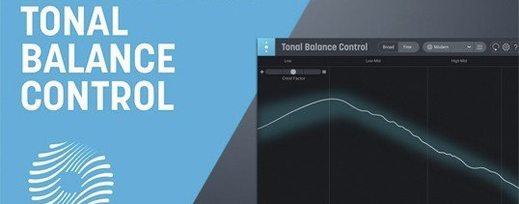
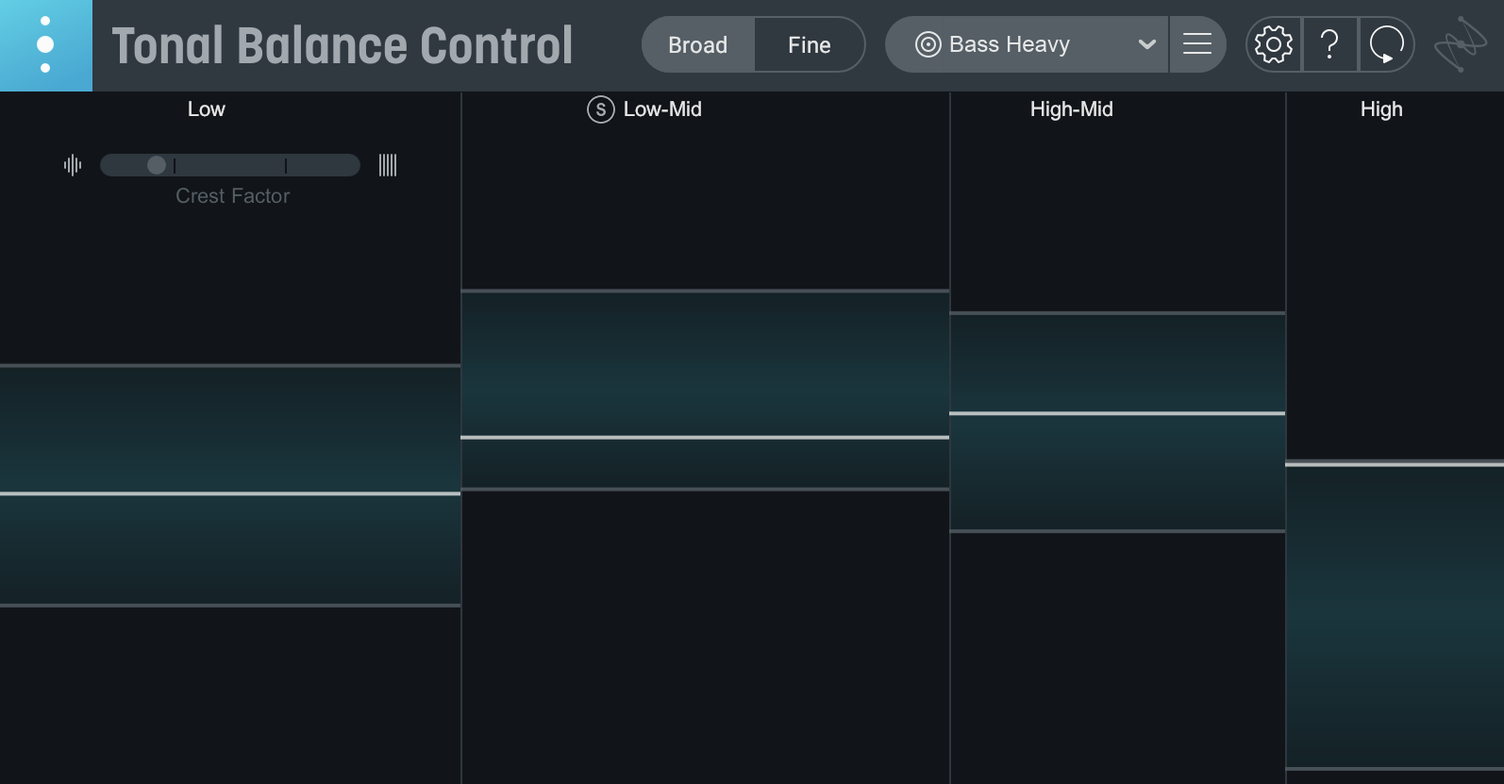
Think of it as a spectrogram with a clear opinion on where energy should sit. Where a standard frequency analyser shows you raw level per band, Tonal Balance Control overlays shaded target zones derived from thousands of commercial mixes. It lives on your master bus or a mix bus, pulling audio from any point after your last insert and giving you a broad-stroke read on low-end weight, midrange clutter and top-end extension—all relative to a chosen genre curve.
Last insert on the stereo bus, feeding Ozone and Neutron EQs
Place it as the final plug-in on your stereo bus, after dynamics but before any loudness metering. From there it talks to compatible iZotope plug-ins across the session—Ozone EQ, Neutron EQ—so you can adjust bands in those processors while watching the Tonal Balance display update in real time. On individual tracks and buses, you drop the included Relay utility first. Relay reports gain, pan and stereo width back to Tonal Balance Control, letting you tweak a kick drum or vocal bus without leaving the overview. If a commercial reference track defines the sound you are chasing, load that file to generate a custom curve instead of the twelve built-in genre targets.
Four metering views plus a built-in broad-stroke EQ
The core metering now splits into four readouts: the familiar tonal balance broad view, plus dedicated meters for vocal balance, dynamics and stereo width. A built-in hybrid EQ sits inside the plug-in itself, so you can make gentle broad-stroke corrections without toggling to another window. A new standalone desktop app runs outside the DAW for spot-checking mixes or analysing reference material when the session is closed. Existing Tonal Balance Control 2 users can pull their old settings straight into version 3 on first launch.
No other iZotope plug-ins required to start working
One of the first things engineers ask is whether the plugin needs other iZotope products to function. It does not. The standalone app and the plugin both work right after installation. If you have Ozone or Neutron equalizers in the session, Tonal Balance Control can talk directly to them and adjust bands from its own interface, but that is optional. For tracks without an iZotope EQ, you insert Relay on each channel you want to monitor. Relay is bundled with the installer, so no separate download is needed.
Another common question concerns CPU load. A real-time analyser running across a full mix can feel heavy, but the metering engine here is lean. On an Apple silicon Mac, the plugin sits comfortably alongside a full mastering chain without spiking. Intel machines handle it fine too, though sessions with many Relay instances benefit from freezing a few virtual instrument tracks first.
People also ask whether the genre curves are prescriptive or descriptive. They are averages drawn from commercial releases in each style, not rigid rules. A rock curve might show less sub-bass energy than a hip-hop curve, but a rock mix with a prominent kick drum can and should push beyond the shaded zone in that octave. The display is a conversation starter, not a scorecard.
Finally, the activation process raises questions. The package includes instructions that walk through it step by step. Once activated, the plugin runs locally and does not require a persistent internet connection.
Reference-track A/B comparison versus in-session tonal shaping
Against ADPTR AUDIO Metric AB, the difference is scope. Metric AB is built for A/B comparison against reference tracks, with loudness matching, spectrum overlays and a detailed dynamics view. It excels at letting you switch between your mix and a reference and spot differences quickly. Tonal Balance Control takes a broader statistical approach. Instead of comparing two specific tracks, it compares your mix against an averaged curve from many tracks in a genre. Where Metric AB asks “how close am I to this one record,” Tonal Balance Control asks “how close am I to the centre of this genre.” The two tools complement each other well on a mastering chain.
Next to Voxengo SPAN Plus, the contrast is in presentation. SPAN Plus is a highly configurable spectrum analyser with adjustable slope, smoothing and display modes—an engineer’s microscope. It shows you exactly what is happening at every frequency but leaves interpretation entirely to you. Tonal Balance Control strips away that configurability in favour of a single, opinionated readout. SPAN Plus rewards deep technical knowledge; Tonal Balance Control rewards quick decisions during a busy session.
The free Youlean Loudness Meter 2 covers an adjacent need. It tracks integrated, short-term and momentary loudness alongside true-peak levels, which Tonal Balance Control does not address directly. Version 3 adds dynamics and stereo-width meters but stops short of LUFS metering. The two plug-ins sit at different points in the chain and answer different questions: one about perceived loudness, the other about spectral balance.
AU and VST3 in any DAW, plus the new standalone app
Tonal Balance Control fits into a Mac-based workflow at several levels. The AU and VST3 formats mean it loads into Logic Pro, Ableton Live, Cubase and any other DAW that supports modern plug-in standards. The new standalone app adds a layer outside the DAW entirely. Drag a bounced mix onto it to check balance without launching a session, or use it to analyse reference material while your DAW stays focused on playback. On macOS Sequoia and Tahoe, the app respects Stage Manager and Spaces, so you can keep it visible on a secondary display while working in a full-screen DAW on the main monitor.
Relay opens up integration with non-iZotope mixing workflows. Drop it on tracks where you use stock EQs or third-party channel strips, and those channels still report their gain and stereo information back to the Tonal Balance display. The plug-in also works well alongside the Mac’s system-wide audio routing. Combine it with BlackHole or Loopback to capture audio from a media player for quick reference analysis without printing a file first.
For users who rely on Apple’s Accessibility features, the interface supports VoiceOver for the main meter readouts, and the colour scheme stays readable under the increased-contrast setting. The plugin respects the system-wide Reduce Motion preference by disabling animated meter transitions when that setting is active.
Double-click a target zone to open its closest EQ band
- Double-clicking a shaded target zone opens the nearest compatible EQ band for editing, if an Ozone or Neutron instance is present in the session.
- Holding Option while dragging a point in the hybrid EQ temporarily disables the target-zone overlay so you can see the raw spectrum underneath.
- The custom curve loader accepts not just full mixes but stems and submixes. Loading a vocal stem creates a curve for checking vocal-forward balance against the genre targets.
- Relay’s stereo-width control doubles as a quick mono check. Drag it to zero, listen, then return to the previous value with a single undo step.
- The standalone app remembers the last five audio files you loaded and keeps them in a recent-items list under the File menu.
- In the dynamics meter, the crest-factor readout updates faster when you reduce the averaging window—useful for spotting transient-heavy passages in a dense arrangement.
- The vocal-balance meter can be toggled between a full-range vocal view and a midrange-only view that filters out sibilance and breath noise for a clearer picture of body and presence.
- Application — Added a standalone desktop app for analysis outside the DAW.
- Metering — New dedicated meters for vocal balance, dynamics and stereo width join the existing broad-spectrum view.
- Processing — Built-in hybrid EQ added for broad corrections inside the plug-in interface.
- Version — Initial major release of Tonal Balance Control 3; quick import from Tonal Balance Control 2 settings is supported.
- macOS Sonoma 14.7
- Apple Silicon and Intel Macs
- Includes Relay companion plug-in
- Interface language: English
Questions on file
What does the Relay plug-in do inside Tonal Balance Control 3?
Relay is a lightweight utility you insert on individual tracks. It communicates gain, pan and stereo imaging data back to Tonal Balance Control so you can adjust those parameters from the metering view.
Can I use my own reference track to build a target curve?
Yes. Load any audio file into the plug-in and Tonal Balance Control derives a custom curve from its spectrum, letting you match a specific mix rather than a genre preset.
Does version 3 work as a standalone application?
Version 3.0.0 includes a standalone desktop app for macOS, so you can analyse audio and view metering without opening a DAW session.
Sign in · Create an account to add a field note.
No field notes yet. A measurement, a version, a machine — they appear after moderation.