VST Plugins
LANDR Vocal Bundle 2025.12
VST PluginsUpdated
| Requirement | On file |
|---|---|
| macOS | macOS 12 or later |
| CPU | Apple Silicon, Intel 64-bit |
| Download | 447 MB |
Compatibility starts with macOS 12, running natively on both Apple Silicon and Intel Macs.
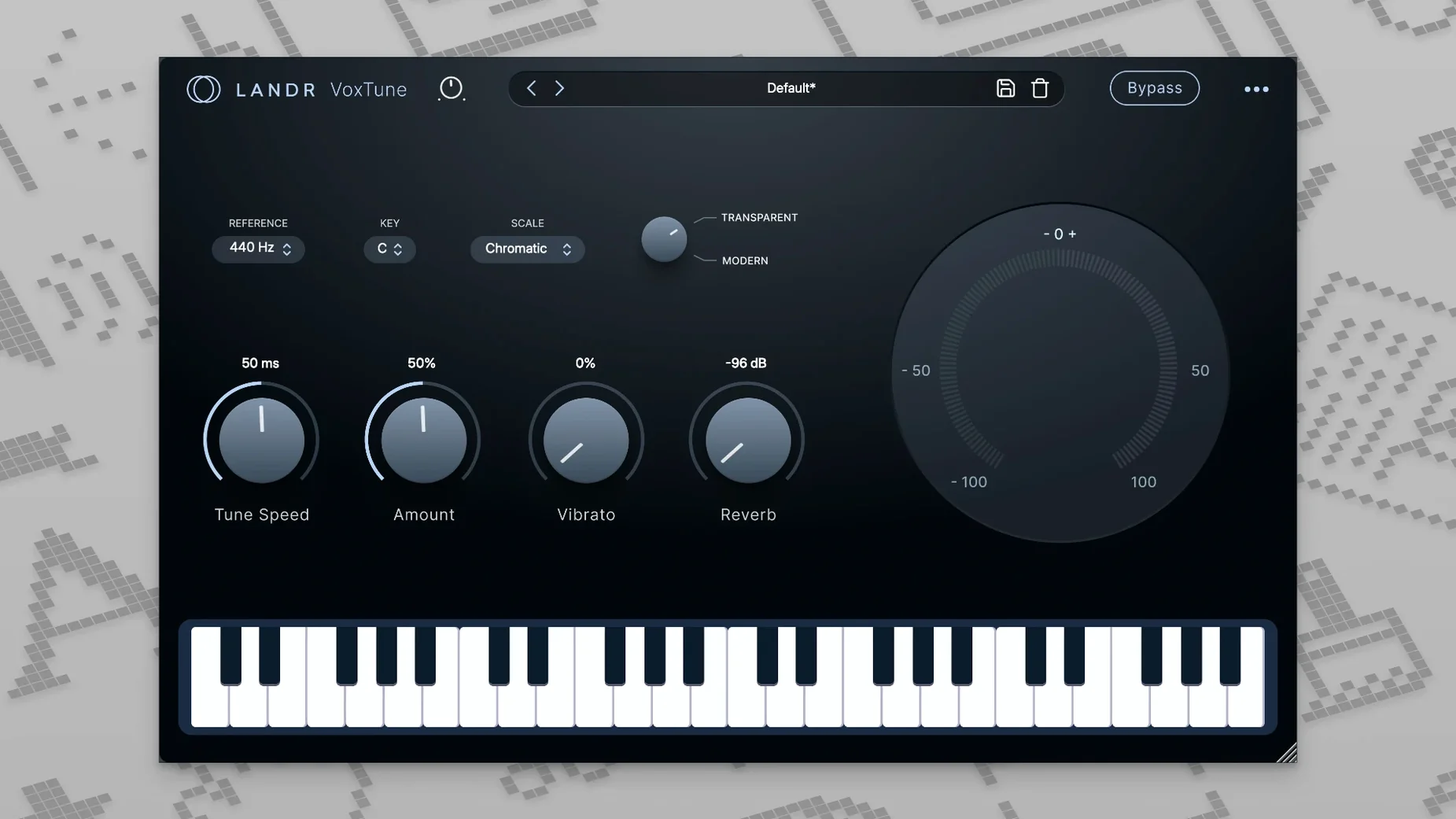
VoxTune — Real-time pitch correction, from subtle natural tuning to a hard-tuned effect.
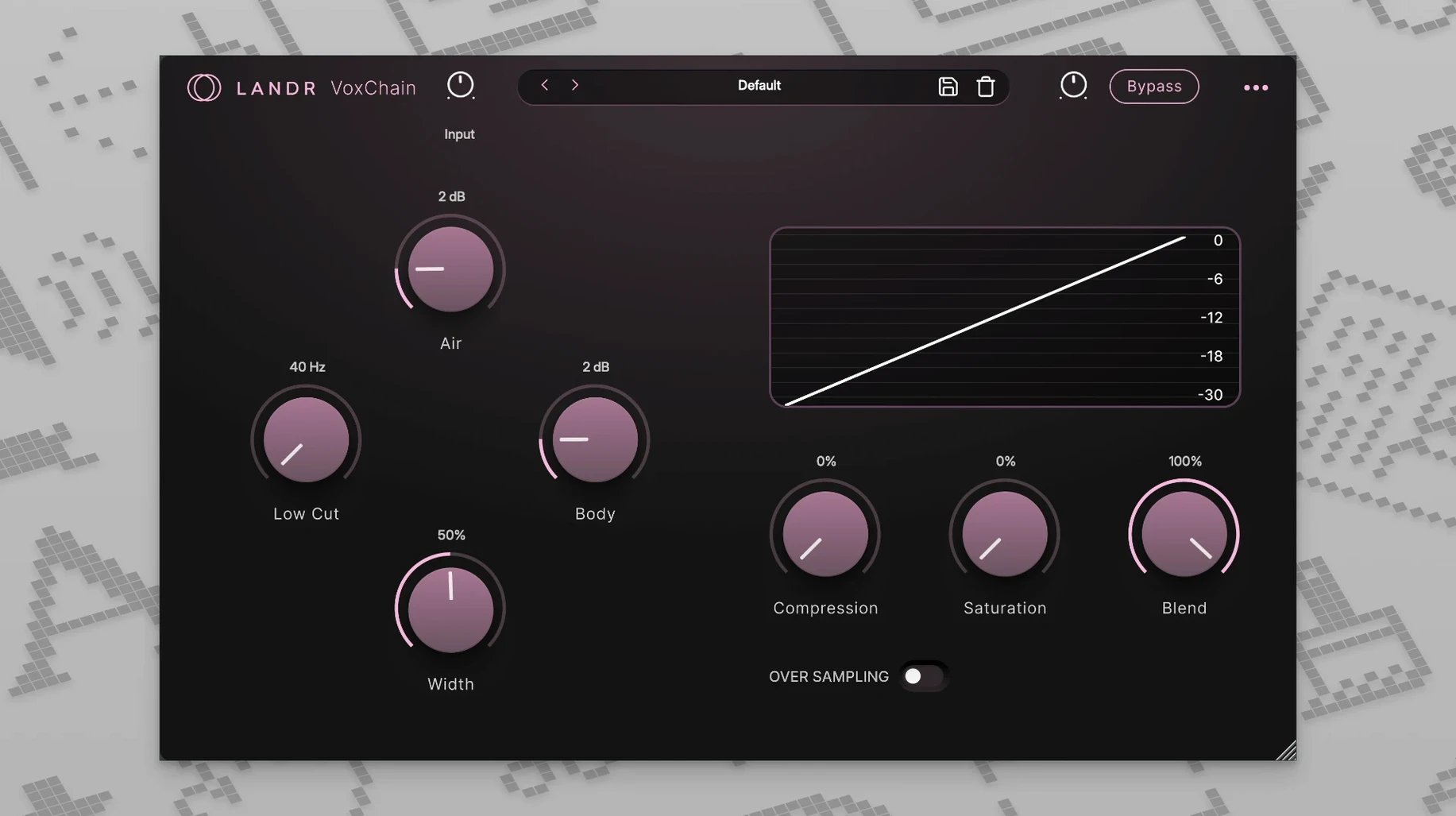
VoxChain — A vocal channel strip for shaping tone and dynamics in one window.
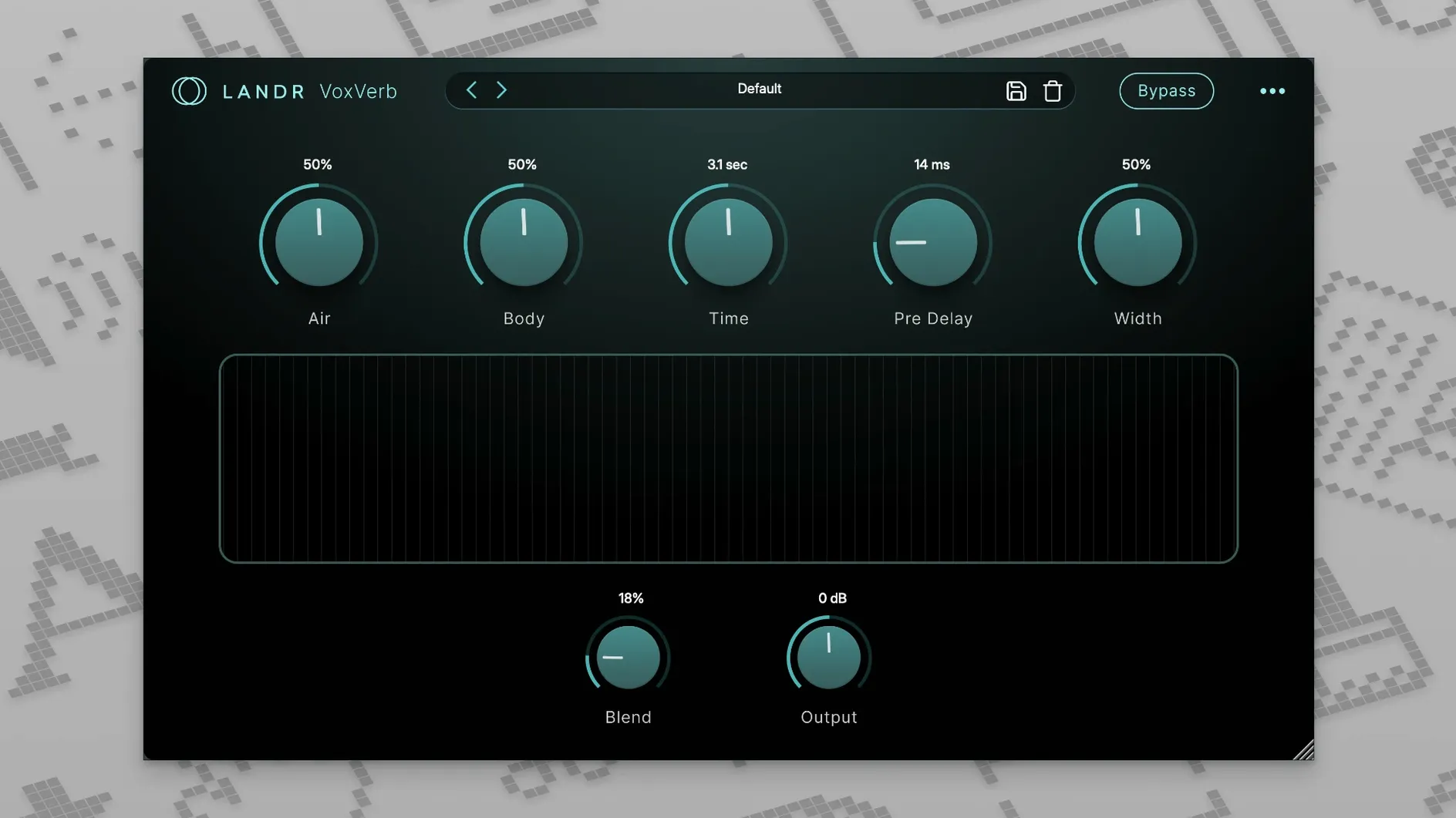
VoxVerb — A reverb engine tuned specifically for vocal placement, not general ambience.
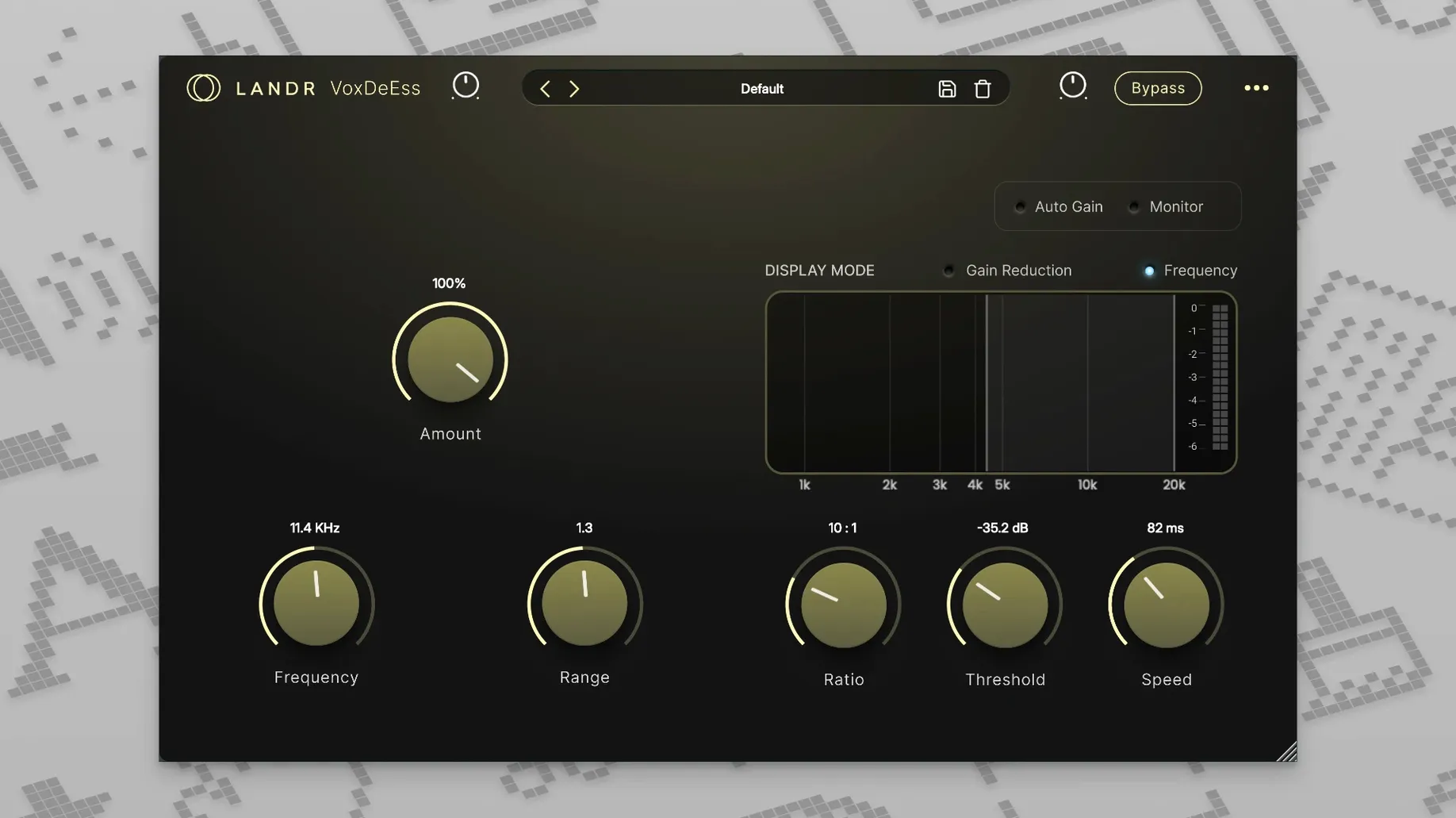
VoxDeEss — Targets harsh sibilant sounds like 's' and 'sh' to pull back high-frequency spikes.
The four plugins cover pitch, channel processing, spatial treatment, and de-essing in a single bundle. The developer lists it as part of LANDR Studio, and the tools are built for recording, mixing, and live performance scenarios.
Work In Signal-Chain Order To Catch Sibilance First
Drop all four plugins into a DAW session with a dry vocal take and work through them in signal-chain order. VoxDeEss first, then VoxTune, VoxChain, and VoxVerb last. This order catches sibilance before pitch correction reacts to it and shapes tone before reverb smears the result. Flip the DeEss and Tune order for heavily sibilant vocalists who also need aggressive tuning — the de-esser on the way in gives VoxTune cleaner pitch data to track.
Set VoxTune to a speed of about 80 ms and a correction strength around 60% for a starting point that sounds tuned but not robotic. Pull the Voice Color slider toward Warm if the vocal sounds thin in the upper mids; push it toward Bright for a breathier take that needs more presence before it hits the chain.
In VoxChain, load the default preset and bypass the compressor, then dial the saturation knob up until the vocal just starts to thicken on held notes. Bring the compressor back in at a 2:1 ratio with a medium attack — roughly 10 ms — so transients pass through before gain reduction clamps down. The EQ section works best with broad cuts rather than surgical notches. A 2 dB dip around 400 Hz often cleans up boxiness from small-room recordings.
VoxVerb ships with a handful of vocal-tuned algorithms. Start with the Room algorithm at a 1.2-second decay time and pull the mix back to 18–22% wet. Dial the high-cut filter to 6 kHz so the tail sits behind the consonant detail rather than blurring it.
Fitting LANDR Vocal Bundle Into A Broader Setup
The plugins load as standard AU and VST3 units, so they integrate with Logic Pro, Ableton Live, Cubase, and Reaper without a bridge. Apple Silicon-native versions mean you can run them inside a fully native Logic session without Rosetta translation — relevant for anyone who tracks vocals at a 32-sample buffer and cannot afford round-trip latency spikes from Intel-emulated plug-ins.
macOS features play along well. The bundle respects the system-wide microphone privacy indicator, and AUHostingService handles plugin sandboxing in Logic the same way it does for built-in units. If you use Voice Memos as a scratch pad for melodic ideas, you can AirDrop a rough recording to the Mac, drop it into a DAW track, and push it through VoxChain and VoxVerb for a quick tonal sketch before committing to a full recording session.
With other utility plugins, the bundle pairs neatly with a spectrum analyser after VoxDeEss to verify that sibilance peaks are landing below -8 dBFS. Third-party metering before VoxVerb makes it easy to set pre-reverb gain staging so the reverb input never clips — LANDR's algorithms expect a sensible input level and can sound washy if hit too hot.
Rescue a Dry Home Recording With Four Insert Slots
The vocalist has sent three takes of a verse recorded in an untreated room. The producer opens the project in Logic at a 48 kHz sample rate and drags the best comp onto a fresh audio track. First insert: VoxDeEss. The default threshold catches most sibilant spikes, but the female vocal has a sharp 's' around 7.2 kHz. The producer pulls the frequency selector to 7.2 kHz and lowers the threshold another 3 dB. Real-time metering shows gain reduction only on sibilant consonants, leaving held vowels untouched.
Second insert: VoxTune. The vocal performance is expressive, so the producer sets correction speed to 120 ms and strength to 45% — enough to pull long notes into pitch without straightening out the scoops and slides that give the take its character. Key is set to D minor. The producer nudges Vibrato Depth up by 8% to add a subtle shimmer to sustained notes at the end of each phrase.
Third insert: VoxChain. The EQ section gets a 2.5 dB boost at 3.5 kHz for clarity, a high-pass filter at 90 Hz to kill rumble from the room, and a gentle shelf cut of 1 dB above 10 kHz so the VoxDeEss and VoxChain treble shaping do not stack too aggressively. Saturation sits at 3.1 on the drive knob — just enough to add harmonic weight. The compressor runs at 3:1, attack at 12 ms, release at 80 ms, pulling 3–4 dB of gain reduction on the loudest syllables. Makeup gain brings the output level back to match the bypassed level within 0.2 dB.
Fourth insert: VoxVerb on a send, not an insert. The bus feeds the Hall algorithm at a 1.8-second decay, mix set to 100% wet on the send channel itself. High-cut at 5.5 kHz, low-cut at 350 Hz to keep mud out of the reverb return. The fader on the reverb aux sits at -14 dB relative to the dry vocal channel. The producer listens to the verse in solo, then in the full mix with drums, bass, and keys. The vocal sits audibly in its own space without pulling attention away from the snare transients.
The whole chain from dry take to mix-ready vocal took under four minutes. Bypass all four plugins momentarily to hear the untreated recording — the difference is a vocal that went from bedroom-demo to broadcast-clean without ever leaving the box.
Manual Control vs. Nectar 4’s AI-Assisted Chain Building
iZotope Nectar 4 takes a more automated approach with its Vocal Assistant feature, which analyses the incoming signal and builds a custom chain of EQ, compression, de-essing, and saturation modules. Nectar 4 includes more modules overall — gate, delay, pitch correction, and harmony generation — and its visual feedback is deeper. The trade-off is that Nectar 4 feels heavier on CPU and less immediate if you already know which frequencies need cutting. LANDR Vocal Bundle keeps each plugin focused on one job; the lack of an assistant means faster manual dial-in for engineers who know their chain, but less hand-holding for beginners who want a starting point from AI analysis.
Waves CLA Vocals strips the concept down further: three faders for bass, treble, and compression, plus reverb and delay sends, all in a single window. Its appeal is speed — one plugin, less than ten controls. The downside is that you cannot change the compression ratio, the reverb algorithm, or the pitch correction parameters independently. LANDR Vocal Bundle gives you per-tool control: if the vocal needs a different de-esser frequency or a longer reverb tail, you adjust that specific plugin. CLA Vocals works for quick monitor mixes; LANDR's four-plugin spread suits detailed vocal production where a one-knob solution becomes a ceiling.
Antares Auto-Tune Pro is the direct comparison for VoxTune alone. Auto-Tune Pro offers graphical pitch editing, formant shifting, and MIDI-controlled pitch quantisation — features VoxTune does not attempt. VoxTune's strength is low-latency tracking and the Voice Color and Vibrato controls, which shape tone and expression without diving into a graph editor. For live performance or tracking where the performer wants to hear a tuned monitor signal, VoxTune's simplicity becomes an asset. Auto-Tune Pro is the pick for offline surgical correction and creative formant effects; VoxTune covers the 80% use case of real-time pitch correction with fewer clicks.
Untreated Room Recordings Tackled In Four Direct Steps
Home-studio vocalists who record and mix their own material benefit from the workflow order described above — the four tools map directly onto the four problems that untreated room recordings typically exhibit: sibilance, pitch drift, tonal imbalance, and spatial flatness. There is no module overlap to cause confusion, and the CPU footprint is low enough to run all four plugins plus a handful of instrument tracks on an M2 MacBook Air without a fan ramp.
Content creators and voiceover artists working in Final Cut Pro or DaVinci Resolve can load the AU versions on dialogue tracks. VoxDeEss and VoxChain alone handle the bulk of spoken-word cleanup: tame harsh consonants, add body through saturation, and apply gentle compression so the voice sits at a consistent level under background music. VoxVerb at a short room setting adds just enough dimension that the voice does not sound like it was recorded in a foam-lined closet.
Live performers who run a Mac on stage with MainStage or Ableton Live get the most from VoxTune's low-latency tracking and VoxChain's channel-strip speed. A single instance of each on a vocal channel strip loads fast at soundcheck; adjusting Voice Color and Vibrato between songs takes a few seconds. The four-plug-in format means you can swap VoxVerb for a different spatial effect if the venue's natural reverb makes a plugin hall sound excessive, without disturbing the rest of the vocal chain.
- macOS 12 or later
- Apple Silicon or Intel processor
Questions on file
Does the LANDR Vocal Bundle run natively on Apple Silicon?
Yes. The official specs list native support for both Apple Silicon and Intel processors.
What does VoxDeEss do?
It removes harsh sibilant sounds, specifically targeting high-frequency spikes from 's' and 'sh' consonants.
Sign in · Create an account to add a field note.
No field notes yet. A measurement, a version, a machine — they appear after moderation.