VST Plugins
Spire 1.5.19
VST PluginsUpdated
| Requirement | On file |
|---|---|
| macOS | macOS 10.13 or later |
| CPU | Apple Silicon, Intel 64-bit |
| Download | 158 MB |
Two LFOs, four oscillators, and a patch bank that crosses 1500. Spire 1.5.19 arrives as a genuinely deep polyphonic synth, built around a signal path that stays clean even when the modulation runs wild. Reveal Sound has shaped it for producers who want to dial in a sound and trust the numbers on the knobs.
| Detail | Spec |
|---|---|
| Current version | 1.5.19 (Build 5343) |
| Format | VST / AU / AAX |
| Presets | 1500+ |
| Modulation | 2 LFOs, 2 ADSR envelopes |
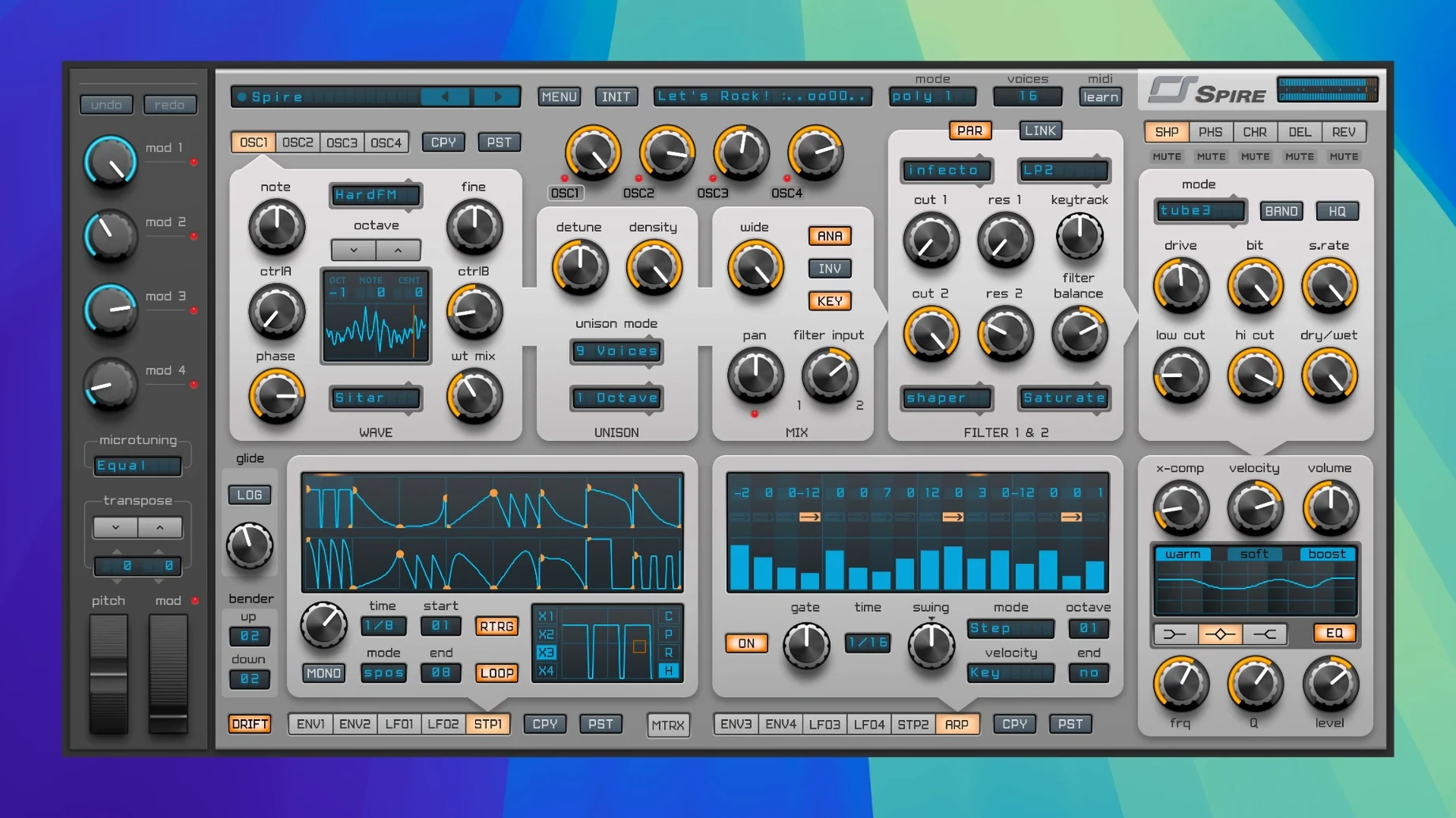
The oscillator block gives you four sound sources per voice, which is where the thickness comes from. The step sequencer and arpeggiator sit right on the front panel, so a bassline can shift from a held chord to a 16-step pattern without leaving the window. Over in the effects rack, the usual suspects are all present — delay, reverb, distortion, phaser, and a parametric EQ — each one tuned to add colour without collapsing the stereo image. The interface keeps everything on one screen, with clear labels and no hidden menus, which makes sense given how many moving parts are in play.
New users often open Spire, pick a preset, play a chord, and wonder why it feels thin. Four oscillators don't guarantee weight — they need to be tuned against each other. A common first mistake is leaving all four on a basic saw wave at the same octave with zero detune. The result is phase stacking that cancels as much as it reinforces. The fix takes ten seconds: set oscillator 2 to +7 semitones, oscillator 3 to -5 cents, oscillator 4 to +7 cents, then dial the mix knobs back to roughly 70% each. The sound fattens immediately because the partials spread apart instead of fighting for the same frequency bins.
Another pattern crops up with the filter section. Beginners treat the multimode filter like a static tone control — set it, close the plugin window, move on. But Spire's filter responds to key tracking and velocity by default, and the 24 dB slope on the low-pass mode bites hard once resonance passes 40%. The mistake is cranking resonance without assigning an envelope to the cutoff. A pluck that sounds fine at middle C turns into a piercing ring three octaves up. The simplest correction: open the modulation matrix, route Filter Envelope to Cutoff at around +35, and pull the envelope decay down to 300 ms. That way the filter snap follows every note, not just the ones you previewed.
Sync Divisions Hidden Behind the Rate Knob
Right-click the arpeggiator's rate knob and you'll find sync division options that aren't printed on the panel. The default is 1/16, which works for hi-hat patterns but turns most chord sequences into a blur. Setting it to 1/8 or 1/4 gives the arpeggiator enough space to breathe, especially with pads where the release stage sits above 400 ms.
Voice mode defaults to polyphonic with eight voices. That eats CPU fast when you stack four oscillators with unison enabled. The setting to adjust immediately is Voice Mode under the global section. Switching to mono with legato cleans up bass patches and stops note overlaps from chewing through the voice allocation. For plucks where you want the tail to ring out without polyphony, set voice count to four and enable Steal Mode: Oldest — the quietest decaying note drops first, which is usually the right one to lose.
The master output knob ships at 0 dB, which is fine for a single instance. But Spire's internal effects chain — especially the distortion and the phaser — can push peaks 6 to 8 dB above the nominal level. Dropping the master to -4 dB as a starting template prevents clipping in the DAW channel strip without touching the patch's character.
Step Sequencer Silent When the DAW Is Stopped
One recurring frustration: the step sequencer doesn't play unless the transport is running. It syncs to host tempo, which makes sense for loop-based work, but it also means previewing a sequence while the DAW is stopped produces silence. The workaround is to enable the Trigger button next to the sequencer length display — it fires a one-shot pattern on note-on, transport or not. Toggling it off returns to host-sync mode.
Another snag bites producers who load a project across machines. Spire stores user presets in a local folder, and if you've saved a patch to the User bank on one system, it won't appear on another unless you copy the preset file across. The safer habit is to save custom sounds as DAW presets inside the plugin wrapper — Logic's aupreset format, for instance — so they travel with the project.
Some users of the Spire Mac crack version report the plugin failing validation in Logic Pro after a macOS update. The fix is the same as with any AU that drops out of the cache: quit Logic, delete the AudioUnit cache file from ~/Library/Caches/AudioUnitCache/, relaunch, and let the system rescan. If the Spire torrent build includes a custom installer path, double-check that the component file landed in /Library/Audio/Plug-Ins/Components/ and not a user-specific folder. A mismatch there is the most common cause of "installed but not found" reports, so verifying the component location and triggering a fresh rescan typically gets everything validated cleanly.
CPU spikes with multiple instances are expected — each one runs the full oscillator block and effects chain regardless of how many voices are active. Freezing tracks is the obvious answer, but a quicker in-session trick is to reduce the Unison Voices count per oscillator from the default four to two. The stereo spread narrows slightly, but the processor load drops by nearly 40% per instance, which often buys enough headroom to finish arranging without bouncing.
Native ARM64 Loading in Logic, Live, Cubase, and Pro Tools
Spire runs as AU, VST, and AAX, so it slots into Logic Pro, Ableton Live, Cubase, and Pro Tools without any bridging layer. On Apple Silicon Macs, it loads natively in hosts that support ARM64 plugins, and the CPU scaling holds up well across the M1, M2, and M3 families — the oscillator code doesn't lean on Intel-specific instructions, so Rosetta overhead isn't a factor if you're running the native build.
The plugin responds to MIDI program change messages, which makes it practical for live sets where a hardware controller needs to switch patches between songs. Bank select messages map to the factory preset categories — Basses, Leads, Pads, and so on — so a single MIDI track in MainStage or Ableton can recall an entire setlist's worth of sounds. The arpeggiator and step sequencer both send MIDI out, which means you can route Spire's pattern data to another instrument track and layer a hardware synth or a different plugin on top of the same sequence without duplicating the MIDI clip.
macOS's Audio MIDI Setup app sees Spire as a virtual instrument destination only when it's loaded inside a host, so there's no standalone mode for system-wide MIDI routing. For sound design sessions outside a DAW, the simplest approach is to keep a lightweight host like AU Lab or Hosting AU open with a single instance of Spire, then route audio into a recording app via BlackHole or Loopback. The plugin's export function saves presets as .spf files, which are plain enough to back up with Time Machine or sync across machines via iCloud Drive if you point the user preset folder to a synced directory.
Wavetable Editing Depth Versus Serum
Against Serum, the difference comes down to wavetable depth. Serum's wavetable editor lets you draw, import, and morph tables with a precision that Spire doesn't match — Spire offers wavetable oscillators but no custom table editor. In return, Spire gives you four full oscillators per voice to Serum's two, and the dual-filter setup with series and parallel routing covers ground Serum handles with a single filter plus the effects rack. For a producer building supersaw stacks and layered bass patches, Spire's extra oscillators cut down on the need for duplicate instances. Serum pulls ahead when the sound depends on a bespoke wavetable that nothing in Spire's factory set can approximate.
Next to Diva, the character split is clearer. Diva models analogue circuits component by component, and the oscillator drift, filter saturation, and envelope behaviour all carry the imperfections of the hardware it emulates. Spire doesn't chase that kind of analogue modelling — its signal path stays cleaner, the oscillators are phase-accurate, and the filter resonance doesn't break up until you push it deliberately. That makes Spire the better fit for modern electronic genres where low-end tightness matters more than vintage warmth. Diva wins when the track needs the sound of a specific 1970s synthesiser with all its quirks intact.
Against Massive, the comparison tilts toward workflow. Massive's modulation system uses drag-and-drop assignment with visual rings around every knob, which is faster to set up than Spire's modulation matrix. But Spire's arpeggiator and step sequencer are more flexible — Massive's stepper is tied to the performer section and lacks independent lane lengths, while Spire lets each step carry velocity, gate length, and per-step note data. Massive still holds an edge in bass music circles for its wavetable grit and the feedback routing in the filter section. Spire's cleaner tone suits trance, progressive house, and pop production where the synth needs to sit in a dense mix without taking over.
Switching to Spire from any of these often starts with a Spire Mac torrent download that lands a working build without serial-number hurdles, and once the plugin is installed, the preset migration path is straightforward — export your current synth's MIDI patterns, load a matching Spire patch, and tweak the mod matrix until the response feels familiar. The crossover takes a session or two, mostly spent learning where Spire hides its envelope curves and how the filter drive interacts with the output stage.
- Version — 1.5.19 (Build 5343)
- macOS 10.13 or later
- Intel or Apple Silicon Mac
- VST, AU, or AAX-compatible host
Questions on file
Which macOS versions does Spire 1.5.19 support?
It requires macOS 10.13 or later and runs natively on both Intel and Apple Silicon Macs.
How many presets does Spire include?
The factory and user library combined contains more than 1500 presets, covering a wide range of synth categories.
Does Spire have a built-in arpeggiator?
Yes, it includes a step sequencer and an arpeggiator, both accessible from the main interface.
Sign in · Create an account to add a field note.
No field notes yet. A measurement, a version, a machine — they appear after moderation.