VST Plugins
SSG Audio Optimus 1.5.143
VST PluginsUpdated
| Requirement | On file |
|---|---|
| macOS | macOS 10.12 or later |
| CPU | Apple Silicon, Intel 64-bit |
| Download | 58 MB |
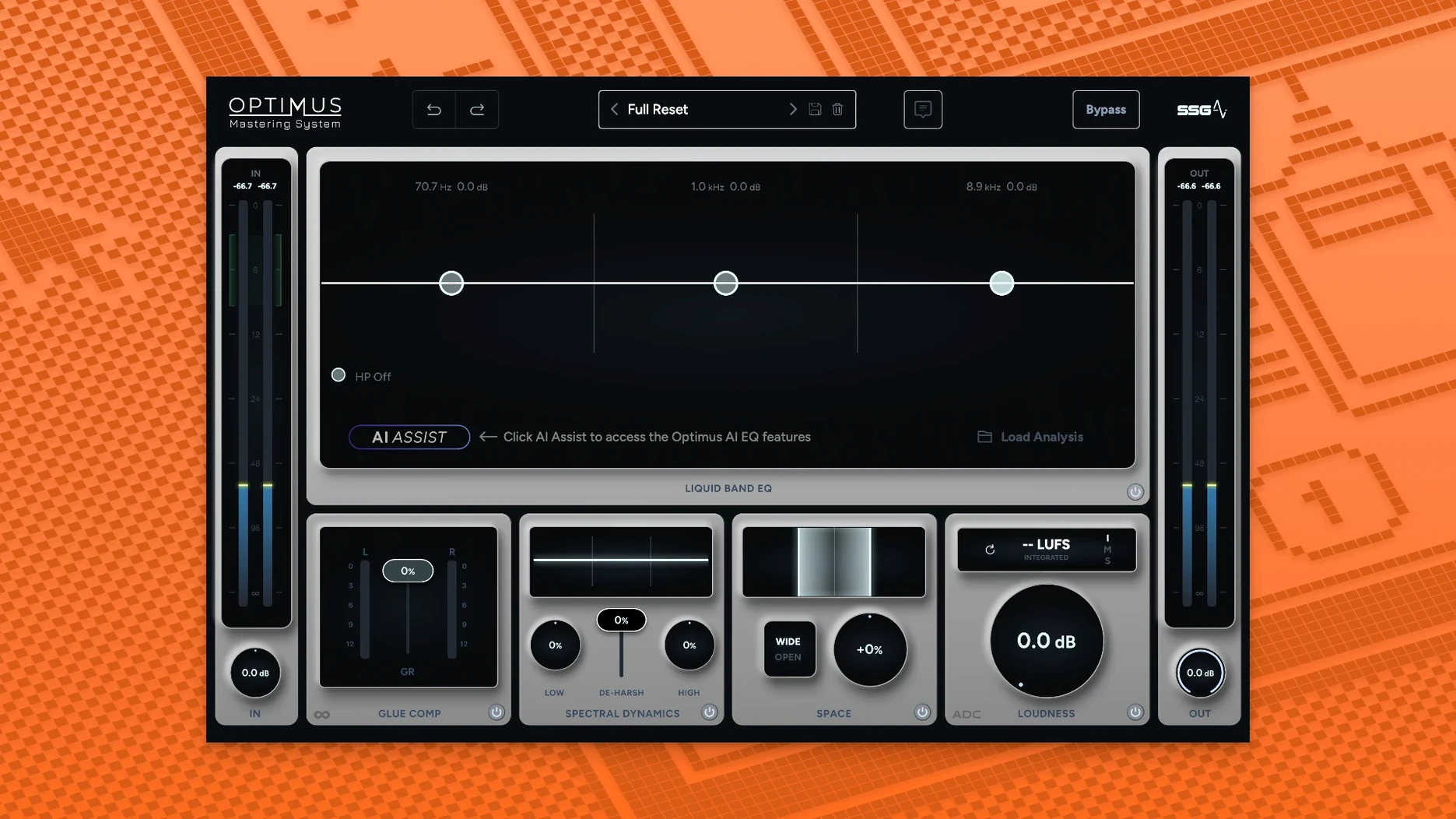
You print a mix that feels finished in the studio, only to hear it fall apart on a phone speaker the next morning. The low end is gone, the vocal sits too far back, and the overall level sounds anaemic next to a reference track. Optimus is built for that exact moment—a two-module mastering system that applies corrective EQ and level adjustments without a chain of six separate plug-ins.
| Detail | Spec |
|---|---|
| Current version | 1.5.143 |
| macOS | 10.13 and later |
| Architecture | Apple Silicon native, Intel (x86 64-bit) |
| Plug-in formats | AU, VST2, VST3, AAX 64-bit |
The first module handles spectral balance. Rather than a static EQ curve, it analyses the incoming audio and reshapes the tone to sit closer to a mastered profile. The sound analysis in version 1.5.143 is faster and more accurate than earlier builds, so the correction follows programme material with less smearing. The second module is dynamic—it monitors the signal continuously and adjusts gain in real time, pushing loudness and intelligibility up while keeping transients intact. The two stages work together: the balance module sets the tonal foundation, and the dynamic module brings the track forward without flattening it into a brick wall. On dense mixes with competing midrange elements, the clarity gain is immediate; the centre channel tightens and sibilance stays controlled without extra de-essing. It is a professional final-sound tool that combines a clear set of creative decisions with artificial intelligence, leaving you with a single plug-in doing the work of a small mastering chain.
A Typical Morning for a Podcast Producer
A podcast editor with a weekly interview show sits down at 8:30 with a raw 45‑minute dialogue. Two voices, one recorded in a treated room, the other over a video call with faint room tone and a 3 dB dip around 300 Hz. Dropping Optimus onto the master bus, the balance module levels the spectral mismatch in under two seconds—the remote guest’s voice gains body, and the room tone recedes without a separate noise-reduction pass. The dynamic module then lifts the overall LUFS to match the show’s back catalogue while the dialogue’s natural pauses stay open. What would normally take a stack of EQs, a leveller, and a limiter becomes a single insert. The episode exports at a consistent loudness, and the editor moves on to the next task by 9:15.
A Narrower Path Than Modular Suites
Next to iZotope Ozone, Optimus takes a narrower path. Ozone 11 offers a modular suite with upwards of a dozen processors—EQ, dynamics, stereo imaging, dither—and encourages hands-on shaping. Optimus collapses that into two interdependent modules. Where Ozone rewards the engineer who wants to tweak the attack time of a vintage compressor model, Optimus rewards the producer who wants a finished sound in a single window.
Compared with LANDR’s desktop plug-in, the difference is one of real-time control. LANDR applies a cloud-processed chain based on analysis of the full file; you play back a result, not a live session. Optimus processes continuously, so you can ride the input or swap a snare sample mid-playback and hear the modules react. That makes it more suitable for hybrid mixing sessions where the master chain stays active while you adjust stems.
Against Brainworx bx_masterdesk True Peak, the distinction is architectural. Masterdesk gives you a fixed chain of analogue-modelled stages—resonant filters, a compressor, a limiter—and makes the order visible. Optimus hides the handover between spectral correction and dynamic gain. You hear the combined decision, not the individual blocks. For a user who finds comfort in seeing a signal path, Masterdesk feels more familiar. For someone chasing speed, Optimus removes the temptation to second-guess the gain staging between stages.
Native Apple Silicon Without Rosetta
Will it run natively on an M1 or M2 Mac? Yes. The current build includes native Apple Silicon support alongside Intel binaries, so the DAW loads it without Rosetta translation. The plug-in appears in AU, VST2, VST3, and AAX formats, covering Logic Pro, Ableton Live, Pro Tools, and most other 64‑bit hosts on macOS 10.13 or later.
Does the AI override manual decisions? Not in a binary sense. The balance module analyses the audio and applies a curve, but the central interface still lets you shift the tonal emphasis with the on-screen controls. The dynamic module adapts gain in real time, so it responds to fader moves upstream—push a vocal up a decibel in the mix session, and the plug-in re-evaluates its loudness target. The system combines creative decisions with artificial intelligence rather than replacing them.
Is it heavy on CPU? The two-module design keeps the processing footprint lower than a full modular chain. On a recent Apple Silicon machine, a single instance typically sits under 5% on the performance cores during stereo playback. Older Intel machines will see higher figures, particularly at buffer sizes below 128 samples, but the plug-in is designed for a mastering slot rather than per-track use.
- Sound analysis — faster and more accurate processing
- Dynamic module — continuous monitoring for louder, clearer output
- Module set — one module for sound balance, one for real-time loudness and clarity
- macOS 10.13 or later
- Apple Silicon or Intel processor (ARM and x86 64-bit)
- 8 GB RAM minimum
- AU, VST2, VST3, or AAX 64-bit host
Sign in · Create an account to add a field note.
No field notes yet. A measurement, a version, a machine — they appear after moderation.