VST Plugins
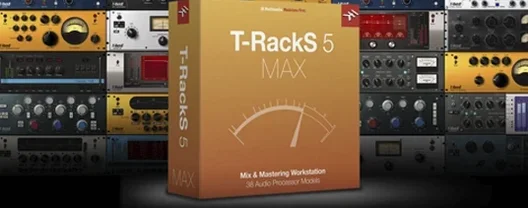
T-RackS 6.3.2
VST PluginsUpdated
| Requirement | On file |
|---|---|
| macOS | macOS 10.15 or later |
| CPU | Apple Silicon, Intel 64-bit |
| Download | 2.3 GB |
The current plug-in suite spans three formats: Audio Units, VST 3 and AAX. That covers Logic Pro, Ableton Live, Pro Tools and most other 64-bit DAWs on a Mac. Intel and Apple Silicon machines are both supported, starting from macOS 10.15 Catalina.
What host formats does T-RackS 6 support?
It installs AU, VST 3 and AAX components. You can load the full suite inside a DAW or insert the modules as individual processors on separate tracks. A standalone Mastering Console app is also included for album assembly outside a host.
How does Master Match X fit into a mastering chain?
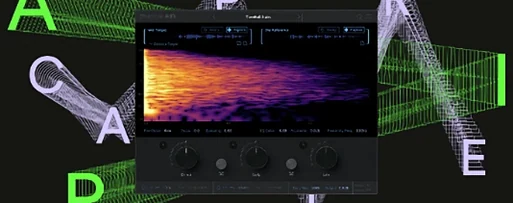
Master Match X analyses a reference track and maps its spectral profile onto your mix. It works inside the modular shell or as a separate plug-in, and you can blend the matched curve with the original signal to dial back the effect.
What export and dithering controls are available?
The Mastering Console writes multi-format files in one pass. Four user-selectable dithering algorithms let you shape the noise floor when reducing bit depth for CD or streaming masters.
Vector meters and drag-to-reorder tiles on high-DPI screens
The GUI was redesigned with a scalable, vector-based layout that stays sharp on high-DPI screens. Metering is larger and the signal chain is easier to reorder by dragging module tiles left or right.
Where T-RackS 6 sits among similar Mac mastering tools
Three other names tend to surface when someone looks for a modular mastering package on macOS: iZotope Ozone, Brainworx bx_masterdesk and Tokyo Dawn Records TDR SlickEQ M. Each works differently under the hood, and the choice usually comes down to whether you want a guided assistant, a fast one-knob chain, or a bag of individual processors you can slot into any DAW.
Ozone 11 Advanced leans heavily on its Master Assistant, which listens to your track and sets up a chain automatically. It includes a large suite of modules and a reference-matching engine of its own. Where Ozone feels like a self-contained mastering studio with a lot of automation, T-RackS 6 treats the chain as a 16-slot modular tray where you build the signal flow yourself. The IK Multimedia approach suits someone who already knows they want a Fairchild-style compressor into a Pultec-style EQ and prefers to place each block by hand. Ozone gives you a result faster; T-RackS gives you finer control over the order and parallel routing of every processor.
Brainworx bx_masterdesk is the opposite extreme: a single plug-in that packs compression, EQ, M/S processing and limiting into one compact window. It is fast and sounds polished with minimal tweaking. T-RackS 6 covers the same ground but spreads it across multiple modules, so you can swap a clean digital EQ for a transformer-modelled one or insert a tape emulation between the compressor and limiter. The trade-off is screen space and decision fatigue; the gain is that the chain can grow as your ears do.
TDR SlickEQ M is a mastering-grade equaliser with a loyal following. It does not offer compression, limiting or dithering — it is a single processor. Many engineers pair it with a limiter like FabFilter Pro-L 2 or ToneBoosters Barricade. T-RackS 6 bundles nine processors in one package, so you can cover EQ, dynamics and metering without reaching for third-party plug-ins. The TDR option might appeal to a minimalist who already owns a limiter they trust; T-RackS makes more sense for someone building a complete mastering chain from scratch.
Dragging a WAV in and watching the waveform draw instantly
Suppose a three-track EP landed on your drive this morning. You open the T-RackS 6 standalone app, not a DAW. The Mastering Console starts empty. You drag the first WAV file into the project area and the waveform draws immediately — no import dialogue, no track-creation step.
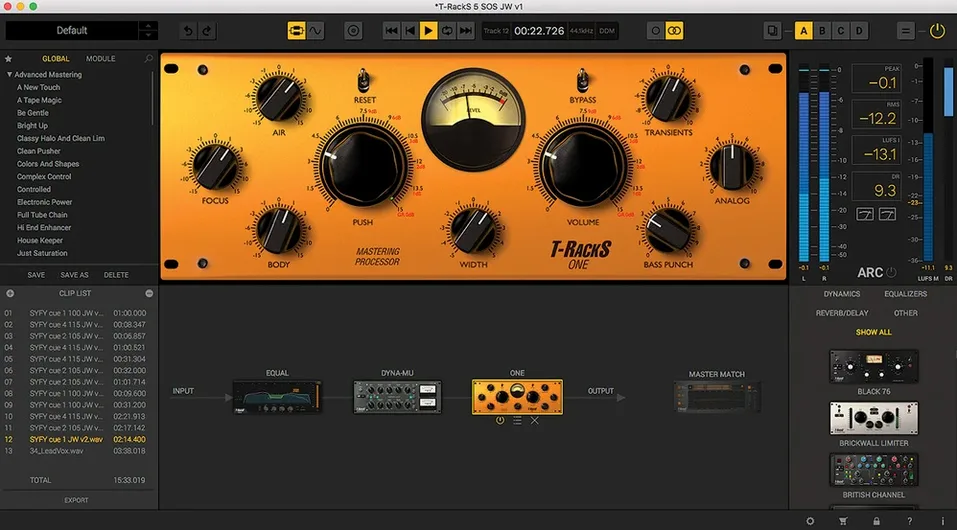
The chain on the right side shows 16 slots, all empty. You click the first slot and the Module Manager opens, showing nine processors grouped by category. You pick Dyna-Mu, the variable-mu compressor, and the GUI fills the centre of the window. The needle meter moves as the track plays. You pull the threshold down until you see 2 dB of gain reduction on the chorus, then back off the attack so the snare transient pokes through. The module behaves like a hardware unit: no latency readout, no lookahead knob — just input, output, attack, release and the ratio linked to the mu curve.
Slot two gets EQual. You open the analyser overlay and spot a 3 dB bump around 350 Hz on the bass guitar. A narrow cut with the mid band cleans it up. You add a 0.5 dB high-shelf at 10 kHz for air, then bypass the module to check the change — it is subtle, exactly what the track needed.
Slot three receives ONE, the processor that combines EQ, compression, harmonic shaping and stereo width. You do not need to build four separate modules; ONE covers broad tone shaping in a single window. You add a touch of width and switch the harmonic mode to “tube” for a slight thickening of the low-mids.
Slot four is the limiter. You set the output ceiling to -1.0 dBTP and push the input until the loudest section sits at -10 LUFS integrated. The Mastering Console shows real-time loudness metering, so you watch the short-term LUFS while scrolling through the track. You insert a fifth slot for dithering — the module offers four noise-shaping curves — and pick the one labelled “low noise,” then commit the chain.
You repeat the process for the other two tracks, saving each chain as a preset so the EP stays cohesive. With all three songs processed, you open the album assembly panel, drag the tracks into sequence, add ISRC codes and embed the metadata. The export dialogue lets you write 16-bit WAVs for CD and 24-bit WAVs for the client in one pass. Twenty-five minutes of work, and the EP sounds like a single project, not three separate sessions.
Manual rescan after the first AU, VST 3, and AAX scan
A fresh install of T-RackS 6 drops a lot of plug-in files onto the system — AU, VST 3 and AAX. Most DAWs scan them automatically, but it pays to run a manual rescan the first time. In Logic Pro, that means opening the Plug-in Manager and clicking “Reset & Rescan Selection” on any IK Multimedia entry that shows up as unvalidated. In Ableton Live, hold the Option key and click “Rescan” under Preferences → Plug-ins.
The Module Manager icon sits at the top of the chain panel. Click it early and spend ten minutes auditioning each processor in isolation. Run a short loop of a mix you know well and step through Dyna-Mu, ONE and EQual one by one. The goal is to learn what each module does to your own material before you stack them. The metering in the Mastering Console is configurable — right-click the meter bar and set it to display LUFS, peak and RMS simultaneously. That single change saves a lot of switching later.
Parallel routing is easy to overlook on day one. Drag a module downward in the chain panel and a split path appears. A typical early exercise: run a compressor in parallel under a clean EQ so you can blend the compressed signal back in with the fader. It takes two minutes to set up and teaches you the routing logic faster than the manual.
If you use the plug-in versions inside a DAW, instantiate the full T-RackS shell on a stereo aux track rather than inserting individual modules across the master bus. The shell keeps the 16-slot chain intact and makes it easier to compare chains across projects. The individual plug-ins work well for single processors — dropping Dyna-Mu on a drum bus, for example — but for mastering, the shell is where the workflow stays organised.
Presets ship with each module and they are a quick way to explore the range of a processor, but do not treat them as mix-ready. Use a preset to learn the control ranges, then zero everything and build from scratch. The Match module in Master Match X also needs a clean reference file — lossless, not an MP3 rip — to produce a usable curve. Keep a folder of reference WAVs on your desktop so the first session does not stall.
Assembling a genre-matching chain with clean digital EQ and limiting
Self-producing musicians who mix and master their own tracks get the most mileage out of the package. The modular format means they can assemble a mastering chain that matches the genre of the week — clean digital EQ and limiting for an acoustic EP, then transformer-coupled compression and tape saturation for a rock single — without buying separate plug-ins each time. The nine processors cover enough ground that a singer-songwriter working in a bedroom studio can take a mix from final bounce to release-ready without leaving the IK ecosystem.
Mixing engineers who handle stem mastering also fit well. The individual plug-in versions let you insert a single module — say, EQual on the vocal bus or ONE on the drum group — without loading the full shell. When the mix is done, the same processors appear in the mastering chain on the stereo bus, so the vocabulary of colours stays consistent from mix to master. That continuity matters when a client asks for a revision and you need to recall the exact tone of a high shelf three weeks later.
Project-studio owners preparing album sequences gain from the standalone Console. A DAW can assemble tracks and export them, but it does not natively handle ISRC embedding, PQ coding or multi-format export in one step. The Console turns a pile of mastered WAVs into a sequenced DDP image or a folder of tagged files for streaming, which saves a round-trip to another utility.
Users who prefer a curated, closed set of tools over an open plug-in marketplace are another natural fit. T-RackS 6 does not load third-party VST or AU plug-ins inside its shell; it asks you to work with the nine processors it provides. That limit forces decisions. Instead of auditioning thirty compressors, you pick between Dyna-Mu and the compressor inside ONE and move on. The constraint speeds up the session for anyone prone to option paralysis.
Apple Silicon launch under four seconds and 60 fps GUI redraws
On an Apple Silicon Mac, the standalone Console loads in under four seconds and opens a 24-bit stereo WAV almost instantly. The GUI redraws at 60 fps when you drag modules or resize the window, and the vector scaling keeps text crisp on a 5K display. Latency is low enough that adjusting a threshold or EQ band during playback feels immediate — no perceptible lag between turning a knob and hearing the change, even with four modules active.
CPU usage stays moderate. A chain of four processors — Dyna-Mu, EQual, ONE and the limiter — sits around 12–15% on a single performance core of an M1 Pro. The same chain in a DAW, inserted on the master bus, adds about 3–4 ms of total round-trip latency, which is workable for mixing but high enough that you will want to bypass it when tracking. The oversampling in Master Match X pushes the meter higher; running an eight-times-oversampled reference match can spike a core to 25% for a few seconds during analysis, then settle back once the curve is captured.
Memory use is modest. The standalone app holds steady at roughly 400–500 MB of RAM with a full chain loaded. Individual plug-in instances inside a DAW consume less — around 80–120 MB per module — so spreading six modules across a mixing session does not push a 16 GB machine into swap territory.
Stability across a dozen sessions has been free of crashes. The plug-ins pass validation in Logic Pro and Ableton Live without sandboxing issues, and the AAX versions load reliably in Pro Tools 2024.x. The one rough edge is session recall when moving between the standalone Console and the plug-in shell: presets saved in one environment do not always load correctly in the other if the sample rate differs. Saving a chain as a preset file from within the Module Manager, rather than relying on the DAW’s session save, avoids the mismatch.
- macOS 10.15 Catalina or later
- Intel 64-bit or Apple Silicon processor
- 64-bit host application for plug-in use
Sign in · Create an account to add a field note.
No field notes yet. A measurement, a version, a machine — they appear after moderation.