VST Plugins
Toontrack EZkeys 2.1.5
VST PluginsUpdated
| Requirement | On file |
|---|---|
| macOS | macOS 10.13 or later |
| CPU | Apple Silicon, Intel 64-bit |
| Download | 707 MB |
A blank piano roll and a generic MIDI keyboard leave a lot of empty space between an idea and a finished part. EZkeys fills that gap with a recorded grand piano, a library of human-played patterns and a set of tools that turn a few chords into a full arrangement.
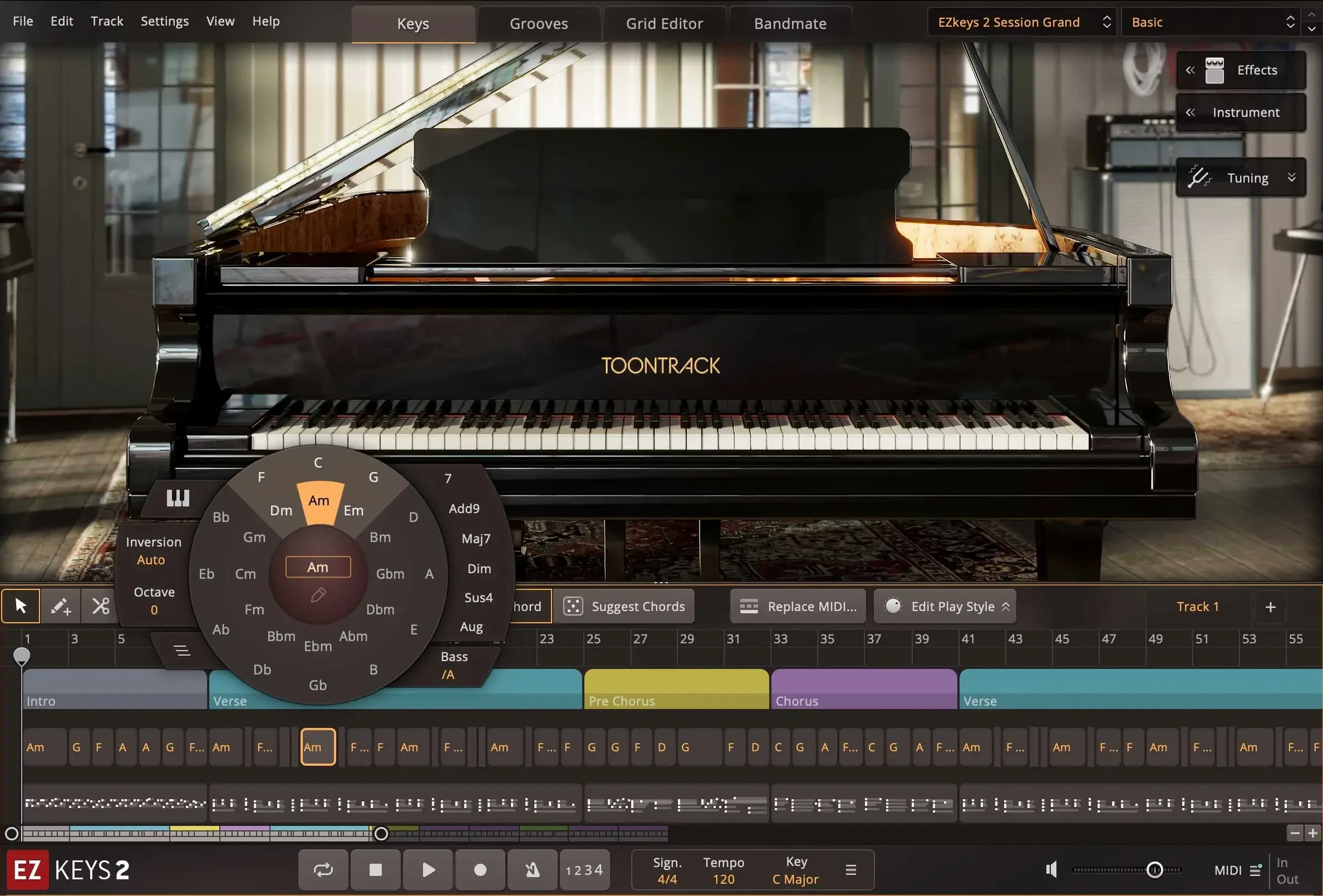
The Fazioli F212 inside EZkeys, mic’d at Riksmixningsverket
- What makes up the core sound? A Fazioli F212 grand, captured at Riksmixningsverket in Stockholm with multiple microphone sets and room ambiences. The library includes mix-ready presets for a range of styles, from dry and close to hall-sized.
- Does it work without a DAW? Yes. The standalone application runs on its own. It also loads as an AU, VST or AAX plugin.
- Are chord and pattern tools included? The Chord Wheel, Songwriting Scales, Bandmate and a MIDI pattern library played by professional pianists all ship with the software.
- What about expansion content? EZkeys MIDI packs require a working installation of EZkeys 1 or EZkeys 2. They do not run independently.
Mac compatibility at a glance
Version 2.1.5 runs on macOS 10.13 or later and supports both Intel 64-bit and Apple Silicon processors natively. The latest update also brings improved multi-core performance on Mac and an updated standalone icon for the macOS Tahoe look.
When MIDI drag‑and‑drop breaks between the browser and a DAW track
The most common support thread topic is MIDI routing. When EZkeys runs as a plugin inside a DAW, dragging a MIDI block from the built-in browser to a track works instantly. But when the host expects a separate MIDI track feeding the plugin, users sometimes create the instrument track but forget to set its input to the EZkeys MIDI output. The result: no sound, and a pattern that plays inside the plugin’s own preview but never reaches the DAW’s mixer. Check the track routing first, before touching any audio settings.
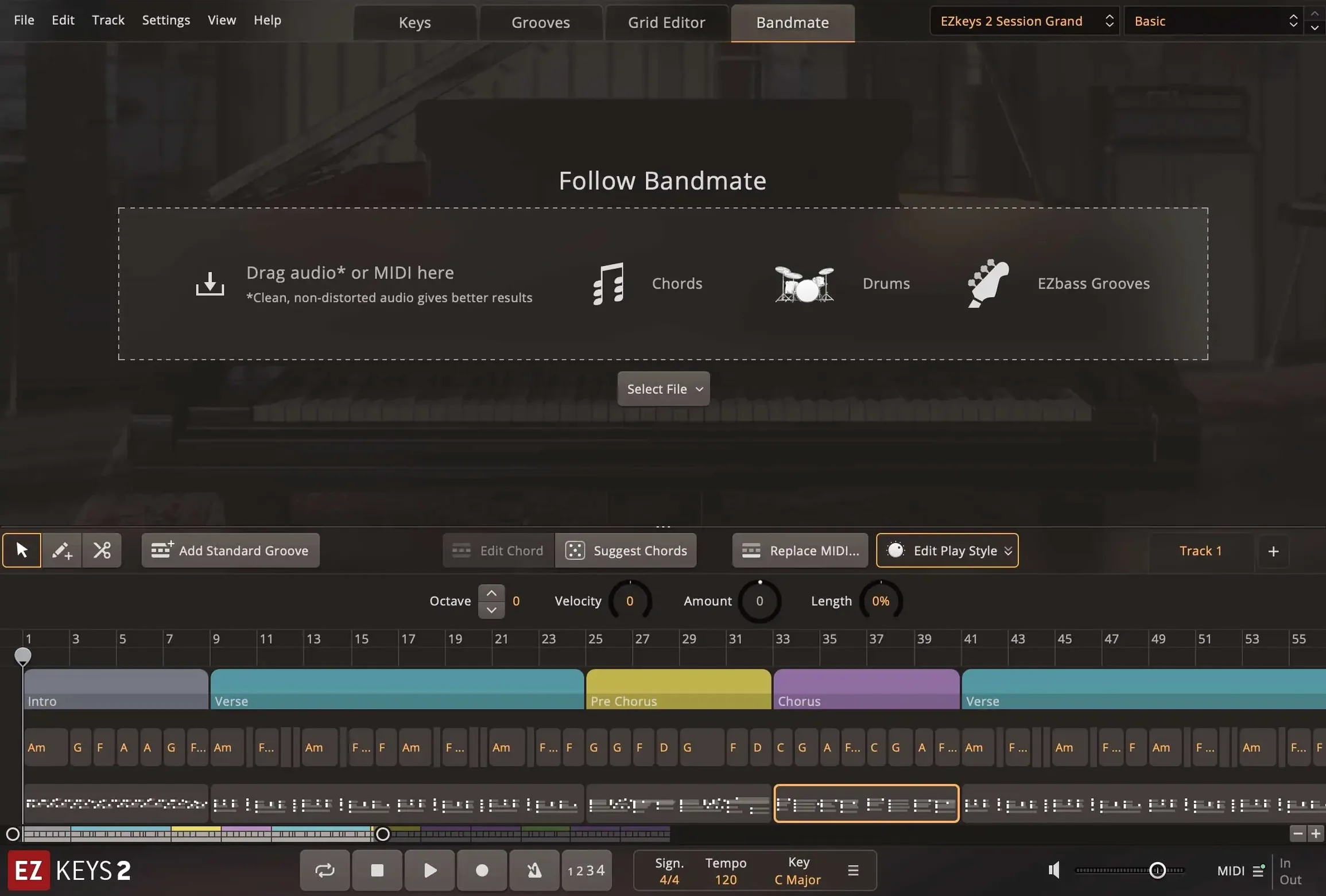
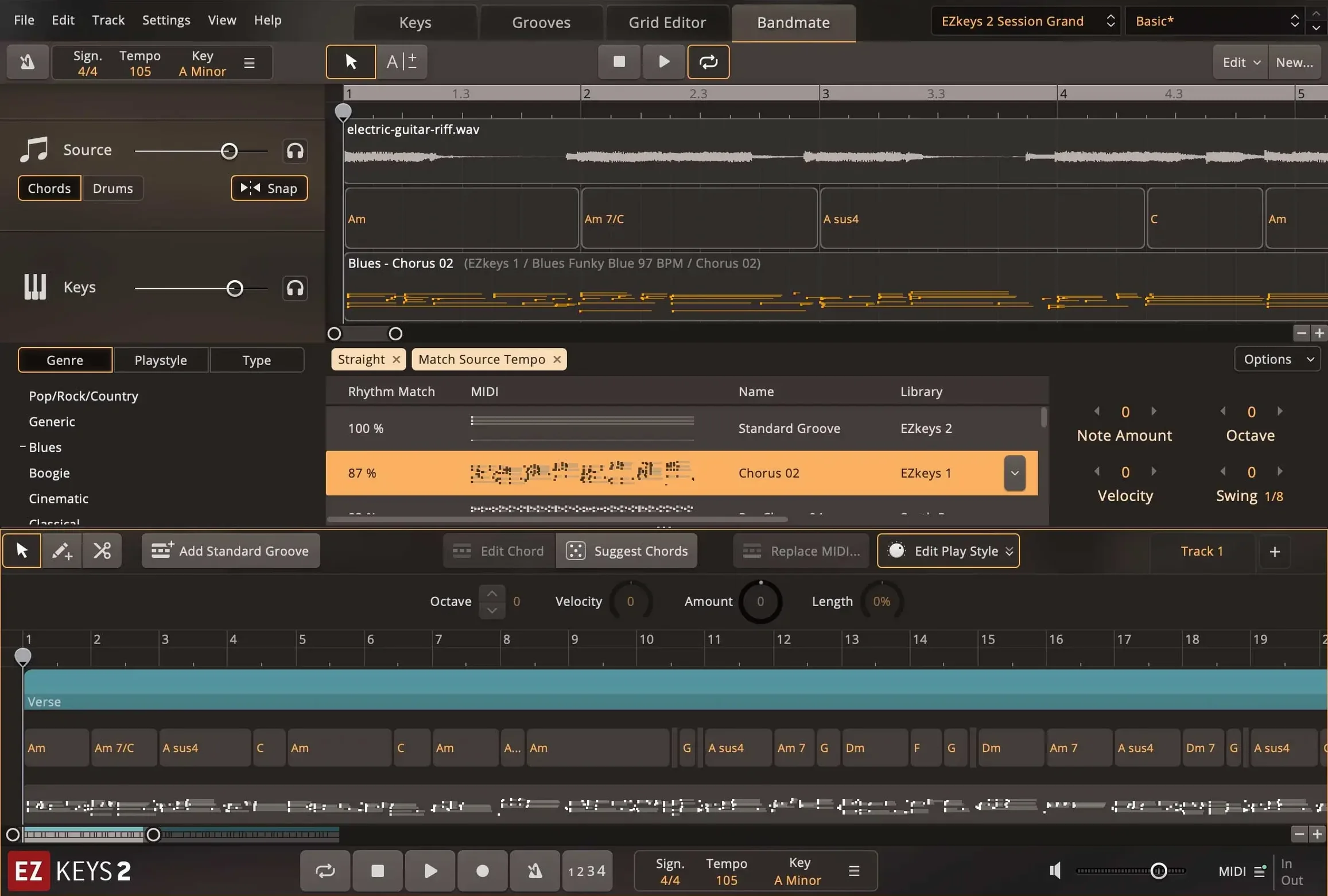
Another repeated issue involves the Bandmate feature and audio input. Bandmate can analyse a guitar riff or a vocal line and suggest chords, but it needs a clean, monophonic signal. A stereo mic feed with room noise, or a DI with heavy hum, produces chord suggestions that jump all over the place. High-pass filtering the signal at around 80 Hz and trimming the gain so peaks sit at –12 dBFS gives Bandmate a workable input. For MIDI input, quantise the performance lightly before feeding it in — Bandmate reads timing more accurately from a grid-aligned source.
The standalone app sometimes fails to appear in the Applications folder after a drag-and-drop install from the downloaded disk image. Running the standard installer from the mounted volume avoids this, because it places the binary and supporting files correctly and registers the plugin components in the expected locations for AU, VST3 and AAX hosts.
First-hour mistakes that cost time
Beginners often treat the Chord Wheel as a chord generator and click around hoping for a progression that sounds finished. The wheel is a selection tool, not a composition engine. Dragging a chord from the wheel into the song track adds that chord to the timeline, but the voicing and the rhythmic delivery still depend on the chosen playing style from the MIDI library. A better approach: pick a scale in Songwriting Scales first, let the wheel highlight the diatonic chords, then drag four or five chords into a verse block and audition the result with three different playing styles from the browser before editing a single note.
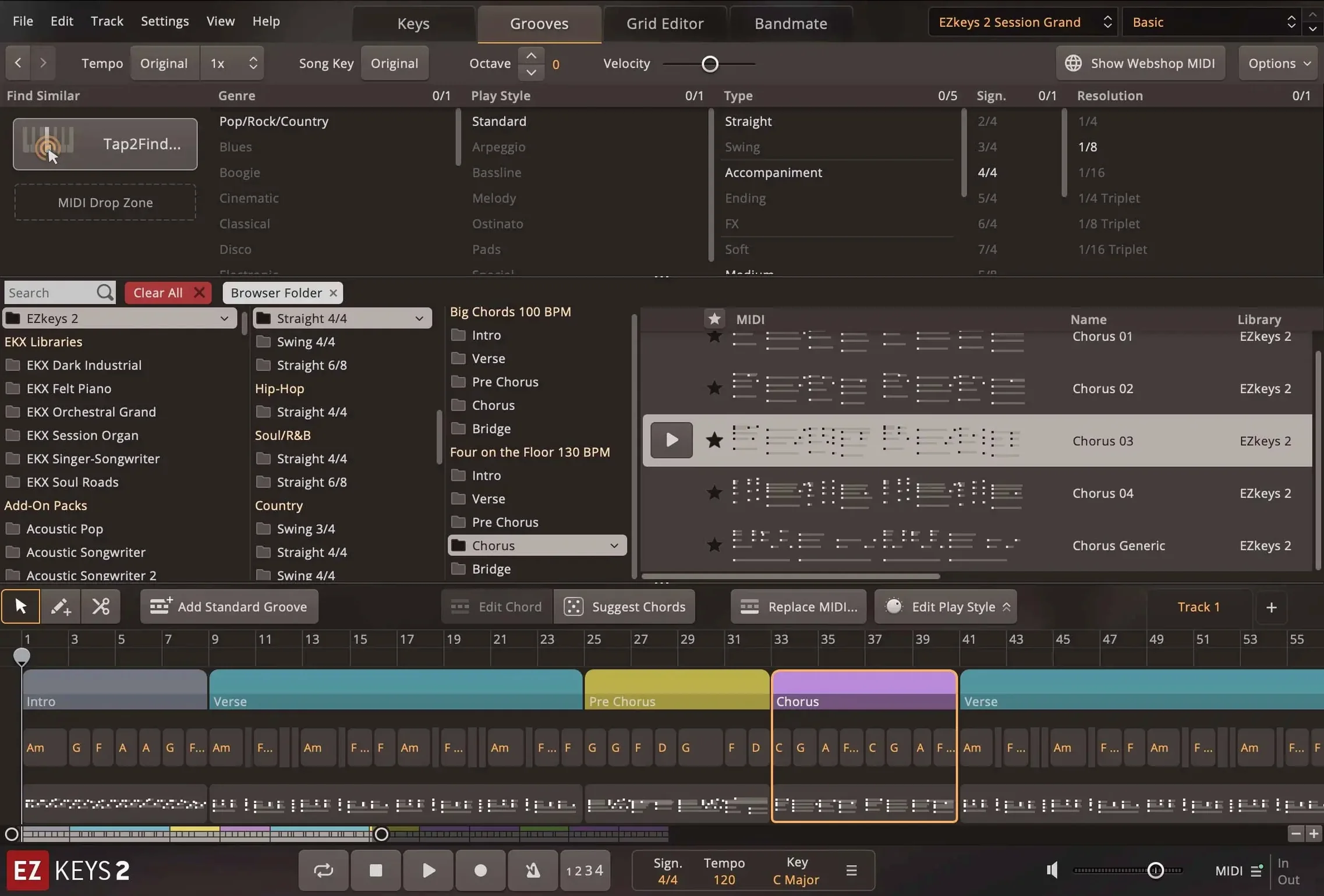
Another early misstep is ignoring the Tap2Find velocity threshold. A user taps a rhythm on the keyboard, hears a promising groove in the preview, and drags it into the arrangement — but the final output sounds stiff. The cause is usually too-soft taps that the engine interprets as ghost notes. Setting the velocity floor to around 60 in Tap2Find’s detection settings filters out the unintended triggers and yields a cleaner pattern on the first drag.
Downloading sound library content from several sources at once also trips up newcomers. The core Fazioli library installs with the base software, but expansion EKX titles and MIDI packs need to be placed in the correct Toontrack content path. If the installer cannot find the base EZkeys installation, it creates a separate folder structure that the plugin won’t scan. Pointing every expansion installer to the same root content directory keeps the file tree tidy and the browser populated.
Turning a 30‑second acoustic guitar take into keyboard parts with Bandmate
Songwriters who sketch ideas on a guitar or a bass, not a keyboard, benefit from the Bandmate and Chord Wheel pairing. An acoustic guitar take of 30 seconds — chords, a capo, no metronome — fed into Bandmate returns a chord map that matches the harmonic intent. From there, the wheel suggests substitutions and extensions that a guitarist might not reach for naturally, and the MIDI library turns them into piano parts with velocity curves and pedal data that a non-pianist would spend hours programming by hand.
Bedroom producers who build tracks in a DAW and need a piano part that sits in a dense mix without eating up headroom gain from the close-mic and ambient-mic blend controls in the core library. The Fazioli was recorded with multiple mic pairs, and the mix-ready presets cover a narrower dynamic range than a raw classical piano library, so the sound slots into a pop or rock mix with less compression and EQ on the channel strip.
Keyboard players with decent chops but limited theory knowledge get the most out of Songwriting Scales. Locking the scale to, say, D Dorian means every note on the keyboard stays in the mode. The player can improvise freely, and the recorder captures MIDI that fits the harmonic framework without manual editing afterwards. The same tool helps a producer who needs a quick modal shift in a bridge — switch the scale, replay the part, and the tonality changes without reprogramming the chords.
A start-to-finish workflow: writing a verse piano part from a vocal idea
Assume a singer has a rough phone recording of a verse melody, no chords decided yet, and the goal is a finished piano part that supports the vocal without doubling it.
- Import and clean. Open EZkeys in standalone mode. Drag the vocal file onto the Bandmate audio input lane. Apply a 100 Hz high-pass filter using the built-in trim control and set the analysis sensitivity to medium. Let Bandmate run — it returns a chord suggestion for each bar of the vocal.
- Choose a harmonic palette. Open Songwriting Scales and set it to the key the vocal suggests — here, E minor. The Chord Wheel now highlights Em, G, Am, Bm and C as diatonic options. Drag four chords from the wheel into the song track: Em, C, G, Am. Keep the voicings in the middle register to leave space for the vocal.
- Browse a playing style. Open the MIDI library and filter by genre — for a moody verse, the “Indie Pop” and “Ambient Piano” packs tend to have broken-chord patterns that stay out of the way. Audition three patterns against the chord track. Select one that uses the lower three octaves sparingly and keeps the right-hand rhythm loose.
- Time the groove with Tap2Find. Tap the vocal’s syllable rhythm on a single key — quarter-note feel, a push on beat 2 of bar two. Tap2Find pulls up a handful of accompaniment patterns that match the tapped rhythm. Choose the one that adds a slight anticipatory note before the chord changes.
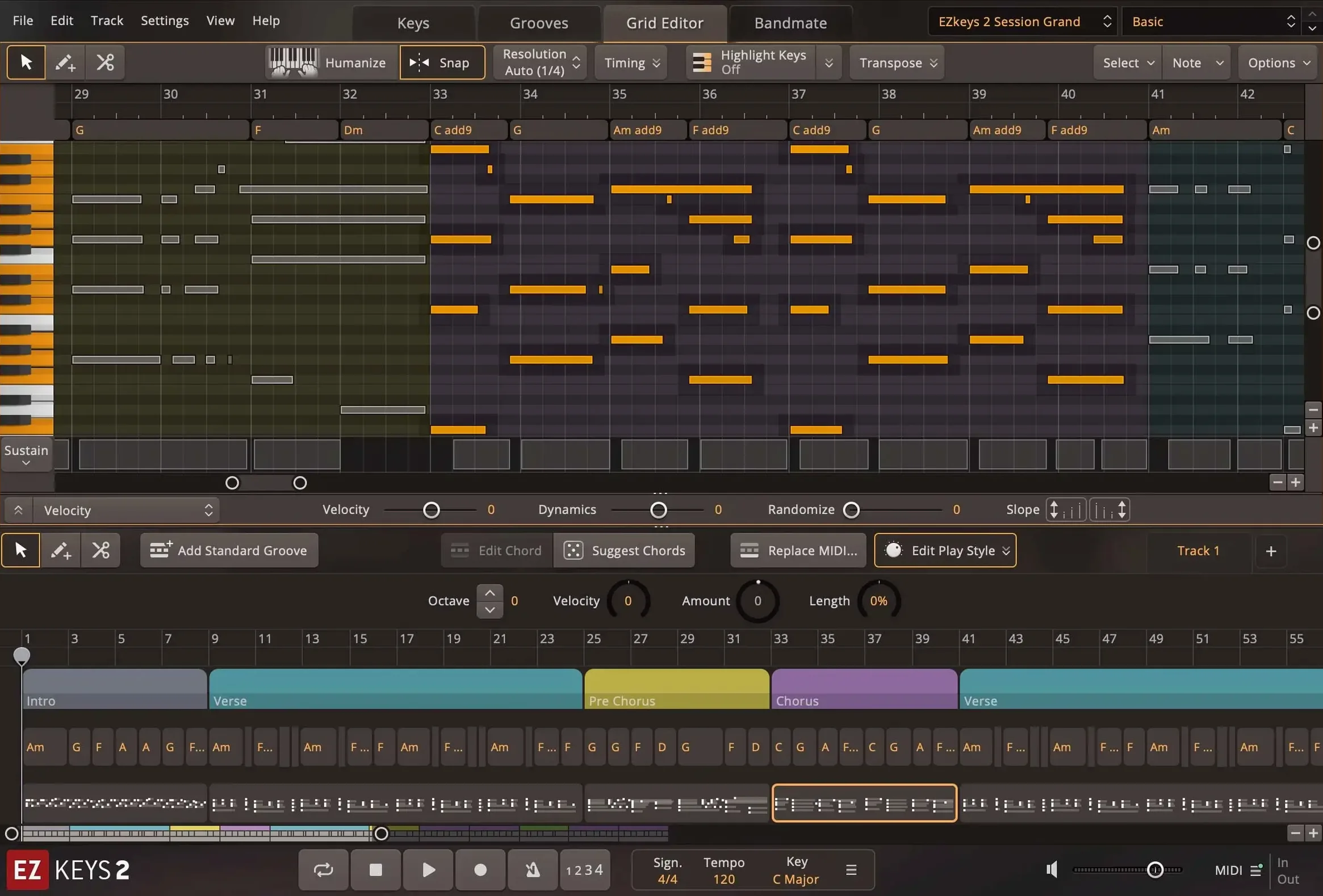
- Refine the MIDI. Drag the combined result — chords from the wheel, style from the library, groove from Tap2Find — onto the song track. Open the piano roll editor inside EZkeys. Nudge the bass note of the C chord down an octave for bars 2 and 4 to create a descending motion. Reduce the velocity of the top three notes by 10 points so they sit behind the vocal frequency range.
- Set the sound. On the mixer tab, select the “Ballad Mic Blend” preset. Push the close-mic fader up 3 dB and drop the room fader by 5 dB. Add a touch of the onboard plate reverb — 1.2 seconds decay, mix at 22 percent.
- Export. Drag the finished MIDI block from the EZkeys song track into the DAW, or record-enable the EZkeys plugin track and play the arrangement through in real time. The audio routes through the host mixer with the mic blend and reverb printed to the stereo output.
The whole process takes under ten minutes once the vocal file is loaded. The result is a piano part that follows the vocal phrasing, stays in key, and leaves the centre of the stereo field open for the lead.
- Sound expansion support — Added compatibility with Transistor Organ EKX.
- Icon refresh — Updated the standalone and project icons to the macOS Tahoe style on Mac.
- Performance — Improved behaviour with multiple CPU cores, especially on Mac.
- macOS 10.13 or later
- Intel 64-bit or Apple Silicon processor
Questions on file
Can Bandmate generate chords from audio?
Yes, Bandmate analyses audio or MIDI input and suggests matching chords and grooves.
Sign in · Create an account to add a field note.
No field notes yet. A measurement, a version, a machine — they appear after moderation.